Building a Local LLM-Powered Hybrid OCR Engine
How I built a privacy-first, fully offline OCR pipeline that pairs Surya's layout detection with local Vision Language Models (OlmOCR, GLM-OCR, Qwen3-VL) and a Needleman-Wunsch aligner — turning handwriting, forms, and scanned PDFs into pixel-perfect searchable documents on your own laptop.


The whole pipeline end to end: drop a scan, watch layout detection and a local VLM read it, and get back a searchable PDF, all on your own machine.
We live in a digital world, yet the most valuable data is still trapped in the analog prison of scanned PDFs. Invoices, handwritten notes, contracts, medical forms, decades-old research archives — pixels without meaning to a machine.
Cloud OCR APIs solve this, but at a cost: your privacy, a per-page bill, and an internet round-trip on every document you process. I wanted none of that.
This is how I engineered a fully local, privacy-first, hybrid OCR engine that pairs the surgical layout precision of Surya with the semantic understanding of local Vision Language Models (OlmOCR, GLM-OCR, Qwen2.5/3-VL) — bound together by a Needleman-Wunsch dynamic-programming aligner — to produce searchable PDFs from anything you can rasterize. No cloud. No API keys. No documents leaving your machine.
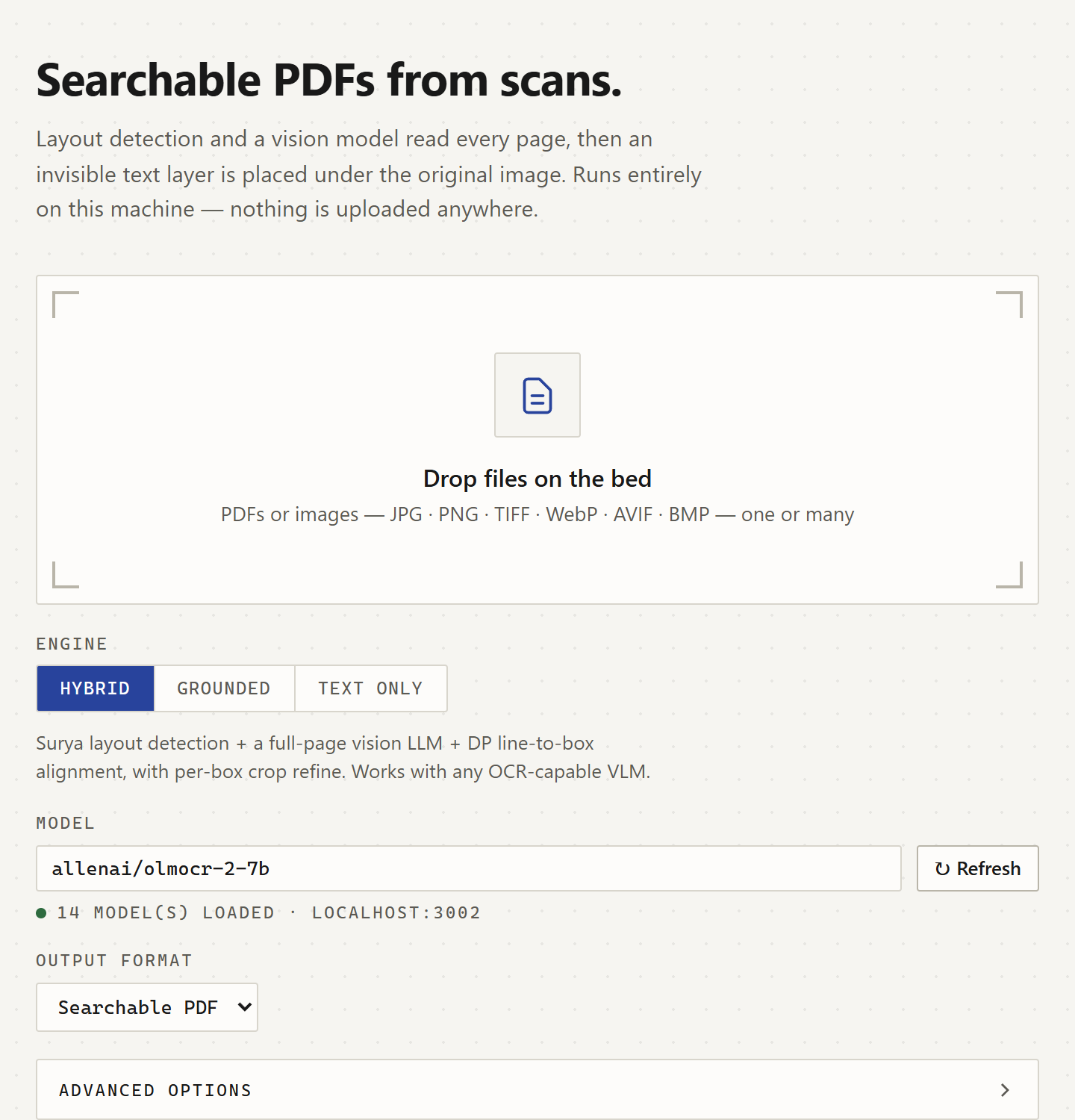
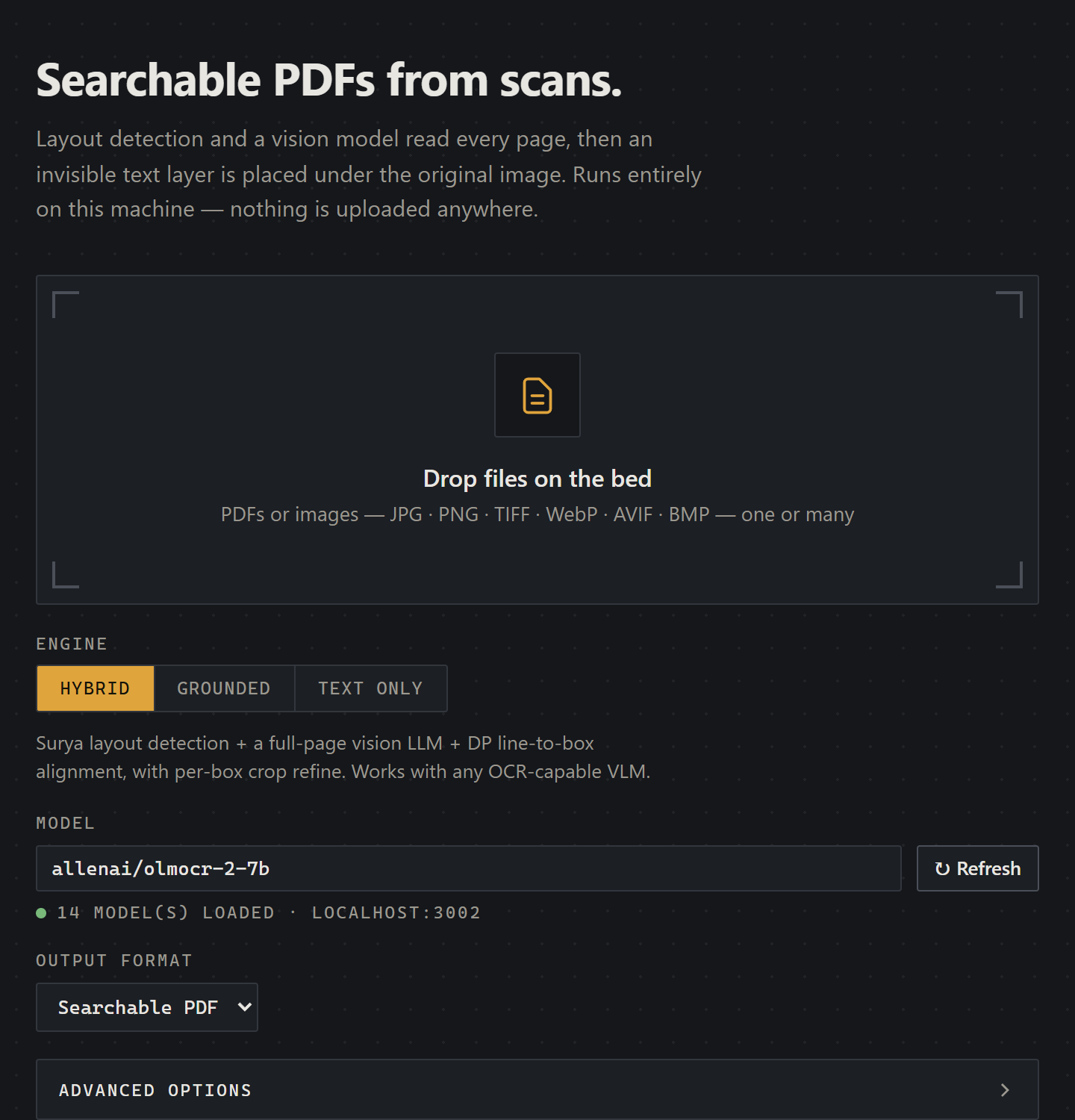
The FastAPI web UI: drop a file, pick the engine and a local model, and get a searchable PDF back. Everything runs on localhost, nothing is uploaded.
The OCR Triangle
When you build OCR today, the literature lets you pick two of three:
- Layout accuracy — knowing where the text lives.
- Semantic accuracy — knowing what the text says.
- Speed and privacy — running it on your laptop, offline.
| Tool | Layout | Semantics | Speed / Privacy |
|---|---|---|---|
| Tesseract / EasyOCR | ✅ Good | ❌ Fails on handwriting | ⚡ Fast, local |
| Surya Recognition | ✅ Excellent | ⚠️ Moderate on cursive | 🐢 ~20s/page, local |
| Surya Detection-Only | ✅ Excellent | ❌ No text output | ⚡ ~1s/page, local |
| Local VLM (OlmOCR-2, Qwen3-VL, GLM-OCR, DeepSeek-OCR) | ❌ No coordinates | ✅ Reads cursive perfectly | 🐢 GPU-bound, local |
| Cloud Vision APIs | ✅ Good | ✅ Good | ☁️ Not local, not free |
The bet: a vision-language model has the semantic brain to read messy handwriting, but no idea where pixels live on a page. A detection-only Surya pass has structural eyes but nothing to say. Compose them, and the triangle collapses into a quadrilateral.
The Architecture: Two Paths Behind One Seam
The pipeline lives behind a single OCRPipeline orchestration seam, with two execution paths:
- Hybrid path (default) — works with any OCR-capable VLM, including text-only models.
- Grounded path (opt-in via
--grounded) — for the new generation of bbox-native VLMs that emit text and coordinates in a single call.
The core insight on both paths is the same: decouple "where" from "what." Detection is fast, deterministic, and well-solved. Recognition is slow, semantic, and where modern VLMs shine. Wiring them together cleanly is the entire game.
Path 1: The Hybrid Pipeline (Surya + LLM + DP Alignment)
The hybrid path is the safe default. It works with any OCR-capable VLM — even ones that can only return plain text — because it never relies on the model knowing geometry.
Step 1: Batch Layout Detection with Surya
Surya's DetectionPredictor runs on every page in a single batched call, returning bounding boxes sorted into reading order. We never pay for Surya's recognition step, which is the expensive part of full Surya — running detection-only is roughly 10–21× faster than full recognition.
# Process ALL pages in one batched detection call
all_image_bytes = [decode(img) for img in images_dict.values()]
all_boxes = hybrid_aligner.get_detected_boxes_batch(all_image_bytes)
That single call is amortized across the whole document. On a warm pipeline it finishes in about half a second total — regardless of how many pages you threw at it.
Step 2: Full-Page Transcription with a Local VLM
Each page image gets handed to a local OpenAI-compatible endpoint — LM Studio with allenai/olmocr-2-7b, Ollama with glm-ocr:latest, vLLM, SGLang, or anything else that speaks the same wire format — with a prompt asking the model to transcribe the entire page.
The VLM doesn't care about coordinates. It just reads the page like a human and returns text. That's its superpower, and the rest of the pipeline is built around exploiting it.
Step 3: Needleman-Wunsch Alignment — The Heart of the System
This is where it gets interesting. A naive "distribute tokens proportionally to box width" trick works for clean prose but falls apart on tables, multi-column papers, and forms. The fix is to model the problem properly.
You have N detected boxes in reading order on the left, and M LLM lines in reading order on the right. You need a monotonic alignment — every box keeps its position, every line keeps its position, you just decide which line(s) belong to which box (and which boxes are non-text decorations to be skipped entirely).
That is exactly the shape of Needleman-Wunsch — the same dynamic-programming algorithm that aligns DNA sequences in bioinformatics. The score function:
- Rewards a line whose character count fits a box's width.
- Mildly penalizes skipping a box (many detected boxes are rules, decorations, or page furniture).
- Heavily penalizes skipping a line (LLM text is precious).
Unmatched LLM lines aren't dropped on the floor — they're attached to the nearest matched box, so no semantic content disappears. The DP runs in O(N × M) time, which is nothing on a per-page basis.
Step 4: Per-Box Refine Fallback
Even a good aligner leaves some boxes empty when layouts get pathological — multi-column research papers, dense tables, figure captions floating in whitespace. Rather than tank accuracy, the pipeline crops each empty box and runs per-box re-OCR on just that crop.
It catches the hard cases without paying N× latency on clean pages. Disable with --no-refine when you're optimizing for throughput on documents you know are clean.
Path 2: The Grounded Path (One-Shot VLM)
The newest generation of open-weight vision models — Qwen3-VL (including the 2026-01-22 Flash snapshot), GLM-4.6V, GLM-OCR (Z.ai's March 2026 release that tops OmniDocBench V1.5), DeepSeek-OCR with its Contexts Optical Compression trick, InternVL3, Chandra-OCR, MinerU 2.5, and PaddleOCR-VL — can return text and bounding boxes in a single JSON response. When you point the tool at one of these with --grounded, the entire hybrid stack collapses into one call:
uv run main.py scan.pdf --grounded \
    --api-base http://localhost:1234/v1 \
    --model qwen/qwen3-vl-8b
No Surya. No DP. No refine. The model returns {"bbox_2d": [...], "content": "..."} tuples and the sandwich-PDF writer takes it from there. It's faster, has fewer moving parts, and eliminates the entire DP-alignment class of bugs.
It also requires a model that emits coordinates reliably — which is why the hybrid path remains the default. Hybrid works with any OCR-capable VLM, including the long tail of text-only models. Grounded is the cleaner path when your model can support it.
| Path | Detection | Text | Alignment | Refine | When to use |
|---|---|---|---|---|---|
| Hybrid (default) | Surya | LLM full-page | Needleman-Wunsch | Per-box crop | Any OCR-capable VLM; max coverage |
Grounded (--grounded) | — | Bbox-native VLM | — | — | Qwen2.5/3-VL, MinerU; simplest path, fewest bugs |
The "Sandwich" PDF — Invisible Text Over Real Pixels
Once we have aligned text and boxes, we embed everything as a sandwich PDF with PyMuPDF:
- Rasterize the page as an image — strips any existing (often broken) text layer, giving us a clean slate.
- Insert the image as the visible background — what the user sees.
- Overlay invisible text with
render_mode=3, geometrically scaled with horizontal-scale matrices so each glyph's bounding box spans the full width of its source region.
That horizontal-scale matrix is the trick that makes selection actually work. Without it, a PDF reader's selection caret jumps in weird places and you get selection runs that look right visually but produce garbage when you copy. With it, dragging your cursor across INVOICE #4521 highlights exactly that region, character-aligned to the underlying pixels.
The user sees the original document — every font, every annotation, every coffee stain. Their cursor interacts with a perfectly searchable hidden layer they never see.
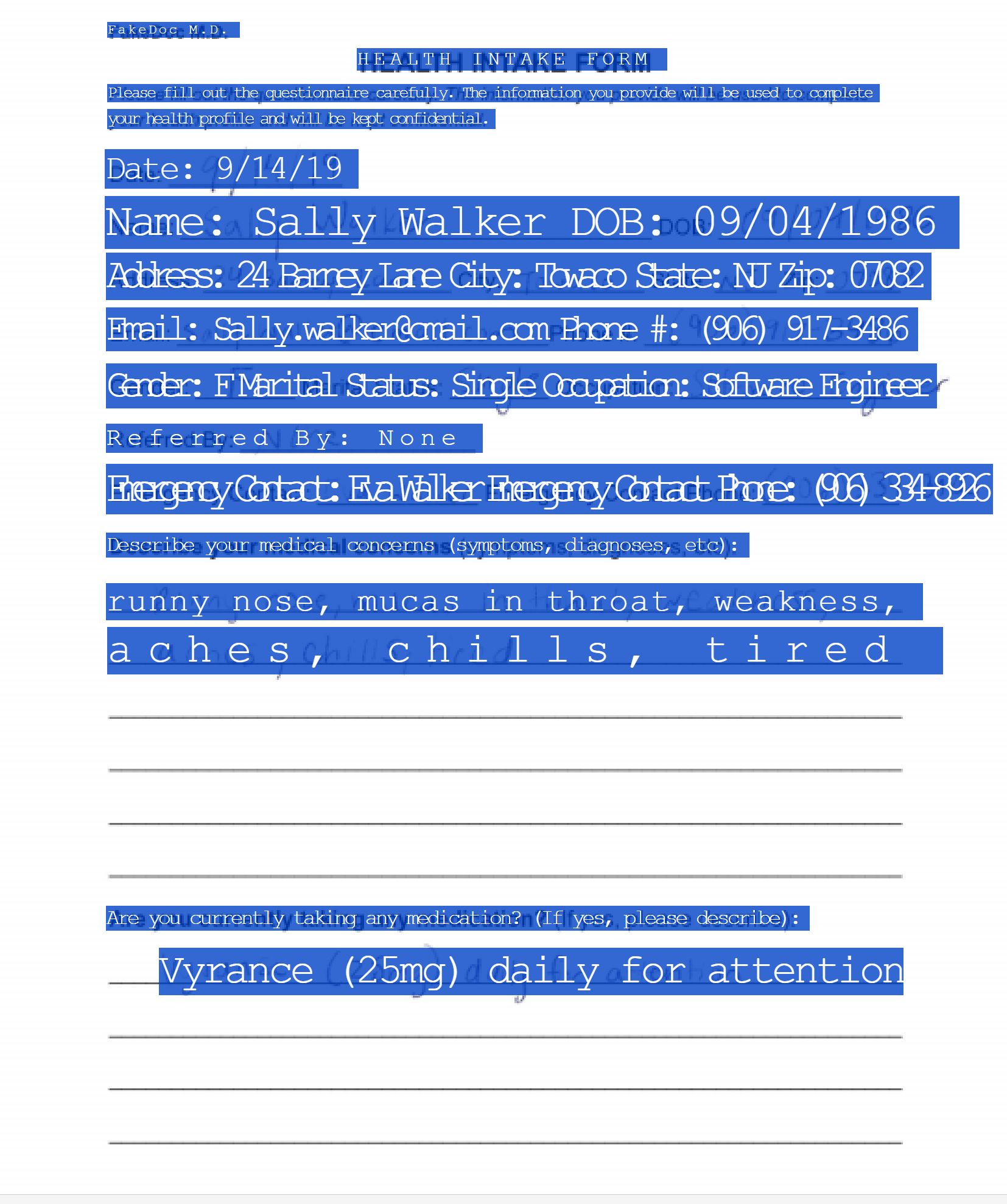
The sandwich PDF in action: selecting text on a scanned form highlights the invisible layer, character-aligned to the printed and handwritten pixels underneath.
Multi-Format Input — Beyond Just PDFs
The pipeline accepts whatever you throw at it:
.pdf— multi-page handled natively..jpg,.jpeg,.png,.bmp,.webp— single-page images skip the PDF round-trip and feed straight into rasterization..tif,.tiff— multi-frame TIFFs expand to one output page per frame. No manual PDF-wrapping step. This is the format archives, hospitals, and law firms still ship in.
# Raw image — no PDF required
uv run main.py scan.png scan_ocr.pdf

# Multi-frame TIFF → multi-page searchable PDF
uv run main.py archive.tiff archive_ocr.pdf
Output is always a PDF, even when the input isn't.
Performance: Where the Time Actually Goes
Here's the punchline: detection is no longer the bottleneck — full-page LLM OCR is. Once you've offloaded recognition to a VLM, Surya's contribution is rounding error. Warm-run breakdown on an LM Studio + OlmOCR-2-7B + single GPU setup:
| Phase | Per-page cost | Notes |
|---|---|---|
| Rasterize PDF → image | ~0.3 s | Linear in pages |
| Surya batch detection | ~0.5 s | Amortized across all pages in one batched call |
| LLM full-page OCR | ~2–4 s | Dominant cost. Parallelize with --concurrency 3 |
| Per-box refine (if any) | ~0.5–1 s × empty boxes | Typically 0–2 s; disable with --no-refine |
| PDF assembly | ~0.2 s | Linear in pages |
| Cold-start Surya load | +5–10 s (paid once) | Paid even on grounded runs |
End-to-end on the example PDFs (hybrid path, OlmOCR-2-7B, warm cache): digital ≈ 14 s, hybrid form ≈ 5 s, handwritten ≈ 4 s. The handwritten case being the cheapest is genuinely funny — fewer detected boxes means a shorter DP, fewer LLM tokens to align, less refine work. Messy is sometimes faster than clean.
--concurrency is the lever that matters most. The LLM is the bottleneck and there's nothing stopping you from streaming three pages at once on a beefy GPU.
CLI & Real-time Web UI
A tool is only as good as its developer experience. The pipeline ships two interfaces, each rendering the same progress events so you don't have to learn two mental models.
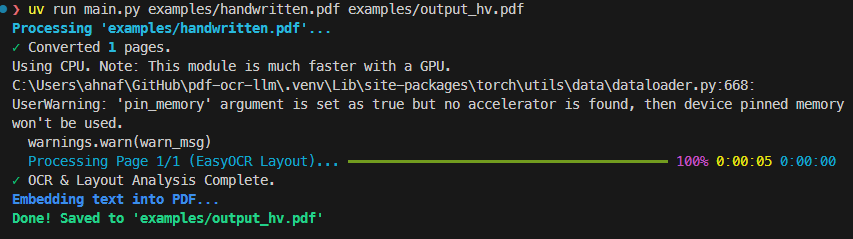
- CLI — Powered by
rich, with live progress bars for detection, LLM OCR, refinement, and embedding. Full flag surface for batch automation:--pages,--concurrency,--dpi,--no-refine,--api-base,--model,--grounded. - Web UI — FastAPI + WebSockets, drag-and-drop, dark mode, real-time per-page progress, and an in-browser preview of the raw VLM output before it gets aligned. Same WebSocket events drive both surfaces.
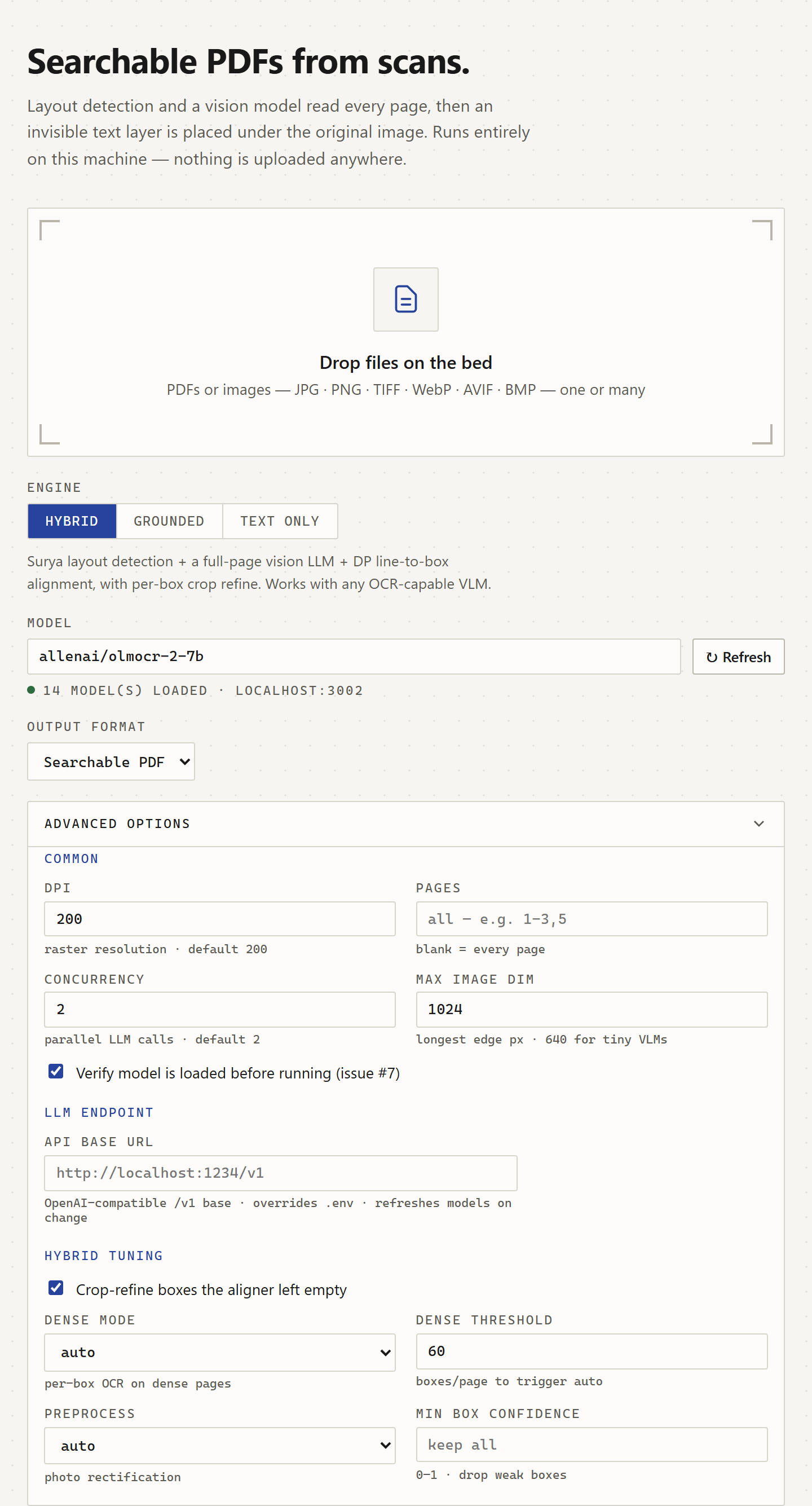
The same flag surface the CLI exposes, in the browser: DPI, concurrency, the OpenAI-compatible endpoint, and the hybrid-tuning knobs for crop-refine and dense pages.
with progress:
    # Phase 1: Batch layout detection (one Surya call for all pages)
    task_layout = progress.add_task("[cyan]Detecting layouts (batch)...", total=1)
    all_boxes = hybrid_aligner.get_detected_boxes_batch(all_image_bytes)

    # Phase 2: LLM OCR per page, with optional concurrency
    task_ocr = progress.add_task(f"[cyan]LLM OCR Processing...", total=total_pages)
    for page_num in page_nums:
        llm_text = ocr_processor.perform_ocr(image_base64)
        aligned_data = hybrid_aligner.align_text(boxes, llm_text)
        progress.advance(task_ocr)
Validating the Whole Thing
Hybrid systems break in subtle ways: a DP edge case, a glyph-scale matrix off by 1.02×, a TIFF frame that gets dropped silently. The repo ships a 145-test suite covering DP invariants, embedding geometry, grounded JSON parsing, and end-to-end runs against the example PDFs.
There's also a confidence evaluator that scores either path against ground-truth fixtures — block recall at IoU ≥ 0.3, average IoU of matched pairs, and average text similarity. Run it against both paths to see which one wins on your document set:
uv run scripts/confidence_eval.py --path both \
    --grounded-model qwen/qwen3-vl-8b \
    --hybrid-model allenai/olmocr-2-7b
That's the honest way to choose between hybrid and grounded — measure it on the documents you actually care about.
Why This Matters Beyond OCR
This project is, at its heart, a case study in hybrid AI systems — the architectural pattern of decomposing a problem into a fast deterministic stage and a slow semantic stage, then binding them together with a classical algorithm.
- Surya detection — fast, deterministic, well-defined contract.
- Local VLM — slow, semantic, the part that actually reads.
- Needleman-Wunsch DP — a 1970 algorithm, still the cleanest tool for monotonic alignment.
Each piece is replaceable. Swap Surya for a different layout model. Swap OlmOCR for Qwen3-VL and flip the --grounded switch. Swap the embedder for one that emits HTML or Markdown instead of PDF. The seams are clean because each stage has a crisp contract: "boxes in reading order," "text in reading order," "aligned (box, text) pairs."
It also matters for RAG and document-AI pipelines. Searchable PDFs are the input format every downstream tool expects — vector-database ingestors, LangChain loaders, enterprise search, Notion imports, knowledge-graph builders. A good local OCR layer is the unglamorous bedrock under all of it. Get the OCR wrong and every downstream embedding inherits the noise; get it right and your retrieval just works.
Try It Yourself
100% local. No API keys. No subscription fees. Your documents never leave your machine.
The full source is on GitHub. Stars, issues, and PRs all welcome.