# Ahnaf An Nafee - Full Site Content
> Complete text of every blog post, research entry, and portfolio project on https://ahnafnafee.dev.
> Curated index and API map: https://ahnafnafee.dev/llms.txt
> Content may be used with attribution. Please link back to the URL listed above each document.
---
# Airlock: Private File Transfer Across Your Own Devices
URL: https://ahnafnafee.dev/blog/airlock-private-tailscale-file-transfer
Published: 2026-08-17
Summary: How I built Airlock, a self-hosted PWA for moving files between your own devices over Tailscale. Files are chunked and encrypted in the browser before upload, then resume, deduplicate, and expire after collection without the server ever receiving the key.
Topics: Privacy, Tailscale, Go, PWA, Encryption, Self-Hosted
AirDrop works well when two Apple devices are in the same room. Cloud drives are fine when I am willing to hand a file to a company. Taildrop is my default for a quick handoff. I wanted a private inbox for files moving between my own phone, laptop, and desktop, including when the sender closes its browser or the receiver is asleep. That is [Airlock](https://github.com/ahnafnafee/airlock), a self-hosted app that runs on one of my machines and is reachable only inside my Tailscale network.
There is no Airlock account and no public port. A file is sealed in the browser before it is uploaded. The server holds ciphertext, encrypted metadata, and the information it needs to route and resume a transfer; it never receives the passphrase-derived key that can open the file.
The whole send flow: choose files or a folder, choose a destination, and send.
## Tailscale is the network boundary
Airlock runs inside a Tailscale network. Tailscale handles identity, private routing, and HTTPS, so the server only listens on the tailnet. An optional approval gate can hold a new device until an existing device admits it.
The server is a small Go binary that embeds the whole client and prints a tailnet URL when it starts. Open that URL on a phone, tablet, or another computer. The browser app can be installed as a PWA, use the share sheet where the platform supports it, and notify a receiver when something arrives. Transfers are store-and-forward: encrypted pieces wait on the server until a recipient collects them, so a device can be asleep or temporarily offline.
```mermaid
graph LR
S["Sender browser"] -->|"seal and upload chunks"| A["Airlock server on the tailnet"]
A -->|"receiver fetches encrypted chunks"| R["Receiver browser"]
```
## Lock before uploading
Airlock splits a file and encrypts each piece on the sending device before any request carries it across the network. The passphrase is stretched with PBKDF2-SHA256 at 600,000 iterations into a master key. Browser Web Crypto then derives a key for each piece and encrypts it with AES-256-GCM. Filenames, sizes, thumbnails, and the ordered chunk list are sealed too.
The Tailscale-authenticated server can still tell that a known device sent a transfer, its approximate size, and when it happened. It can delete or withhold ciphertext. It does not get the key or plaintext contents. Encryption protects files and metadata at rest on the host, but a compromised server is still visible in the transfer metadata it holds.
## Chunking the file
An opaque blob is a poor fit for a dropped Wi-Fi connection or a file that changes after it has been sent. Airlock uses content-defined chunks. Their boundaries come from the file's bytes instead of a fixed size. Edit the middle of a video and the chunking resynchronizes shortly afterward, without invalidating every chunk that follows.
Each chunk gets an identifier derived from its content and the same secret key. Before uploading, the client asks which encrypted pieces already exist. That check handles several jobs:
- Sending an unchanged file again skips pieces the server already has.
- Resending a file with a small edit uploads only the affected region and the chunks around the new boundaries.
- A dropped connection resumes from the confirmed pieces instead of restarting the full file.
The receiver verifies and decrypts each piece while rebuilding the download. A damaged or substituted piece fails authentication rather than becoming a plausible but wrong file.
The chunk strip makes deduplication visible: green pieces are already available.
Arrivals wait in the inbox until a device saves or declines them.
## Inbox and retention
Each inbox card lets a recipient save or decline the file. Once a recipient saves it, Airlock clears the transfer from the queue. Uncollected transfers expire after ten minutes by default, with a configurable lifetime for devices that are not always on hand. A small, encrypted history remains after the file is gone, so a device can show what passed through without retaining the file itself.
The PWA asks for notification permission while a device is set up and uses push when the browser supports it. Tapping an alert opens the relevant inbox entry. Platform differences are real, especially on iOS, so the inbox and its unread count remain the reliable fallback.
## One binary and plain web assets
The server and client have different jobs. Go owns Tailscale identity, encrypted-chunk storage, transfer records, expiry, device approval, and notifications. The client is plain browser JavaScript and CSS. Web Crypto handles the key work, workers keep chunking and encryption off the UI thread, IndexedDB holds the non-extractable key material needed by the app and service worker, and the final assets are embedded in the Go binary.
To start it, download a release for Windows, macOS, Linux, or ARM, run `./airlock`, and open the printed tailnet address on two devices. The repository includes a [deployment guide](https://github.com/ahnafnafee/airlock/blob/main/docs/deployment.md), Docker support for a rented server, implementation notes, and measured benchmarks. The source is [MIT-licensed on GitHub](https://github.com/ahnafnafee/airlock).
---
# Revamping and Scaling Player 2: Infrastructure, Product, and Marketing
URL: https://ahnafnafee.dev/blog/building-player-2-sole-developer
Published: 2026-07-14
Summary: How I revamped an established gaming social app end to end, shipped it across the App Store and Play Store, and operationalized and scaled it: self-hosted infrastructure on Hetzner and Coolify, a modular Spring Boot backend, an Expo mobile app and a TanStack web client, app store optimization in nine languages, and an analytics-driven feedback loop.
Topics: Full-Stack Engineering, Infrastructure, Mobile Development, Marketing, App Store Optimization
Player 2 is a matchmaking and social app for gamers, and I am the engineer who rebuilt it into what it is today. It is an established Dynasty 11 Studios product with a history before me. My work has been to revamp it end to end, ship it across the App Store and Play Store, and operationalize and scale it. Today I own the full technical stack: the Spring Boot backend, the Expo mobile app, a web client, the admin tools, the deep-link service, and the infrastructure it runs on, along with the app store optimization, localized listings, and analytics loop that keep it growing. This post is a look at what that takes across a real product with real users.
## What Player 2 Actually Does
The core idea is simple. Most matchmaking pairs people by rank, which tells you almost nothing about whether you will enjoy playing together. Player 2 matches on personality and playstyle instead, using a short in-app survey, and it only suggests games you both actually own. You link real accounts (Steam, Xbox, PlayStation, Epic, GOG, EA, Battle.net) so the recommendations stay grounded in your real library.
Around that sits a full social product. There is a Looking for Group hub you can filter by region, language, platform, and rank. Communities, which we call Playgrounds, give people a place to organize. A personalized feed called GameHub mixes posts from the people and games you care about. A game library carries critic and player scores, reviews, and trivia. Quests hand out XP and collectibles, and a customizable Player Card pulls cosmetics from an in-app store. Real-time chat and live presence tie it together, and the whole thing is paid for by ads, a PRO subscription, and cosmetic coins.
## The Shape of the System
Player 2 is not one repo. It is eight, split across two GitHub orgs, each with its own stack and its own deploy path. Two of them are clients: the mobile app and the web app. One is the backend everything talks to. The rest are supporting services, meaning the admin tools, the deep links, the infrastructure definitions, and the marketing assets.
```mermaid
flowchart TD
M[Mobile app · Expo / React Native]
W[Web app · TanStack Start on a Worker]
DL[Deep links · Cloudflare Worker]
CF{{Cloudflare · DNS, proxy, Workers}}
API[Backend API · Spring Boot on Coolify]
ADM[Admin UI · Next.js]
DB[(PostgreSQL 17)]
R[(Redis · chat and presence)]
OBJ[(S3 / R2 · assets and backups)]
EXT[IGDB · RevenueCat · Firebase · Expo Push]
M --> CF
W --> CF
DL --> CF
CF --> API
ADM --> API
API --> DB
API --> R
API --> OBJ
API --> EXT
```
Everything public sits behind Cloudflare, which handles DNS, acts as the proxy in front of the backend, and hosts two of the services directly as Workers. The backend owns the data in PostgreSQL, uses Redis for anything that has to be fast or shared across instances, and keeps assets and backups in object storage. Holding that whole picture together is the actual job. The code is the easy part.
## Infrastructure I Own End to End
I do not rent a platform to run this. The backend and admin tools live on Hetzner virtual machines, orchestrated by Coolify, which builds each service straight from a Dockerfile on every push to its deploy branch. There is no external image registry in the path and no separate build farm. Push, build, deploy.
The pieces that benefit from being declarative live in Terraform: the AWS storage bucket and its scoped IAM user, and the whole Grafana Cloud setup, which is the dashboards, the alert rules, and the Discord contact points that page me when something breaks. Observability runs through an OpenTelemetry collector and a blackbox probe into Grafana, so metrics and logs stay portable across vendors instead of locked to one dashboard product.
The part I am most proud of is how much paid tooling I replaced with a little code. Instead of a managed deep-link vendor, I run my own Cloudflare Worker. Instead of a platform-as-a-service bill that scales with growth, I run Coolify on a box I control. The infrastructure repo is not app code at all. It is the operator's manual: bootstrap scripts that stand a fresh machine up from nothing, a hardening runbook, dated audits, and blameless post-mortems, so future me can rebuild the entire environment from zero without guessing.
## The Backend Is a Modular Monolith
The backend is Spring Boot 4 on Java 25, and it is deliberately a modular monolith rather than a pile of microservices. Each domain (players, chat, matchmaking, feed, LFG, store, gamification, and the rest) is its own module with clear boundaries, and modules talk to each other through durable events instead of reaching into one another's internals. That structure gives most of the isolation benefits of microservices without the operational tax of running a dozen of them.
Data lives in PostgreSQL 17 with every schema change managed by Flyway and gated in the build, so the database can never drift away from the code. The API is REST with header-based versioning, which let me ship a second version of an endpoint next to the first without breaking older app builds still out in the wild. Auth is JWT with refresh tokens that rotate on every use. Chat and presence run over STOMP WebSockets, fanned out across instances through Redis pub/sub so a message reaches every device no matter which server it lands on. Virtual threads keep all of that cheap under load.
## Keeping Mobile and Web in Lockstep
The mobile app is Expo and React Native, organized as a monorepo so screens, logic, UI, and assets stay in separate packages that can move at their own pace. State is split on purpose: Redux Toolkit for the things that must persist, and TanStack Query for server data. Every piece of user-facing text runs through translation, and the app ships in English, Arabic, Turkish, and Spanish, with full right-to-left layout for Arabic. Releases go out through EAS with an update policy tied to the version number, so a patch ships as a JavaScript update over the air in minutes while a larger change goes through the stores.
The web client is its own app, not a wrapper around the mobile one. It is a TanStack Start project running on a single Cloudflare Worker that owns both the marketing site and a browser version of the product at close to feature parity with mobile. It shares no React Native code. It reuses the patterns and points at the same API. A few things stay native on purpose, like buying a subscription or linking a console account, because dragging them into the browser would cost more than it returns.
## Deep Links Without Paying for Branch
Deep links look trivial until you try to leave a vendor. When a link has to open the app if it is installed, fall back to the store if it is not, and show a rich preview when someone pastes it into a chat, most teams reach for a paid service. I replaced that with a small Cloudflare Worker on its own subdomain. It renders share previews from backend metadata, redirects based on the device that tapped the link, and serves the platform association files byte for byte identical to the old vendor, so every already-installed app kept working through the switch. Anyone with the app never even sees it.
## Learning From Users Without a Research Team
I never ran a formal usability lab, but the product is full of research if you know where to look. The matchmaking survey is continuous preference data: every answer feeds both who you get matched with and who gets recommended to you. The feed's seen, tap, and dismiss signals are a live read on what is actually landing. Analytics run through Segment, Firebase, and Mixpanel, crash reporting through two independent tools, and I periodically audit the real production database to learn how people use the thing rather than how I imagined they would.
Beta testing goes through TestFlight and Firebase App Distribution before anything reaches the stores, backed by automated end-to-end flows that sign in and click through the core paths on a real emulator. One small detail I am fond of: the app asks for a review at a moment of delight, right after your first accepted match, instead of interrupting you the moment you open it. Timing choices like that are the whole difference between a prompt that helps and one that annoys.
## What Owning the Whole Stack Taught Me
The lesson that surprised me is that writing code was never the bottleneck. The bottleneck is context: how much of the system you can hold at once, and how fast you can move between a database migration, a WebSocket bug, an App Store rejection, and a paywall experiment without losing the thread. Owning the whole stack shaped every call I made. I chose boring, self-hosted tools where they saved money and kept control. I documented obsessively, because documentation is what lets a small team operate this much surface area. And I got comfortable deciding what not to build, which is the real skill, because every yes is paid for by everything else it crowds out.
Player 2 is live on the App Store and Play Store today, in far better shape than I inherited it. If you want the shorter version with just the highlights, the [project page](/portfolio/player2) has it.
---
# SongMirror: Self-Hosted Playlist Sync, Transfers, and Backups
URL: https://ahnafnafee.dev/blog/songmirror-playlist-sync
Published: 2026-07-13 (updated 2026-10-21)
Summary: Keep playlists and favorites connected across streaming services and your own music library. How I built SongMirror with scheduled merge syncs, account-to-account transfers, editable matches, and playlist backups.
Topics: Music Sync, Self-Hosted, Python, Automation, APIs
I curate playlists on Spotify but listen on Apple Music, YouTube Music, and a Jellyfin server at home. I built [SongMirror](https://github.com/ahnafnafee/songmirror) to keep those libraries connected without copying every change by hand. It has grown into a self-hosted browser app for scheduled playlist and favorites syncs, multi-source merges, account-to-account transfers, and metadata backups. Seven streaming services sit alongside Last.fm, ListenBrainz, and Navidrome/Subsonic integrations, with a separate local audio mirror for Jellyfin. The published Docker image runs the app and scheduler together; a headless Python CLI uses the same engine. You choose which services define the library and which follow it.
Use the ready-to-run image `ghcr.io/ahnafnafee/songmirror:latest`. Save the [official Compose file](https://raw.githubusercontent.com/ahnafnafee/songmirror/main/docker-compose.yml) as `compose.yaml` in a new folder, open a terminal in that folder, and run:
```bash
docker compose up -d --pull always --no-build
```
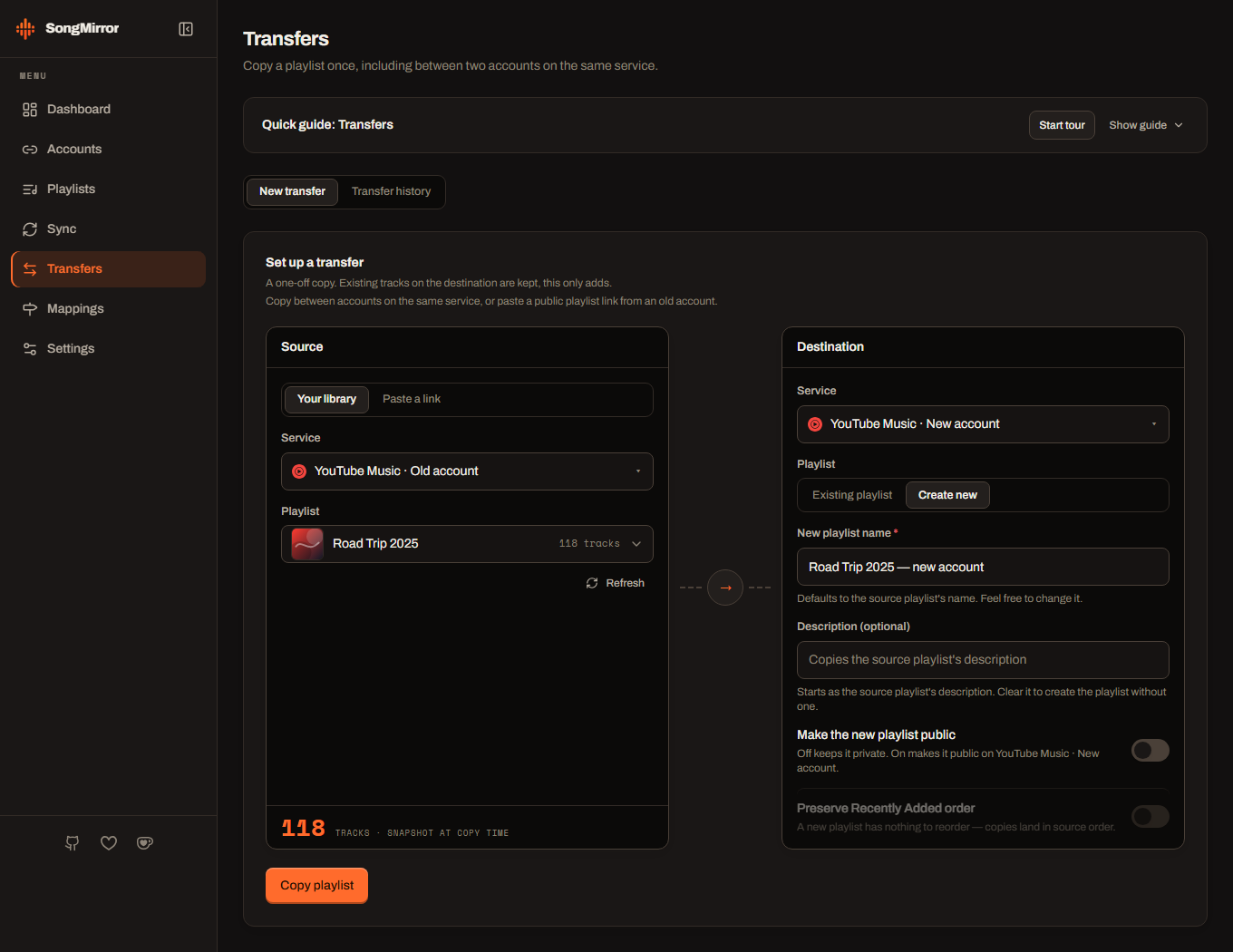
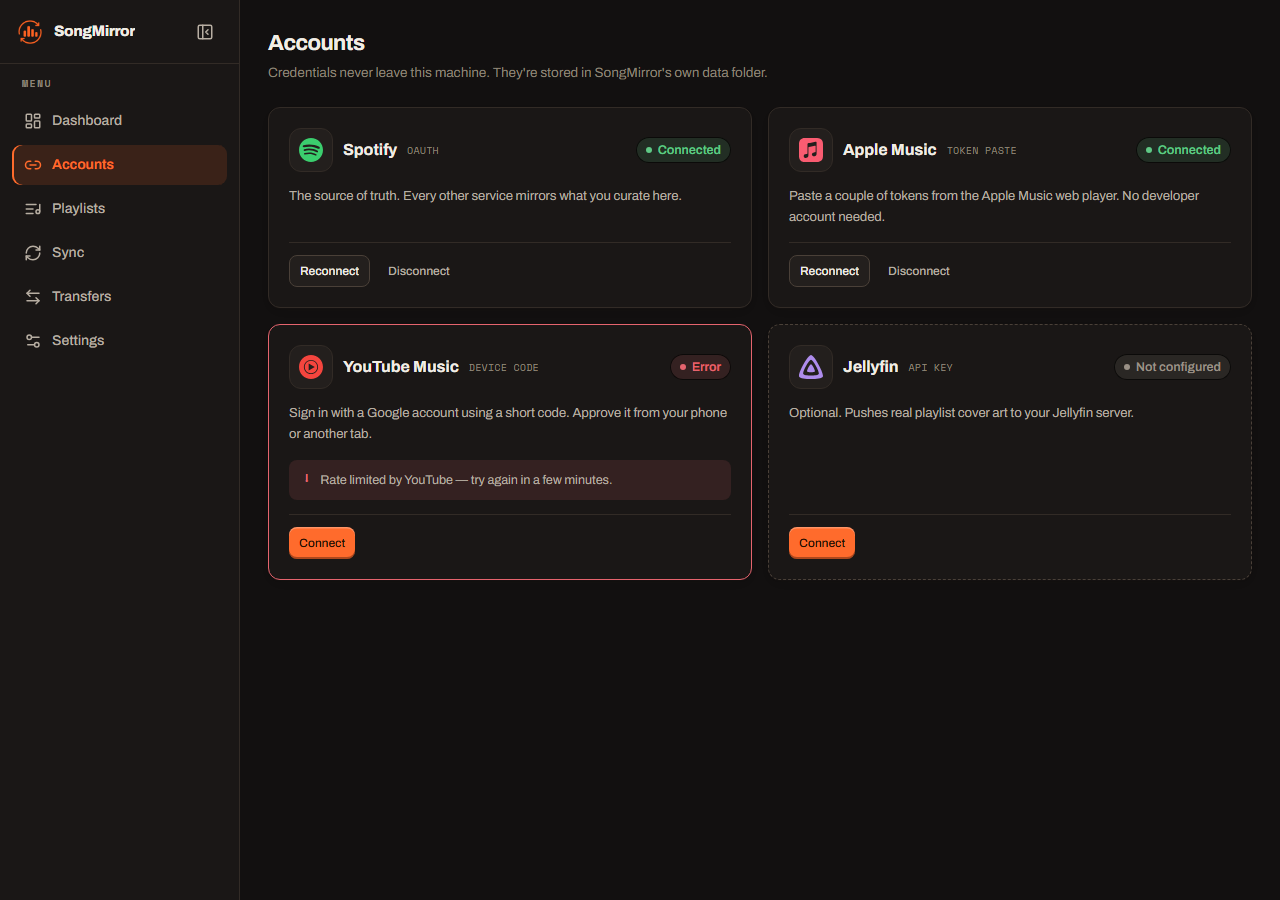
1. Open [localhost:8888](http://localhost:8888) and connect your services under **Accounts**.
2. Use **Transfers** for a one-time copy, or **Sync** to create a scheduled job. Preview a sync before applying it.
3. Keep `./data` backed up: it holds your configuration, credentials, caches, and history. Compose also preserves downloads under `./downloads` by default.
Compose pulls the published AMD64/ARM64 image and keeps it running across host restarts. Setup needs no Git checkout, local build, or environment file. The interface has no login, so keep it on a trusted local network.
One place to manage connected accounts and see what the scheduler is doing.
## Decide Who Controls the Playlist
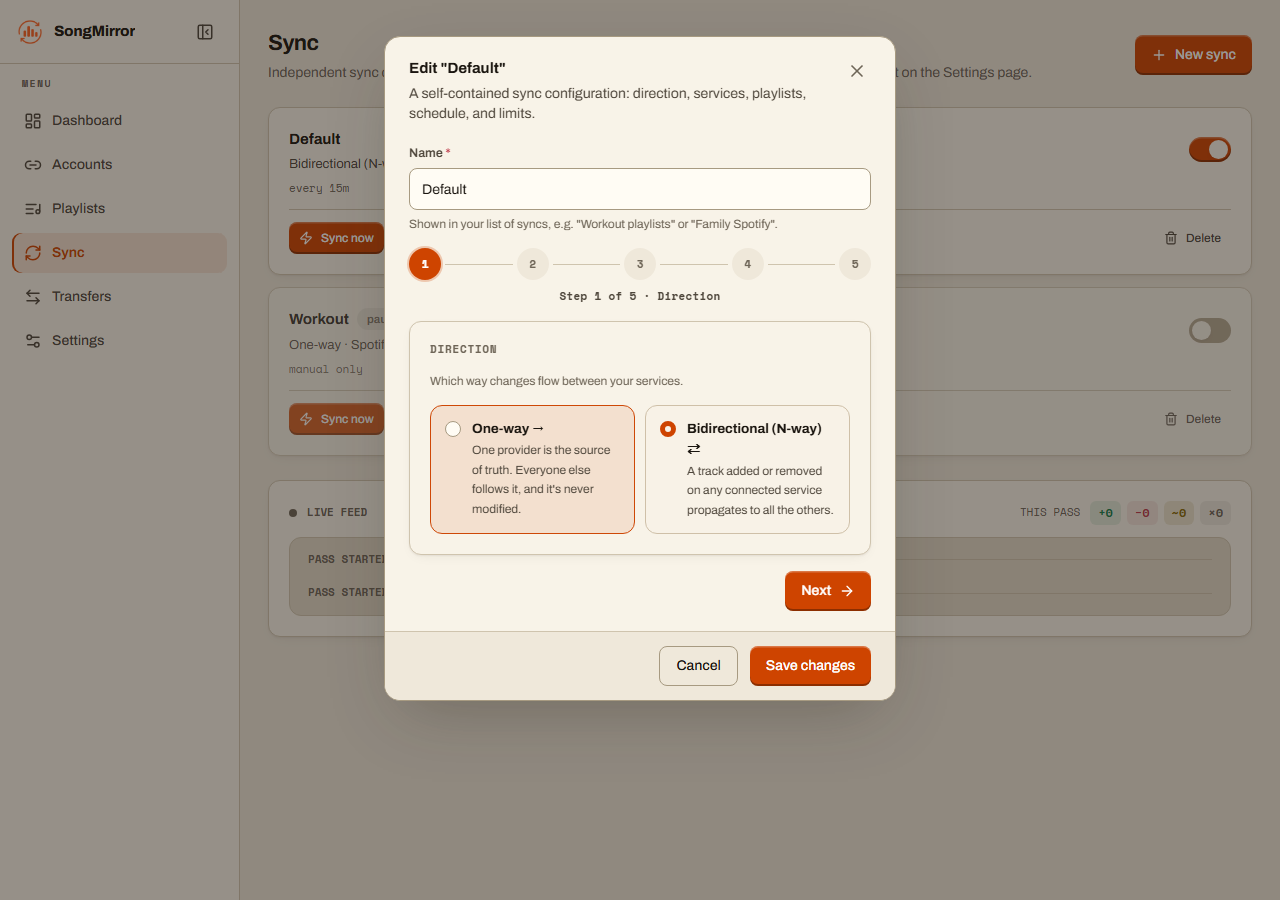
A playlist shared across several services needs a rule for whose edits count. SongMirror offers four modes because editing on one app and curating across several apps are different workflows.
| Mode | Membership rule | Useful when |
| --------------------- | ------------------------------------------------------------------------ | -------------------------------------------------------------------- |
| One-way | One source defines the playlist | You curate in one app and listen elsewhere |
| Merge sources | Several playlists contribute a deduplicated union to one destination | You want a combined playlist from library selections or public links |
| Authoritative group | Selected authorities contribute changes; destination-only mirrors follow | You curate on a few services and want the rest to reflect them |
| Bidirectional (N-way) | Every selected service contributes changes | You actively edit on every participating service |
A merge reads all its sources before considering removals. Shared ISRCs identify the same recording; conservative metadata matching handles overlaps without them. Source priority determines ordering, and the first occurrence supplies the display metadata. If any source is incomplete, safe additions can continue while removals stay blocked.
Authoritative groups establish a baseline, then require two consecutive complete reads to confirm an absence. N-way jobs retain per-provider snapshots so a copied addition does not return as a new edit. Both use add-wins conflict resolution. Those distinctions matter when an apparently missing song is a catalog or API problem rather than something I deleted.
## Favorites Beyond Playlists
The same reconciliation engine now handles the seven streaming providers' built-in liked or favorite collections. A Spotify Liked Songs collection can become another service's native favorites or a named playlist. Regular playlists remain separately selectable, so a favorites-only job does not unexpectedly copy the whole library.
Last.fm adds Loved Tracks, Top Tracks across six periods, and Recent Scrobbles as sources. Authorizing it also allows incoming favorites to become Last.fm loves. [ListenBrainz](https://github.com/ahnafnafee/songmirror/blob/main/docs/listenbrainz-subsonic.md) similarly reads public Loved Recordings and accepts incoming favorites with a verified user token. Neither is a general playlist destination.
Navidrome and Subsonic-compatible servers support playlists and starred songs in both directions. Matches resolve against audio already indexed by the server; SongMirror does not upload missing music. Jellyfin remains a browsing and local-mirror integration. I keep those capabilities explicit because connecting an account should not imply that every operation is available.
## Transfers You Can Come Back To
Transfers now work between different services or separate accounts on the same service. A public playlist link can be opened directly without following it first. For [YouTube account migrations](https://github.com/ahnafnafee/songmirror/blob/main/docs/youtube-account-transfers.md), the shared video IDs preserve the original videos, including non-music playlists, instead of searching for substitutes.
A running copy has pause, resume, stop, and unmatched-track review. [Transfer history](https://github.com/ahnafnafee/songmirror/blob/main/docs/transfer-history.md) persists confirmed counts, failures, and status changes in SQLite, with filters for account, service, playlist, and date. A restart marks unfinished attempts interrupted; starting another copy into the same destination skips entries already there.
Transfer records survive container replacement when the application data volume is preserved.
## Bring a Track List, Keep a Backup
Creating a playlist no longer requires an existing provider playlist. Paste a track list or import TXT, CSV, TSV, M3U, or M3U8, review the proposed matches, and create or append to a destination playlist. The review step gives ambiguous recordings a place to be resolved before writing.
Backups address a different need. Under **Settings → Playlist backups**, an account's playlist metadata can be archived on an independent schedule, with JSON/XML output, retention settings, and visible run history. Manual exports cover a whole service or one playlist; the Soundiiz JSON option provides an import-ready track list for that service.
These snapshots preserve ordered track metadata and unavailable-entry markers, while excluding credentials and streaming-file URLs. They are metadata archives, not audio downloads. A backup also needs no second provider or sync job, which makes it useful before a migration.
## Match the Recording, Then Remember the Decision
Cross-catalog matching still follows the original hierarchy: reuse a cached match, try an ISRC, then score title, artist, and duration. RapidFuzz and anyascii romanization help with credit differences and transliterated titles. Duration and recording-version checks constrain those looser comparisons.
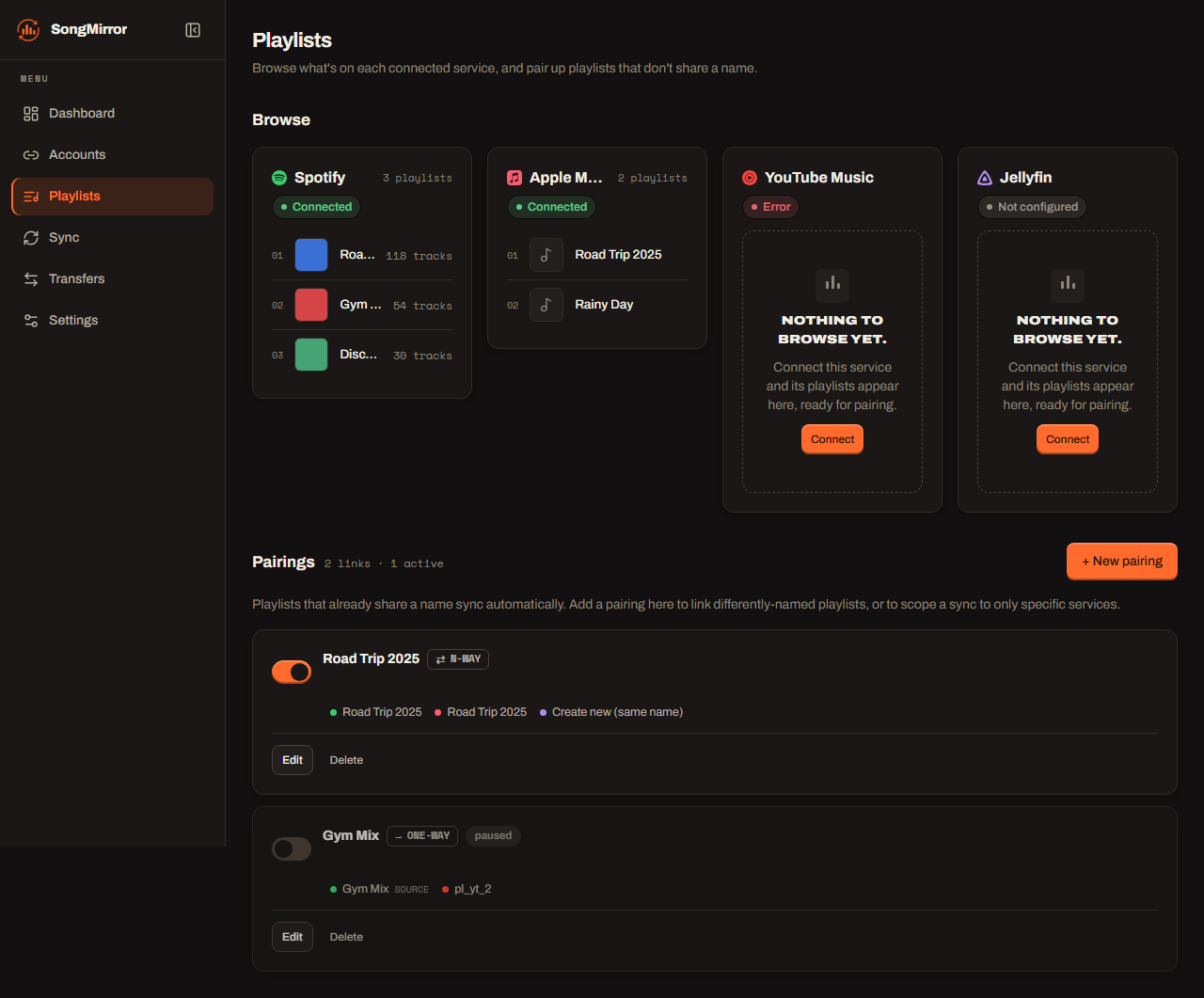
A cached mistake should be repairable. The **Mappings** page exposes saved matches and misses, lets me paste a corrected track reference, and can clear failed lookups for another attempt. Native favorites sync membership only. Playlist destinations can repair relative Recently Added order when a previously missing match becomes available, subject to provider capabilities and write caps.
## Keep the Dangerous Writes Visible
The browser and CLI share the reconciliation core through a services layer and a single-writer queue. Scheduled jobs, transfers, and backup reads take turns using provider clients, while progress reaches the browser through server-sent events.
```mermaid
flowchart TD
UI["Browser: syncs, transfers, backups"] --> Q["Services and single-writer queue"]
CLI["Headless CLI"] --> E["Shared reconciliation engine"]
Q --> E
E --> R["Read complete source snapshots"]
R --> M["Resolve recordings and compare membership"]
M --> G["Preview, write caps, removal guards"]
G --> P["Provider writes and persisted state"]
```
The CLI is a dry run unless `--execute` is supplied; the browser offers **Preview** before a real sync. Removals are separately opt-in and capped. Empty or incomplete reads, expired credentials, and unresolved replacements can hold deletions back. Transfers append by default, with an optional order-preservation mode where the destination supports it.
## Keep Your Own Audio Library in the Loop
The optional local mirror copies matching files from an existing music library in their original format, so a FLAC stays a FLAC. spotDL can fill missing tracks, and SongMirror writes playlist folders, covers, and `.m3u8` files for Jellyfin. Converting a lossy download to FLAC does not improve its source quality.
Credentials and state stay in the self-hosted data directory and are used to contact the services you connect. Renewable sessions are refreshed where supported; some providers still require a fresh pasted token. The [connection guide](https://github.com/ahnafnafee/songmirror#connecting-each-service) documents those differences.
For upgrades, run `docker compose up -d --pull always --no-build` from the folder containing `compose.yaml`. Source, setup, and issue tracking live in the [SongMirror repository](https://github.com/ahnafnafee/songmirror), released under the MIT license. The [portfolio page](/portfolio/songmirror) gives a shorter overview of the app and its implementation.
---
# Building Rally: A Live, Crowdsourced Court Map That Stays Honest
URL: https://ahnafnafee.dev/blog/rally-crowdsourced-court-map
Published: 2026-07-11 (updated 2026-07-23)
Summary: How I built Rally, a gamified, crowdsourced map of 1,450,000+ courts and fields across nine sports worldwide, using an Expo and React Native app on Supabase Postgres with PostGIS, a Cloudflare D1 edge replica for court reads, GPS proof-of-presence check-ins, and server-side-only scoring so the crowdsourced map stays trustworthy.
Topics: React Native, Supabase, PostGIS, Maps, Mobile, Crowdsourcing
Rally is a mobile app that shows which courts near you are free right now, across nine sports and more than 1,450,000 courts, pitches, fields, and grounds worldwide. The hard part was never the map. A crowdsourced map is only as good as its worst contributor, so every status report is GPS-verified, a new court needs two independent on-site confirmations before it publishes, and no XP or points are ever minted by the phone. Under the hood it's an Expo and React Native app on Supabase Postgres with PostGIS, fronted by a Cloudflare Worker that serves court reads from a D1 replica at the edge. Live at [rally.ahnafnafee.dev](https://rally.ahnafnafee.dev).
## Why Another Court App
Static directories tell you a court exists. They don't tell you whether you can play on it in the next ten minutes, which is the only question that matters when you're standing there with a racquet. That answer changes by the hour, and it can only come from someone who is physically at the court. So Rally is built around live status, free / busy / full, reported by players on the ground, plus a map the community can correct when a court's details are stale or missing.
## The Shape of It
The app is Expo (SDK 56, React Native, expo-router with typed routes, MapLibre for the map, React Query for data). It never talks to the database directly. Every request goes through a small Cloudflare Worker called `rally-api`, which fronts a Supabase Postgres database and a Cloudflare D1 replica of the court catalog. Court photos and nightly backups land in Cloudflare R2.
```mermaid
graph TD
APP["Expo app (iOS + Android, MapLibre)"] -->|HTTPS + JWT| API["rally-api Cloudflare Worker"]
API -->|court reads| D1["Cloudflare D1 edge replica"]
API -->|everything else| REST["Supabase Data API PostgREST + /rpc"]
REST --> DB["Postgres + PostGIS source of truth, RLS on every table"]
API --> R2["Cloudflare R2 court photos"]
```
The design choice I'd defend hardest is that the app only ever knows about the proxy. Swap Supabase for something else, move regions, add a cache, or rewrite the data layer, and the client keeps calling the same worker with the same JWT. That indirection costs a few milliseconds and buys the freedom to change everything behind it later.
## Finding Courts Is a Spatial Query
Every court and field is a point with a PostGIS geometry. "37 courts in view" and the "search this area" button are the same operation underneath: give me the published courts whose location falls inside the map's current bounding box, nearest first. Postgres with PostGIS answers that in one indexed query, exposed to the app as a PostgREST RPC. The core lookup is roughly this:
```sql
-- published courts inside the current map viewport, closest first
select *
from courts
where geom && st_makeenvelope(min_lng, min_lat, max_lng, max_lat, 4326)
and status = 'published'
order by geom <-> st_centroid(
st_makeenvelope(min_lng, min_lat, max_lng, max_lat, 4326)
);
```
The `&&` bounding-box operator hits the spatial index, so the query stays fast whether the viewport holds four courts or four hundred.
## Where 1.45 Million Courts Come From
Rally launched with about 37,000 courts, seeded from OpenStreetMap one country at a time through the Overpass API. Overpass is a shared public good and it behaves like one under load: it rate-limits per IP and rejects large requests outright, so sweeping 243 countries is a bad idea for everyone involved. Querying a whole-planet OSM index instead turned the sweep into a single query per sport.
Getting the rows is the easy half. OSM maps individual courts, not venues, so a tennis club with eight courts arrives as eight shapes and would render as eight pins stacked on top of each other. Collapsing them into one pin that knows it has eight courts is a clustering problem, and the naive version quietly under-merges any court row longer than the clustering radius. Deduplication also has to stay within a sport: a tennis court and a soccer pitch sharing a park are two real places, not a duplicate.
OpenStreetMap gives the coverage. Overture Places and official open-data censuses layer names, addresses, surfaces, and lighting on top, with the richer source winning a shared venue. Anything still unnamed gets a reverse-geocoded one, so you see "Shibuya Tennis Court #3" instead of a bare pin.
## Then the Map Got Too Big for One Query
Forty times the data broke two assumptions at once. Zoomed out over a country, the bounding-box query is asked to return hundreds of thousands of rows nobody wants to see individually, and every one of those reads hits the same Postgres instance that also serves check-ins, ledgers, and auth.
Both problems have the same shape: the court catalog is large, static, and identical for every user, while the live status layered on top is small and personal. So the read path splits along that seam. The static catalog is mirrored into a Cloudflare D1 database the worker reads at the edge, with the zoomed-out counts precomputed so a country-wide view is a lookup instead of an aggregation over a million rows. Writes, auth, and anything user-scoped stay on Supabase.
The discipline that makes this safe rather than clever is that the mirror is never allowed to become a second source of truth. Postgres still owns the data, a stale row at the edge is a cache miss rather than data loss, an edge failure falls back to Postgres instead of taking the map down, and switching the whole thing off is a config change rather than a deploy. Because the app only ever talks to the proxy, none of it required shipping an app update.
## Nine Sports, One Map
Rally started as a tennis app with pickleball and soccer along for the ride. It now covers nine: tennis, pickleball, soccer, basketball, baseball, football, volleyball, badminton, and cricket, each with its own attributes, so a soccer pitch can say whether goals are provided and a tennis court can say hard, clay, or grass. Your picks drive the map, the quests, and the badges you earn.
The same expansion pushed a Follow tab into the app: live scores, results, a majors calendar, and per-sport news. It's the one part of Rally that isn't crowdsourced, and it exists because the app already knows which sports you care about.
## Keeping the Map Honest
This is the part that makes or breaks a crowdsourced app. If anyone can mark any court "free" from anywhere, the status is noise within a week. So reporting is gated on presence, not on having the app open.
Every status report is tied to a proof-of-presence check-in: your GPS has to put you at the court, or you scan a QR code posted on-site. Adding a brand-new court is stricter still. You drop the pin, set the surface, court count, access, and lights, attach a photo, and submit. It stays invisible to everyone else until two other players independently confirm it on the ground. One account can't spam courts into existence, and one bored person can't quietly flip a busy court to free.
## The Phone Never Owns the Score
Points have real value in Rally. XP moves you up the ranks (Rookie, then Scout, and up from there), Aces are a currency you spend in a rewards store, and there are seasonal leaderboards. The moment something has value, someone will try to get it for free, and the baseline attacker isn't tapping through your UI. They're running `curl` with a valid token.
So the rule is blunt: the client can request an award, it can never grant one. XP and Aces are written only by server-side functions that first verify the check-in's GPS and the per-user rate limit. Row-level security is on every table, so even a hand-crafted request can only ever touch the caller's own rows.
```sql
-- the ledger is readable by its owner and writable by no client
alter table xp_ledger enable row level security;
create policy "read own ledger" on xp_ledger
for select using (user_id = auth.uid());
-- there is deliberately no client insert or update policy.
-- awards are written by a security-definer function the worker calls,
-- after it has checked presence and rate limits.
```
The full set of rails is small and boring on purpose:
| Guard | What it stops |
| ------------------------------------------------ | -------------------------------------------- |
| GPS or QR proof-of-presence on every check-in | Reporting a court's status from your couch |
| Two independent on-site confirmations to publish | One person spamming fake courts onto the map |
| Awards written only by server-side functions | Minting XP or Aces with a crafted API call |
| RLS on every table | Reading or writing another player's data |
| Per-user rate limits on costed actions | Scripted floods farming points |
None of this is visible to a normal player, which is the whole point. It should feel like a game and be tedious to cheat.
## Gamification Is the Data Strategy
The unglamorous truth of any live-data product is that someone has to keep updating it, forever. Waze solved that for traffic by making reporting feel like play. Rally borrows the idea directly. Daily quests pay out XP for checking in and adding courts. Streaks reward showing up two days running. Badges, ranks, and a seasonal Aces tally turn "keep the map fresh" into something with a scoreboard attached.
The gamification is the incentive layer, not a growth-hack bolt-on. It's what produces the fresh data the rest of the app depends on. Take it out and Rally is just another directory that goes stale.
## What's Deliberately Simple
A few things are v1-simple on purpose. Live status is polled, not streamed: the map refetches, it doesn't hold a websocket open. Court data you've already browsed is cached on-device for a week, which doubles as the offline story without a sync engine. Maps run on MapLibre over Carto vector tiles, so there's no Google Maps or Mapbox SDK to lock into or pay per-load. Rally Pro, the subscription, goes through RevenueCat, with the entitlement verified server-side instead of trusted from a receipt on the phone.
The map was the easy part. The real work was letting strangers edit it without wrecking it, and making the edits feel worth doing. Rally is live at [rally.ahnafnafee.dev](https://rally.ahnafnafee.dev).
Rally in motion: court map, live status, pickup games, and player progress.
---
# Pinned Calendar: An Offline Agenda With Recurring Tasks for Android
URL: https://ahnafnafee.dev/blog/pinned-calendar
Published: 2026-06-06 (updated 2026-10-21)
Summary: Your calendar and recurring tasks, visible in one persistent Android notification. How I built Pinned Calendar with actionable reminders, an adjustable agenda layout, and on-device storage, now available on Google Play.
Topics: Android, Kotlin, Jetpack Compose, Privacy, Mobile
A calendar reminder disappears when I swipe it away, even though the appointment still matters. I built [Pinned Calendar](https://pinnedcalendar.ahnafnafee.dev) to keep upcoming events and local tasks visible in one persistent Android notification. The app now includes recurring tasks, due-time reminders with Done and Snooze actions, and a live layout preview, and it is [available on Google Play](https://play.google.com/store/apps/details?id=dev.ahnafnafee.pinnedcalendar). It reads calendars already synced to the phone and stores tasks on-device, with no sign-in or internet permission. Kotlin and Jetpack Compose handle the app; a self-healing notification keeps the agenda within a swipe of whatever I am doing.
1. Install the app, then grant **Calendar** access and allow notifications when Android asks.
2. Turn on **Pin to notifications** in Settings. Choose the calendars and look-ahead window you want to see.
3. Add a to-do, set a date or repeat rule, and use the notification preview to adjust the agenda's density.
Task reminders are enabled by default. If your phone delays background updates, the app's **Reliability** setting offers a battery-optimization exemption.
## Keep the Plan Where You Already Look
The notification shade is useful because it follows me between apps. Pinned Calendar puts events and tasks on that surface, grouped by day and marked with calendar or task-priority colors. An event row opens its calendar entry; the rest of the pin opens the app.
That changes what a reminder has to do. The agenda can stay visible without sounding an alarm every time it refreshes, while a task that is actually due can produce a separate alert. Keeping those roles separate became more important as the app grew beyond a read-only week view.
## Tasks That Follow Your Schedule
Local to-dos now carry due dates, times, notes, and priorities. Quick date choices cover today, tomorrow, and next week, with a picker for a specific time. The list groups unfinished work into Overdue, Today, and Upcoming, with completed items kept separately. An unfinished task carries forward instead of disappearing when its original date passes.
Recurrence supports daily, weekly, monthly, and yearly presets, plus custom intervals and selected weekdays. A series can end on a date or after a chosen number of occurrences. Completing a recurring task advances it to the first upcoming occurrence, skipping missed dates while preserving its scheduling intent.
That last detail is easy to overlook. A monthly task near the end of a month should not drift because February is shorter, and a local morning reminder should retain its meaning across time-zone offset changes. The recurrence logic handles month-end and leap-year cases in the task model, where those rules can be tested independently of the interface.
## Act on a Reminder Without Opening the App
To-do reminders use their own alerting, dismissible notifications. **Done** completes the scheduled occurrence, including advancing a recurring task. **Snooze** postpones that occurrence's reminder for 30 minutes without changing the task's original due time. Neither action removes the pinned agenda.
`AlarmManager` schedules the next due task, then the receiver schedules the following one after handling it. Snoozed occurrences have separate alarm identities, so postponing one reminder does not overwrite another. On Android versions requiring exact-alarm access, the scheduler checks whether that access is available:
```kotlin
if (Build.VERSION.SDK_INT >= Build.VERSION_CODES.S &&
!alarms.canScheduleExactAlarms()) {
alarms.setAndAllowWhileIdle(AlarmManager.RTC_WAKEUP, triggerAtMillis, intent)
} else {
alarms.setExactAndAllowWhileIdle(AlarmManager.RTC_WAKEUP, triggerAtMillis, intent)
}
```
Without exact access, the fallback still schedules the reminder, although Android may deliver it later. Heads-up presentation also depends on system notification settings. These are platform controls that the app respects rather than treating every reminder as a reason to keep a process running.
## Persistent, With a Deliberate Way Out
The pin carries a delete-intent pointing to `SelfHealReceiver`. When Android delivers a dismissal, the receiver reads the saved settings and rebuilds the agenda. An accidental swipe therefore triggers a refresh instead of permanently losing the week view.
Persistence also needs an intentional dismissal. With **swipe-twice-to-remove** enabled, two dismissals within five seconds turn the saved pin setting off. It stays off until the user enables it again. The in-app switch provides the same explicit control, so the app can recover from accidents without ignoring a deliberate decision.
Calendar changes take a separate route. A `ContentObserver` requests a refresh while the process is alive, and a periodic WorkManager job supplies a background baseline. Boot and app-update receivers re-arm the schedule. Android can defer background work, particularly on devices with aggressive battery management, but the design needs no foreground service or second service notification.
```mermaid
flowchart TD
C["Device calendars"] --> A["Agenda repository"]
T["Local tasks and recurrence"] --> A
A --> B["Notification content builder"]
B --> P["Persistent agenda pin"]
P -->|"Dismissal"| S["Self-heal or deliberate double-swipe removal"]
S --> A
O["Calendar observer and periodic work"] --> A
T --> R["Next due-time alarm"]
R --> N["Separate reminder: Done or Snooze"]
N --> T
```
## Preview the Notification You Are Building
Settings now renders the actual notification layout as a live preview, with collapsed and expanded views. Compact, Cozy, and Comfortable presets provide starting points; Custom sliders expose finer control. The number of rows before expansion, day grouping, and heading visibility can all be adjusted without repeatedly leaving the app to inspect the shade.
The time window remains selectable: three days, this week, seven days, or fourteen days. Per-calendar switches and an item cap help keep a busy work calendar from overwhelming the view. Material You colors, seed palettes, AMOLED black, fonts, and light or dark themes extend that control to appearance.
## Keep the Data on the Phone
Calendar reads go through Android's `CalendarContract` provider. Pinned Calendar does not authenticate with Google or run its own calendar synchronization; whichever calendar apps already sync the phone supply the events it sees. Tasks and preferences live in DataStore.
The [manifest](https://github.com/ahnafnafee/pinned-calendar/blob/main/app/src/main/AndroidManifest.xml) declares calendar, notification, boot, exact-alarm, and optional battery-exemption permissions, and omits `INTERNET`. Cloud backup is disabled for application data. The [privacy policy](https://pinnedcalendar.ahnafnafee.dev/privacy/) describes that local storage model, which also means task data is not a cross-device sync service.
The complete app and reminder experience supports 15 languages, including right-to-left Arabic. Android 13 and newer also expose the choices in the system app-language picker. Notification labels and reminder actions follow the selected language rather than leaving the background experience in English.
## Keep the Date Rules Testable
Window calculation, day grouping, and notification content construction live in a pure-Kotlin core. Injected clocks let tests fix the instant around midnight instead of waiting for real time to pass. Recurrence and reminder tests exercise the rules that make a task advance, stay overdue, or become eligible for an alert, while platform tests cover receivers and scheduling.
The [source repository](https://github.com/ahnafnafee/pinned-calendar) includes build instructions and signed [releases](https://github.com/ahnafnafee/pinned-calendar/releases/latest). For everyday use, [Google Play](https://play.google.com/store/apps/details?id=dev.ahnafnafee.pinnedcalendar) is the direct install route. The [portfolio entry](/portfolio/pinned-calendar) gives a shorter account of the app and the implementation choices behind it.
---
# Bringing Real Tooling to Ollama Modelfiles
URL: https://ahnafnafee.dev/blog/modelfile-syntax-extension
Published: 2026-05-15 (updated 2026-07-22)
Summary: How I built a VSCode-family extension that brings syntax highlighting, an 18-rule linter, hover documentation, autocomplete, and 26+ snippets to Ollama Modelfiles — so the next time you scaffold a custom GGUF runtime, your editor catches the foot-guns before `ollama create` does.
Topics: Developer Tools, VSCode Extension, Ollama, Local LLM, TypeScript, TextMate Grammar
I run a lot of GGUFs locally. Custom system prompts, sampling parameters, conversation primers — all expressed in Ollama Modelfiles. VSCode treated them as plain text: typos in `PARAMETER` names got silently ignored, single-quote `SYSTEM` prompts truncated at the first newline, and `num_ctx` quietly defaulted to 2048 even on models with 32K windows.
So I built [`modelfile-syntax`](https://github.com/ahnafnafee/modelfile-syntax) — a VSCode-family extension with a real grammar, an 18-rule linter, hover docs, autocomplete, and 26+ snippets. This post is the story of what it catches, why it matters, and how it works across every editor you might actually use.
## The Modelfile Footguns I Kept Stepping On
If you've never written one, an Ollama Modelfile is the recipe for a custom local LLM. It declares the base model (a Hugging Face GGUF, an Ollama registry name, or a local path), sets sampling parameters, applies system prompts, defines chat templates in Go template syntax, and optionally pre-loads conversation messages. You then run `ollama create my-model -f Modelfile` and chat with it.
The format is small, terse, and unreasonably easy to get wrong. Four bugs in particular cost me hours before I started annotating my own files with comments like _"DO NOT use single quotes here"_:
**Single-quote truncation.** `SYSTEM "first line\nsecond line"` only ships the first line. The single-quoted form is single-line; multi-line bodies require triple quotes (`"""..."""`). Discovering this means watching your model behave as if half its system prompt vanished — because it did.
**Silently-discarded unknown parameters.** If you write `PARAMETER temprature 0.4` (note the typo), Ollama ignores it. No warning. No error. Your model runs at the default `temperature 0.8` and you wonder why your "deterministic" prompt is generating wildly different outputs.
**The `num_ctx 2048` foot-gun.** Most modern models have 32K, 64K, even 128K context windows. Ollama's default is **2048**. If you don't set `num_ctx` explicitly, your shiny new Llama 3.2 is operating with a context window roughly the size of a long email.
**Invalid MESSAGE roles.** Roles are exactly `system`, `user`, `assistant`. Type `MESSAGE bot ...` or `MESSAGE human ...` and Ollama drops the line. Again, no error. You just don't get your few-shot examples.
Every one of these is a real mistake I've made — sometimes more than once. The linter is, in a real sense, a list of my embarrassing prior selves.
## What "Real Tooling" Means Here
The goal was to bring Modelfiles to feature-parity with what you'd expect from any first-class language in 2026. Five pillars:
1. **TextMate grammar** for syntax coloring — every instruction (`FROM`, `PARAMETER`, `TEMPLATE`, `SYSTEM`, `ADAPTER`, `LICENSE`, `MESSAGE`, `REQUIRES`, `RENDERER`, `PARSER`, `DRAFT`), plus embedded Go template highlighting inside `TEMPLATE """..."""` bodies. Keywords, variables, pipes — all colored.
2. **Real-time linter** with 18 diagnostic rules (`OM001`–`OM018`) — the foot-guns above plus 14 more, each with a stable ID, severity, and an actionable message you can click through.
3. **Hover documentation** on every PARAMETER — type, default, valid range, one-line description, all sourced from the canonical Ollama spec. No more guessing whether `min_p` ranges from 0–1 or 0–100.
4. **Autocomplete** for instruction keywords, PARAMETER names, MESSAGE roles, and Go template variables (`.System`, `.Prompt`, `.Messages`, `.Tools`, `.Response`). Type `PARAMETER ` and the right names show up.
5. **26+ snippets** for the patterns you actually reach for — Llama 3 / Qwen 2.5 / ChatML / Phi-3 chat templates, RAG-grounded system prompts, coder personas, full-file scaffolds.
All of it runs locally. No network calls, no telemetry, no remote model lookups. The whole extension is pure TypeScript with no `child_process` or `fs` dependency, which has a useful downstream property: it works in `vscode.dev` and `github.dev` too.
## Quick Start: From Zero to a Custom Local LLM
Create a file named `Modelfile` (no extension) in your project. The extension activates automatically. Try this:
```modelfile
FROM hf.co/Qwen/Qwen2.5-7B-Instruct-GGUF
PARAMETER temperature 0.4
PARAMETER num_ctx 8192
PARAMETER stop "<|im_end|>"
SYSTEM """You are a concise senior engineer.
Answer in 1–3 sentences. No hedging."""
```
Hover over `temperature` — you'll see its type (`float`), default (`0.8`), recommended range (`≥ 0`), and a one-liner about what it does. Type `PARAMETER ` and you'll get autocomplete for every valid name. Make a typo — `PARAMETER bogus 1` — and a red squiggle (`OM005`) appears immediately.
Or skip all of that: type `modelfile-chat` and press Tab. You'll get a full chat Modelfile scaffolded out, with cursor stops at every value you need to customize. From there, `ollama create qwen-concise -f Modelfile && ollama run qwen-concise` and you're talking to a local LLM with your exact preferences.
## The 18 Linter Rules: The Greatest Hits
Every rule has a stable ID, a severity (`error` / `warning` / `info`), and a one-line message that tells you what to do. Here are the ones I lean on most:
| ID | Severity | What It Catches |
| ------- | -------- | ------------------------------------------------------------------------------ |
| `OM001` | error | Missing `FROM` instruction. |
| `OM005` | error | Unknown `PARAMETER` name (catches `temprature` and friends). |
| `OM006` | error | `PARAMETER` value doesn't match expected type. |
| `OM008` | error | Invalid `MESSAGE` role (only `system` / `user` / `assistant`). |
| `OM011` | warning | Single-quoted body truncates at newline (use `"""..."""` for multi-line). |
| `OM012` | warning | `num_ctx 2048` is the legacy default — your model probably supports more. |
| `OM014` | warning | `ADAPTER` got a `.safetensors` / `.bin` / `.pt` file; expects `.gguf`. |
| `OM016` | error | Unterminated triple-quoted string. |
Rules you don't want can be silenced per-project: `"modelfileSyntax.lint.disabledRules": ["OM012", "OM015"]` in your VSCode settings. The full list with before/after examples lives in [`docs/rules.md`](https://github.com/ahnafnafee/modelfile-syntax/blob/main/docs/rules.md).
## The Cross-Editor Story: Why This Was Surprisingly Annoying
A VSCode extension can _technically_ run anywhere VSCode runs. In practice, "anywhere" is a minefield. Microsoft's official **[Visual Studio Marketplace](https://marketplace.visualstudio.com/items?itemName=ahnafnafee.modelfile-syntax)** is licensed only to first-party MS products and a few approved partners — VSCodium, OSS Codespaces, and Gitpod cannot install from it. The community answer is **[Open VSX](https://open-vsx.org/extension/ahnafnafee/modelfile-syntax)**, a parallel registry run by the Eclipse Foundation.
If you publish to only one, half your users can't install your thing. So I dual-published, and the deployment graph looks like this:
```mermaid
graph LR
EXT["modelfile-syntax v0.1.0"]
EXT --> MS["Visual Studio Marketplace"]
EXT --> OVSX["Open VSX Registry"]
MS --> VS["VSCode"]
MS --> CUR["Cursor"]
MS --> WIND["Windsurf"]
MS --> WEB["vscode.dev github.dev"]
OVSX --> VCM["VSCodium"]
OVSX --> GIT["Gitpod"]
OVSX --> CSP["Codespaces (OSS)"]
```
Same bundle, two registries, eight editors. The pure-TypeScript / no-native-deps constraint is what lets the same `dist/extension.js` run in vscode.dev and github.dev — the moment you touch `child_process` or `fs` you forfeit web compatibility, and a "syntax extension that only works in desktop VSCode" is half a product.
## Install
Or from the command line:
```bash
code --install-extension ahnafnafee.modelfile-syntax # VSCode
cursor --install-extension ahnafnafee.modelfile-syntax # Cursor
codium --install-extension ahnafnafee.modelfile-syntax # VSCodium
```
For Windsurf, Gitpod, Codespaces, vscode.dev, and github.dev: search **"Ollama Modelfile"** in the Extensions panel. Or grab the source: [github.com/ahnafnafee/modelfile-syntax](https://github.com/ahnafnafee/modelfile-syntax).
## What's Next
This is `v0.1` — a complete grammar + linter + hover + completion + snippets release. The roadmap:
- **v0.2** — Markdown / Jinja injection grammars inside `SYSTEM` / `TEMPLATE` bodies, so prompts get their own coloring. Right now the body is one big string; soon it'll be a structured nested grammar.
- **v0.3** — Language Server Protocol mode so Neovim, Helix, and Emacs users get the same linter + hover experience.
- **v0.4** — Optional `ollama create --dry-run` integration for true semantic validation. The current linter is intentionally static — no Ollama CLI calls — so it works offline and in the browser. But the dry-run mode would catch the runtime-only errors (malformed adapter files, unresolvable bases) that no amount of grammar can flag.
## Closing
If you write Modelfiles, this saves you a debugging session. If you write a lot of Modelfiles, it saves you many. Source, issues, and a comparison-vs-other-extensions table all live on [GitHub](https://github.com/ahnafnafee/modelfile-syntax). If it earns its keep, a Marketplace review and a link from your own Modelfile repo is the kindest thing you can do — that's how the Open VSX side of things finds its audience.
---
# Building a Local LLM-Powered Hybrid OCR Engine
URL: https://ahnafnafee.dev/blog/local-llm-pdf-ocr
Published: 2026-04-26 (updated 2026-10-21)
Summary: Turn scans, handwriting, and page photos into searchable, selectable documents on your own machine. Meet the local OCR engine I built with a browser interface, flexible vision-model support, and PDF, HTML, Markdown, and text export.
Topics: OCR, LLM, Vision Language Models, AI Engineering, Python, PDF
Your scans should be as useful as the documents you type: searchable, selectable, and ready to work with. I built [local-llm-pdf-ocr](https://github.com/ahnafnafee/local-llm-pdf-ocr) to bring that experience to scanned PDFs, handwritten notes, and page photos using vision models on your own machine. Drop a document into the browser, choose a local model, and download a searchable PDF that keeps the original page visible. The app also exports HTML, Markdown, and plain text, with dedicated processing for dense handwriting and models that return coordinates. Surya detection and a dynamic-programming aligner handle page geometry behind the interface, and a CLI supports scripted workflows.
In [LM Studio](https://lmstudio.ai/docs/developer/core/server), load a vision model such as `allenai/olmocr-2-7b` and start its local server at `http://localhost:1234/v1`. Install [uv](https://docs.astral.sh/uv/getting-started/installation/) if needed, then run:
```bash
git clone https://github.com/ahnafnafee/local-llm-pdf-ocr.git
cd local-llm-pdf-ocr
uv sync --extra web
uv run local-llm-pdf-ocr-server --port 8000
```
Open [localhost:8000](http://localhost:8000). Drop a document, select **Hybrid** and the loaded model, then choose **Run OCR**. Download the searchable PDF when it finishes. Change the model endpoint under **Advanced** if you use a different server.
Download the model weights before working offline. Keep the configured model endpoint local so document processing stays on your own machine.
The main workflow stays in the browser: upload, choose a model, run OCR, and download the result.
Jump to [the browser workflow](#from-a-scan-to-a-searchable-document), [engine choices](#choose-the-engine-in-the-browser), [the architecture](#how-the-hybrid-engine-connects-text-to-the-page), or [troubleshooting](#get-a-difficult-page-working).
## From a Scan to a Searchable Document
A scan preserves a document's appearance, but the words remain pixels. That becomes frustrating when I need a name in a stack of forms or a passage from handwritten notes. A transcript helps, but I also want to search and select text where it appears on the original page.
The browser app makes that the default deliverable. Drag in a PDF or image, choose **Searchable PDF**, and start processing. Per-page progress shows the work advancing, and **View text** exposes the raw extraction for inspection. Multiple-file selection handles a collection of scans in the same session, with a merged Markdown download to bring their extracted text together.
The output keeps the page image visible and adds an invisible text layer. In the form below, blue selection reveals the recognized printed labels and handwriting. The same page can be searched or copied in a PDF reader without replacing its layout with a recreated document.
Printed text and handwritten entries become searchable over the original scan. The blue highlight reveals the
normally invisible OCR layer.
## Choose the Engine in the Browser
The interface offers **Hybrid**, **Grounded**, and **Text only**, with options that adapt to the selected engine. Hybrid is the starting point for searchable documents because it combines a text detector with a vision model that only needs to transcribe what it sees.
| Engine | What happens behind the interface | Choose it for |
| --------- | --------------------------------------------------------------------------------------- | --------------------------------------------------------------- |
| Hybrid | Surya locates text; the local model transcribes it; alignment connects words to regions | Scans, forms, handwriting, and models that return ordinary text |
| Grounded | A compatible model returns text and coordinates together | Models with reliable structured coordinate output |
| Text only | The model transcribes each page without detection or alignment | Text extraction for notes, search indexing, or RAG |
Dense-page processing is part of Hybrid rather than another engine to install. It switches from full-page transcription to individual text crops when the page needs it. Grounded skips separate detection and alignment, while Text only skips geometry entirely.
Model choice remains flexible. LM Studio is the default endpoint, and Ollama, vLLM, SGLang, or another OpenAI-compatible server can be configured under **Advanced**. The model picker discovers available models, and preflight verification checks the requested model before processing. Use a vision-capable model: returning plain text is compatible with Hybrid, but the model still has to understand the page image.
## Give Handwriting and Page Photos the Attention They Need
Dense handwriting makes full-page recognition harder because many similar lines compete within one image. The pipeline can instead send each detected region through its own recognition call, keeping the model's attention on a smaller part of the page. Automatic mode uses a default threshold of 60 detected boxes and can also retry per-box when full-page alignment matches fewer than half the regions.
For a page with repeated or missing lines, open **Advanced**, set **Dense mode** to **Always**, and try that page again. It makes more model requests, but it gives tightly packed notes a processing route built around their structure. Dense machine-print crops receive neighbor masking to reduce adjacent-line leakage; handwriting keeps its surrounding strokes because they can cross detection boundaries.
Photographed documents have a separate preparation step. Automatic preprocessing detects a tilted page outline and can correct perspective and illumination for recognition. Coordinates then map back onto the original photograph, so the output preserves the image you supplied. Compare automatic preprocessing with **Never** if the detected outline does not describe the page correctly.
Start with the defaults, then tune a difficult page through the same browser interface.
## Export for the Work You Want to Do Next
The **Output format** control makes the tool useful beyond PDF conversion. Choose a searchable PDF for an archive, an HTML overlay for browser-based inspection, or Markdown and text for content that will move into other tools.
| Output | What you receive |
| -------------- | ------------------------------------------------------------------------------------------------- |
| Searchable PDF | The visible page image with an invisible, selectable text layer |
| HTML overlay | Page images with a selectable text overlay, optional hover inspection, and optional inline images |
| Markdown | Extracted text in a format suited to editing and downstream processing |
| Plain text | Transcription without document-format markup |
HTML can be packaged as one self-contained file with inline images. Its hover-text option exposes the recognized content over a region, which is useful when checking the overlay. Text-only mode is a direct route for retrieval preparation because it avoids geometry work when a selectable page is not part of the deliverable.
Inputs include PDF, JPEG, PNG, BMP, WebP, AVIF, and TIFF. A multi-frame TIFF becomes multiple output pages, so archives do not need a separate image-to-PDF conversion before OCR.
## How the Hybrid Engine Connects Text to the Page
The architecture separates locating text from recognizing it. Surya's detection predictor supplies text regions without running its recognition model, and the configured vision model supplies transcription. A shared `OCRPipeline` orchestrates those stages for both the browser and CLI.
The remaining problem is assigning the model's lines to the right regions. A proportional split can move a caption into a neighboring column or combine unrelated form fields. I use a Needleman-Wunsch-style dynamic program to find a monotonic alignment between ordered boxes and text lines, with costs that favor plausible text-to-width fit while allowing skipped boxes and unmatched lines.
The [aligner](https://github.com/ahnafnafee/local-llm-pdf-ocr/blob/main/src/pdf_ocr/core/aligner.py) tries row-major and column-major box orderings and chooses the lower-cost result. Different models can therefore read a two-column page in different orders without requiring a separate model-specific alignment implementation. Unmatched model lines attach to nearby matched regions, and sizeable empty regions can receive a crop-recognition pass.
```mermaid
flowchart TD
B["Browser upload and options"] --> P["Shared OCR pipeline"]
C["CLI for automation"] --> P
P --> R["Render PDF or image pages"]
R --> H["Hybrid: detect text regions"]
R --> G["Grounded: text and coordinates"]
R --> T["Text-only transcription"]
H --> F["Full-page transcription and alignment"]
H --> D["Dense pages: recognize crops"]
F --> A["Aligned text regions and optional refinement"]
D --> A
G --> A
A --> O["PDF, HTML, Markdown, or text"]
T --> O
```
PyMuPDF writes a sandwich PDF with the rasterized page as the visible layer. Invisible text is scaled to its assigned region, giving selection a geometric connection to the underlying scan. A detected region and a recognized line remain estimates, so exact selection placement depends on both stages.
## Grounded OCR Without Silent Empty Output
Grounded mode lets a compatible model return coordinates alongside the text. The project documents working Qwen2.5-VL and Qwen3-VL configurations; select **Grounded** and the appropriate loaded model in the interface. Models that return only prose or Markdown belong on Hybrid.
If a page returns no usable grounded blocks, processing stops before writing output and identifies the affected pages. This also applies to blank pages. That behavior prevents a completed-looking run from quietly producing an image-only PDF when the requested text layer is missing.
The distinction matters because a model's general ability to read an image does not establish its coordinate format. Keeping both engines available lets the user choose a suitable model without committing the rest of the workflow to that model's response structure.
## Get a Difficult Page Working
The browser's **Advanced** controls expose page range, rendering DPI, image dimensions, concurrency, refinement, and preprocessing. Use a representative page while tuning, then apply the settings to the full document.
| What you see | What to try in the interface |
| ------------------------------------------- | -------------------------------------------------------------------------- |
| The requested model is unavailable | Select its exact loaded ID and check the endpoint |
| Repeated or missing lines | Hybrid with Dense mode set to Always |
| Grounded reports no usable blocks | Select Hybrid, or load a model that returns structured coordinates |
| GLM-OCR exceeds image capacity in Ollama | Use the documented maximum image dimension of 640 |
| A page photo is distorted after preparation | Compare automatic preprocessing with Never |
| Higher concurrency slows progress | Lower concurrent requests and check the model server's memory and queueing |
Concurrency limits in-flight model requests; it does not start extra copies of the model. Full-page and crop-heavy workloads have different costs, so increase it when the server has room rather than assuming a larger number always wins.
For a quick quality check, search a visible phrase, copy across a paragraph or column boundary, and compare handwritten identifiers with the scan. The [confidence evaluator](https://github.com/ahnafnafee/local-llm-pdf-ocr/blob/main/scripts/confidence_eval.py) goes further by measuring geometry, character errors, word-level similarity, and structural coverage against project fixtures. Saved per-document baselines make changes traceable to the part of the pipeline they improve.
## CLI Support for Automation
Everything above can be done in the browser. The CLI is also available when the same configuration needs to run from a script or batch workflow:
```bash
uv run local-llm-pdf-ocr scan.pdf scan_ocr.pdf
```
Its options cover the same engine, model, endpoint, page selection, and tuning controls. The [repository README](https://github.com/ahnafnafee/local-llm-pdf-ocr/blob/main/README.md) documents the full command surface, example documents, and evaluation tools.
For a first run, use the web interface and a document you already know well. Search it, select a passage, and download the format your next task needs. The [source](https://github.com/ahnafnafee/local-llm-pdf-ocr) is MIT-licensed and available to adapt to your own document workflow.
---
# From DOI to Markdown: A Two-Repo Pipeline for Faster Research
URL: https://ahnafnafee.dev/blog/doi-paper-scraper
Published: 2026-02-25
Summary: How DOI Paper Scraper and Papers-to-Markdown work together to convert academic papers into structured Markdown for better reading, search, and research productivity.
Topics: Research Productivity, Web Scraping, OCR, Python, Markdown, Automation
Academic reading workflows are still too fragmented. Some papers are easy to access through DOI landing pages, others are only available as PDFs, and note-taking usually becomes a manual copy-paste process.
I built two complementary tools to fix this:
1. [doi-paper-scraper](https://github.com/ahnafnafee/doi-paper-scraper) for structured extraction from publisher pages (ACM/IEEE).
2. [papers-to-markdown](https://github.com/ahnafnafee/papers-to-markdown) for OCR-based PDF to Markdown/EPUB conversion.
Together, they form a practical pipeline to turn papers into searchable, reusable Markdown for faster literature review.
## Motivation: Why Convert Papers to Markdown?
PDF is excellent for publishing, but weak for daily research workflows:
1. Cross-paper search and linking are harder.
2. Equations/tables are painful to reuse in notes.
3. Versioning and iterative annotation are clunky.
4. Feeding papers into local RAG/NLP pipelines takes extra cleanup.
Markdown solves this by making papers editable, diffable, linkable, and automation-friendly.
## Architecture: DOI-First, OCR-Second
```mermaid
flowchart LR
A["Paper Input"] --> B{"Has DOI + Supported Publisher?"}
B -->|"Yes"| C["doi-paper-scraper"]
C --> D["Resolve DOI"]
D --> E["Publisher Scraper (ACM/IEEE)"]
E --> F["Structured Paper Object"]
B -->|"No / Unreliable HTML"| G["papers-to-markdown"]
G --> H["pdf-craft OCR Pipeline"]
H --> I["Markdown or EPUB + assets"]
F --> J["Markdown Output"]
I --> J
```
This split is deliberate:
1. Use publisher-native HTML when available (better structure fidelity).
2. Fall back to OCR for PDFs that are hard to scrape or not DOI-accessible.
## Repo 1: How `doi-paper-scraper` Works
The CLI accepts plain DOI strings, DOI URLs, or publisher URLs:
```bash
uv run paper-scrape 10.1145/3746059.3747603
uv run paper-scrape "https://doi.org/10.1109/CSCloud-EdgeCom58631.2023.00053"
```
### Step 1: DOI resolution and publisher routing
`doi_resolver.py` extracts DOI tokens via regex, resolves canonical URLs through `doi.org`, and detects publisher from DOI prefix or resolved domain.
### Step 2: Scraper selection
`get_scraper()` maps publishers to concrete implementations:
- `ACMScraper`
- `IEEEScraper`
Both return a shared `Paper` data model (`title`, `authors`, `abstract`, `sections`, `figures`, `keywords`).
### Step 3: Browser-based acquisition
`BaseScraper` uses `pydoll` to handle real web constraints:
1. cookie injection/saving
2. institutional proxy templating (`%u`, `%h`, `%p`)
3. login detection and wait flow
4. lazy-load scrolling before extraction
### Step 4: Markdown reconstruction
`markdown_builder.py` converts the structured `Paper` object into clean Markdown with headings, abstract, metadata, and inline figures.
## Repo 2: How `papers-to-markdown` Works
This project handles the PDF-first path using `pdf-craft`.
```bash
uv run main.py --format markdown --output-dir markdown
uv run main.py --format epub --output-dir epubs
```
### Core processing flow
1. Discover top-level PDF files under `--root`.
2. Run OCR/analysis with configurable model size (`tiny` to `gundam`).
3. Convert to Markdown or EPUB.
4. Preserve math/tables via renderer settings (notably for EPUB).
5. Store analysis artifacts and model cache in local directories.
### Useful implementation details
- Uses 600 DPI conversion for strong OCR quality.
- Supports `en` and `zh` language settings.
- Includes post-processing for Markdown math delimiters:
- `\[ ... \]` -> `$$ ... $$`
- `\( ... \)` -> `$ ... $`
```python
content = output_path.read_text(encoding="utf-8")
content = content.replace("\\\\", "\\")
content = content.replace(r"\[", "$$").replace(r"\]", "$$")
content = content.replace(r"\(", "$").replace(r"\)", "$")
output_path.write_text(content, encoding="utf-8")
```
## Combined Workflow for Research Productivity
```mermaid
sequenceDiagram
participant U as Researcher
participant D as doi-paper-scraper
participant P as papers-to-markdown
participant K as Knowledge Base
U->>D: Try DOI extraction path
alt Supported ACM/IEEE content
D-->>U: Structured Markdown + images
else Paywalled/unsupported/poor HTML
U->>P: Run PDF OCR conversion
P-->>U: Markdown/EPUB + assets
end
U->>K: Import into Obsidian/Logseq/RAG
```
The practical result is a robust ingestion strategy:
1. **Fast path**: DOI scraping for clean structure and metadata.
2. **Fallback path**: PDF OCR conversion when web extraction is not ideal.
This reduces manual cleanup and gives a consistent Markdown corpus for reading, annotation, and synthesis.
## Why This Boosts Productivity
| Traditional PDF Workflow | Two-Repo Markdown Workflow |
| :-------------------------------- | :------------------------------ |
| Manual extraction from each paper | Automated DOI/PDF conversion |
| Inconsistent notes across tools | Standardized Markdown outputs |
| Weak figure/equation portability | Reusable assets and math markup |
| Friction for RAG/NLP ingestion | Plain-text-first pipeline |
Less time is spent formatting and locating information. More time is spent comparing methods, writing insights, and moving research forward.
## Conclusion
`doi-paper-scraper` and `papers-to-markdown` solve different sides of the same problem: turning academic content into an active, searchable research format.
If the web page is structured, scrape by DOI. If the paper is locked to PDF or extraction quality is poor, run OCR conversion. In both cases, the destination is the same: high-utility Markdown that improves reading speed and research throughput.
Repositories:
- [DOI Paper Scraper](https://github.com/ahnafnafee/doi-paper-scraper)
- [Papers to Markdown](https://github.com/ahnafnafee/papers-to-markdown)
---
# Scaling Education: A Strategy Pattern Approach to Grading at Scale
URL: https://ahnafnafee.dev/blog/autograder-architecture
Published: 2025-12-11
Summary: Deep dive into building a scalable autograder using Python, Java, and the Strategy Pattern. Learn how we can automate grading for hundreds of students using "Frankenstein" code stitching, dynamic rubrics, and local LLMs.
Topics: Education Technology, Software Architecture, Python, Java, Automation, LLM
Grading programming assignments provides a unique sandbox to experiment with software architecture. It presents a classic engineering challenge: **how can we build a system that is both flexible enough to handle diverse assignments and robust enough to run at scale?**
This article explores a hobby project of mine where I attempted to engineer a solution using the **Strategy Pattern**, **"Frankenstein" code instrumentation**, and **Local LLMs**. The goal was to see if modern software patterns and local AI could create a "universal" grading engine.
## The Architecture: Python Conductor, Java Engine
The core philosophy is simple: **Python orchestrates, Java executes.**
We use Python for its flexibility in file manipulation, process management, and API interactions. Java is used strictly for running the student's code against JUnit tests.
```mermaid
graph TD
A["run.py (Conductor)"] -->|Selects Strategy| B[GradingStrategy]
A -->|Iterates Submissions| C[AutoGraderEngine]
C -->|Prepares| D[Temp Sandbox]
D -->|Compiles| E[Javac]
D -->|Executes| F[JUnit Tests]
F -->|Results| G[CSV Report]
G -->|Uploads| H[Gradescope Bot]
```
### The Strategy Pattern
The biggest challenge in building a "universal" grader is that every assignment is different. Some require graph traversal, others list manipulation, and some need strict time complexity checks.
Instead of writing a massive `if-else` block, I used the **Strategy Pattern**. We define a **Parent Strategy** (`GradingStrategy`) that acts as the blueprint. It enforces a contract that all assignments must follow, while also providing shared utility methods (like code preprocessing and penalty calculations) that child strategies can inherit.
```python
# core/grading_strategy.py
from abc import ABC, abstractmethod
# The Parent Strategy
class GradingStrategy(ABC):
@property
@abstractmethod
def assignment_name(self) -> str:
"""Name of the assignment (e.g., 'GraphAssignment')"""
pass
@property
@abstractmethod
def rubric(self) -> dict:
"""
Dynamic rubric mapping.
Keys are test names, values are points.
"""
pass
# Shared logic inherited by all child strategies
def preprocess_code(self, source_code: str) -> str:
"""Optional hook to modify student code before compilation."""
return source_code
```
```python
# core/strategies/graph_strategy.py
class GraphSearchStrategy(GradingStrategy):
@property
def assignment_name(self) -> str:
return "GraphSearch"
@property
def rubric(self) -> dict:
# Maps JUnit test names to point values
return {
"testBFS": 15,
"testDFS": 15,
"testDijkstra": 20,
"testEdgeCases": 5
}
def preprocess_code(self, source_code: str) -> str:
# Specific to this assignment: Remove student's main method
# to prevent it from conflicting with our test harness
return re.sub(r"public static void main.*?}", "", source_code, flags=re.DOTALL)
```
This structure allows the main engine (`universal_grader.py`) to be completely agnostic of the assignment details. It treats every assignment as just a generic `GradingStrategy`.
## The "Frankenstein" Method
One of the most complex parts of autograding is testing private methods or ensuring students follow specific implementation details without exposing our test logic.
To solve this, I implemented what I call the **"Frankenstein" Method**. We don't just compile the student's file; we surgically alter it.
In `universal_grader.py`, we extract specific methods from the student's submission and stitch them into a "Frankenstein" class that contains our test harnesses. Crucially, we use regex to flip visibility modifiers so we can test private helper methods directly.
```python
# core/universal_grader.py
def _create_frankenstein_file(self, content_buffer, student_code):
# ... imports and class definition ...
# The "Frankenstein" Logic: Force visibility to public
# This allows JUnit to access private helper methods directly
public_code = re.sub(r"private\s", "public ", student_code)
public_code = re.sub(r"protected\s", "public ", public_code)
# Track line number offset to map compiler errors back to student's original file
self.line_offset = len(content_buffer.splitlines())
content_buffer += f"\n// --- STUDENT CODE START ---\n{public_code}\n"
return content_buffer
```
This allows us to maintain strict interface requirements for students (`private void helper()`) while having full access to test those internals during grading. We also maintain a line offset map so if the compiler fails on line 150 of the Frankenstein file, we can tell the student the error is actually on line 20 of their submission.
## Dynamic Compilation & Loading
We compile everything locally in a sandboxed temporary directory to prevent pollution. The system dynamically builds the classpath based on the assignment's needs. We use Python's `subprocess` with a timeout to catch infinite loops (a common issue in student code).
```python
# core/universal_grader.py
# Dynamic Classpath Construction
self.base_jars = ["junit-4.13.1.jar", "hamcrest-core-1.3.jar"]
extra_jars = getattr(self.strategy, "extra_jars", [])
# Constructing the javac command
# Note: We use ';' separator for Windows, ':' for Linux
classpath = ";".join([".", *self.base_jars, *extra_jars])
cmd = ["javac", "-cp", classpath, student_file, tester_file]
try:
result = subprocess.run(
cmd,
cwd=self.temp_dir,
capture_output=True,
text=True,
timeout=10 # Kill compilation if it freezes
)
if result.returncode != 0:
# Handle compilation error...
pass
except subprocess.TimeoutExpired:
self.record_error("Compilation Timed Out")
```
## AI-Assisted Grading with Local LLMs
While JUnit captures functional correctness, it fails at **semantic analysis**.
- _Did the student comment their code?_
- _Is the variable naming descriptive?_
- _Did they explain their logic in the header?_
To catch these, I integrated a **Local LLM** (Mininstral 3B) running on a local server. When a submission needs semantic checking, we send the code snippets to the LLM with a strict JSON system prompt.
```python
# utils/llm_utils.py
SYSTEM_PROMPT = """
You are a strict grader for a Computer Science course.
Analyze the source code provided.
Output strictly valid JSON with no markdown formatting.
Schema:
{
"present": boolean, // Is the required info present?
"feedback": string // Brief feedback for the student
}
"""
def check_student_info(header_text: str) -> dict:
payload = {
"model": "mininstral-3b",
"messages": [
{"role": "system", "content": SYSTEM_PROMPT},
{"role": "user", "content": f"Check for Student Name/ID in:\n{header_text}"}
],
"temperature": 0.1 # Low temp for deterministic outputs
}
response = requests.post("http://localhost:3002/v1/chat/completions", json=payload)
raw_content = response.json()['choices'][0]['message']['content']
try:
# Validation Loop: Ensure we got valid JSON back
return json.loads(raw_content)
except json.JSONDecodeError:
# Fallback or retry logic...
return {"present": False, "feedback": "Error parsing AI response"}
```
```mermaid
sequenceDiagram
participant Engine as AutoGrader Engine
participant LLM as Mininstral 3B (Local)
Engine->>Engine: Run JUnit Tests
alt Tests Pass
Engine->>LLM: Check Semantic Requirements
LLM-->>Engine: JSON { "grade": 10, "feedback": "Good job" }
else Tests Fail
Engine->>Engine: Assign Functional Score
end
```
This hybrid approach gives us the best of both worlds: the precision of unit tests and the semantic understanding of LLMs, without sending student data to external cloud providers.
## Automating the Last Mile
The final step is getting grades into the system. Manually entering thousands of grades is error-prone.
I built a **Playwright** bot that:
1. Reads the final CSV report generated by the `UniversalGrader`.
2. Logs into the grading portal.
3. Navigates to each student's submission.
4. Fills in the rubric and uploads the detailed feedback file.
```python
import os
import csv
import time
from playwright.sync_api import sync_playwright
from dotenv import load_dotenv
# Load credentials
load_dotenv()
EMAIL = os.getenv("GRADESCOPE_EMAIL")
PASSWORD = os.getenv("GRADESCOPE_PASSWORD")
def main():
with sync_playwright() as p:
browser = p.chromium.launch(headless=False) # Visible browser
context = browser.new_context()
page = context.new_page()
# 1. Login
print("Logging in...")
page.goto("https://www.gradescope.com/login")
page.fill("input[name='session[email]']", EMAIL)
page.fill("input[name='session[password]']", PASSWORD)
page.click("input[type='submit']")
page.wait_for_selector("text=Your Courses", timeout=10000)
# 2. Grading Loop
print(f"Reading CSV: {CSV_FILE}...")
# ... read csv logic ...
for row in rows:
student_email = row.get("Email")
# Resilience: Ensure we are on the right page
if page.url != review_grades_url:
page.goto(review_grades_url)
# Search and Navigate
page.get_by_placeholder("Search").fill(student_email)
page.get_by_role("link", name=student_name).first.click()
# Robust Rubric Selection
def ensure_rubric_item(name_or_index, desired_state=True):
btn = page.get_by_role("button", name=name_or_index)
if btn.get_attribute("aria-pressed") != str(desired_state).lower():
btn.click()
# Grade Question 2
page.get_by_role("link", name="2:").click()
if float(row.get("Q2 Score")) == 1.0:
ensure_rubric_item(1, True)
# Submit
# ... submission logic ...
```
## Conclusion
By treating grading as a software engineering problem, we turned a multi-day ordeal into a process that takes minutes. The combination of the **Strategy Pattern** for extensibility, **Frankenstein** code manipulation for deep testing, and **Local LLMs** for semantic checks creates a robust, scalable system that serves hundreds of students efficiently.
---
# Uploading Files to GoFile.io From a GitHub Action
URL: https://ahnafnafee.dev/blog/gofile-upload-github-action
Published: 2022-10-01 (updated 2026-05-20)
Summary: I built a GitHub Action that uploads any file from your CI/CD workflow to GoFile.io and hands you back a public URL plus QR code. Here's why GoFile, the API gotchas I hit, and the v3 rewrite when GoFile changed their API in late 2025.
Topics: GitHub Actions, CI/CD, DevOps, File Sharing, Automation, Open Source
My CI builds produce a lot of files I want to share without ceremony. A 50MB APK on every feature branch, a debug log bundle when a flaky test finally reproduces, a screenshot diff I want my designer to look at. None of these need authentication. They need a public URL someone can click in a Slack message.
So I built [`action-upload-gofile`](https://github.com/ahnafnafee/action-upload-gofile) — a GitHub Action that uploads any file from a workflow to [GoFile.io](https://gofile.io) and returns a public URL plus a QR code as outputs. This post covers why GoFile fit, the API gotchas I hit along the way, and the v3 rewrite when GoFile changed their API in late 2025.
## Why a GitHub Action for GoFile
GitHub Actions has built-in `actions/upload-artifact` and `actions/download-artifact` — and for a lot of cases they're the right answer. But they have three properties that make them wrong for "share a build with someone outside the repo":
- **They expire.** Artifacts are deleted after a retention window (default 90 days, often shorter when org policy tightens it).
- **They live inside the workflow run.** Downloading an artifact requires you to be a logged-in GitHub user with read access to the repository.
- **They're scoped to the run, not the world.** There's no public URL — only an authenticated download link gated on the GitHub UI.
S3 or R2 fixes the "public URL" part but introduces its own ceremony: a bucket, an IAM policy, lifecycle rules to clean up old uploads, and the cognitive overhead of remembering which project's bucket is where. For a one-off "send this APK to a tester" job, it's overkill.
GoFile sits in the right slot: anonymous uploads, instant public URLs, optional token for higher rate limits, no infrastructure to set up. The action wraps the upload so the entire flow becomes two lines in a workflow.
## What It Does
`file` in, `url` and `qrcode` out. Both outputs are workflow strings you can consume in any downstream step — log them, post them, embed them in a comment.
There are two inputs:
- `file` (required) — path to the file you want to upload.
- `token` (optional) — a GoFile API token. Anonymous uploads work without it; the token lifts rate limits and gives access to private buckets if you have a GoFile account.
The action is published on the [GitHub Marketplace](https://github.com/marketplace/actions/upload-to-gofile-io) under MIT, so you can audit the source, fork it, and pin to whatever tag your security model wants.
## Using It in a Workflow
```yaml
steps:
- name: Upload artifact to GoFile
id: gofile
uses: ahnafnafee/action-upload-gofile@v3.0.0
with:
token: ${{ secrets.GOFILE_TOKEN }}
file: ./build/app-release.apk
- name: Post link to PR
uses: actions/github-script@v7
with:
script: |
github.rest.issues.createComment({
issue_number: context.issue.number,
owner: context.repo.owner,
repo: context.repo.repo,
body: 'APK: ${{ steps.gofile.outputs.url }}'
})
```
That's the whole pattern: upload, capture the URL output, hand it to the next step. The QR code output is the same idea — useful when the recipient is going to scan it from their phone to install an APK directly.
## How It Works Under the Hood
The action is about 60 lines of JavaScript running on the `node16` runtime (no Docker, no cold start). The flow is:
1. Read the `file` and optional `token` inputs via `@actions/core`.
2. Build a multipart form body with the file stream and, if present, the token.
3. POST it to GoFile's `/uploadFile` endpoint.
4. Parse the response (`url` and `qrcode` are both server-generated).
5. Set them as workflow outputs with `core.setOutput()`.
```mermaid
graph LR
A[Workflow step] -->|file, token| B[action-upload-gofile]
B -->|POST /uploadFile multipart| C[GoFile API]
C -->|url, qrcode JSON response| B
B -->|outputs.url outputs.qrcode| D[Next workflow step]
```
There's no retry loop, no chunked upload, no resumable transfer. GoFile's HTTP layer handles enough of that on its own that adding a wrapper would be more risk than benefit for the file sizes this action targets (typically under 500MB).
## Real-World Use Cases
- **APK / IPA distribution.** Push the release artifact to GoFile from the release job; post the URL to your QA Slack channel.
- **PR-comment build previews.** Pair with `actions/github-script` (see the snippet above) and your reviewers get a clickable download link in the PR thread.
- **Screenshot bundles from visual-regression runs.** When a Playwright or Percy run produces a diff folder, zip it, upload, and share the URL with the designer.
- **Debug log handoff.** Failing scheduled jobs can publish their log bundle to GoFile and notify the on-call channel with the link, without bloating Actions artifact storage.
## The v3 Rewrite: When GoFile Changed Their API
In late 2025, GoFile shipped a new API with breaking changes to the upload endpoint and the response shape. The old `v2.x` codepath stopped working. **v3.0.0** (released December 13, 2025) reimplements the upload path against the new API.
The breaking-change story is mostly boring from the action's user-facing perspective — the inputs and outputs didn't change. But if you were pinned to `@v2.1.0` and started seeing `400` responses in your workflow logs in early 2026, that's the explanation: bump to `@v3` and you're back online.
The release cadence going forward is "patch on `@v3` when GoFile changes within the v3 contract; major-bump when they break it again." The repo's [releases page](https://github.com/ahnafnafee/action-upload-gofile/releases) tracks every change.
## Try It Yourself
The action is on the [GitHub Marketplace](https://github.com/marketplace/actions/upload-to-gofile-io) and the source is at [github.com/ahnafnafee/action-upload-gofile](https://github.com/ahnafnafee/action-upload-gofile). Pin to `@v3` for safety patches or `@v3.0.0` if you want manual control over upgrades.
Credits where due: this action extends [@rnkdsh/action-upload-diawi](https://github.com/rnkdsh/action-upload-diawi). The Diawi action's clean output wiring was the template — GoFile API specifics, the QR code output, and the v3 rewrite are this project's contributions.
---
# Bookworm: A Privacy-First Library That Only Needs a Number
URL: https://ahnafnafee.dev/blog/bookworm-privacy-first-library
Published: 2022-05-01 (updated 2026-05-20)
Summary: How I built a personal book library with Mullvad-style split-token authentication, Google Books edition deduplication, NYT Best Seller caching, and a mobile-first responsive layout — all on Next.js 16, Drizzle ORM, and Neon Postgres, with zero email or password.
Topics: Privacy, Authentication, Next.js, TypeScript, Full Stack
Every book app wants your email. Goodreads wants your social graph. Literal wants your Apple ID. The StoryGraph wants to know how you're feeling. I just wanted to save what I've read, wishlist what I haven't, and search for books — without handing over an identity. So I built [Bookworm](https://bookworm.ahnafnafee.dev/): a privacy-first personal library that authenticates you with a single 16-digit account number, inspired by Mullvad VPN. It runs on Next.js 16, React 19, Drizzle ORM + Neon Postgres, and Tailwind v4 + shadcn/ui — with split-token authentication, Google Books edition deduplication, and cron-pre-warmed caching that keeps third-party API latency away from your first visitor of the day.
## The Problem: Every Book App Wants Your Email
The minimum viable book library is surprisingly small: save books you've read, wishlist books you want to read, and search for new ones. That's three verbs. Yet every app in this space layers on email verification, social feeds, recommendation engines, and account recovery flows — each one a surface for data collection and a friction point at signup.
Mullvad VPN proved a different model works: generate an account number, write it down, done. No email. No password. No "verify your identity" loop. Bookworm applies the same idea to a book library. You get a 16-digit number at signup — shown once, never stored in plaintext, never recoverable — and that's the only credential that exists.
## The Auth Problem: No Email, No Password, No Recovery
The 16-digit token is a CSPRNG-generated number using `crypto.randomInt`. The interesting part isn't generating it — it's storing it safely for lookup without painting a target on the database.
**Why not bcrypt the whole thing?** Bcrypt (or argon2id) hashes the entire token. To verify a login, you'd compare the hash against every row — O(n) argon2id verifications per attempt. At 10K users, that's 10K memory-hard hash comparisons just to log someone in.
**Why not SHA-256 the whole thing?** SHA-256 is fast and indexable — O(1) lookup. But a 10-digit numeric space (the remaining digits after splitting) has ~33 bits of entropy. An attacker with a leaked DB brute-forces that in milliseconds against a fast hash.
**The split-token pattern** solves both. The token is split at position 6: the first 6 digits (`token_lookup`) are stored plaintext and uniquely indexed for O(1) lookup. The remaining 10 digits (`secret`) are argon2id-hashed. One indexed scan narrows the search to exactly one row; one memory-hard verify confirms the match:
```ts
export function splitToken(raw: string): { lookup: string; secret: string } {
return {
lookup: raw.slice(0, TOKEN_LOOKUP_LENGTH),
secret: raw.slice(TOKEN_LOOKUP_LENGTH)
}
}
export function hashSecret(secret: string): Promise {
return hash(secret, { memoryCost: 19456, timeCost: 2, parallelism: 1 })
}
```
```mermaid
flowchart LR
A["16-digit input"] --> B["Split at position 6"]
B --> C["First 6: token_lookup"]
B --> D["Last 10: secret"]
C --> E["Unique index scan → 1 row"]
D --> F["argon2id verify against that row"]
E --> F
F -->|Match| G["Issue opaque session"]
F -->|No match| H["Generic error"]
```
Sessions are opaque 32-byte IDs stored in Postgres — not JWTs. A JWT is self-validating; you can't revoke it without a revocation list. An opaque ID is deleted on logout, period. Sessions live for 30 days and rotate every 7 days of activity. Rate limits cap signup at 20/hour per IP and login at 10/minute per IP.
## Search That Doesn't Waste Your Time
Raw Google Books returns 40 results for "Dune." Fifteen of them are the same Frank Herbert novel in different editions, and half have no cover thumbnail. The search pipeline in [`lib/books/google.ts`](https://github.com/ahnafnafee/Bookworm/blob/main/lib/books/google.ts) does four things beyond the raw API call:
1. **Query preprocessing** — when no field prefix is detected, the query is wrapped in quotes for exact-phrase ranking. If the user types `intitle:dune`, it passes through untouched.
2. **Edition deduplication** — results are keyed on normalized `title|firstAuthor`. Same key? Keep the edition with the better cover + rating score.
3. **Thumbnail-preferring sort** — results with covers bubble to the top. Nobody clicks a grey placeholder.
4. **Field operators** — users can type `intitle:dune`, `inauthor:"ursula le guin"`, `isbn:9780747532743` directly.
The dedup and ranking logic is ~15 lines:
```ts
function score(b: BookSummary): number {
return (b.thumbnail ? 10 : 0) + (b.rating ?? 0)
}
function dedupAndRank(items: BookSummary[]): BookSummary[] {
const seen = new Map()
for (const item of items) {
if (!item.title) continue
const key = `${normalizeForDedup(item.title)}|${normalizeForDedup(firstAuthor(item.authors))}`
const existing = seen.get(key)
if (!existing || score(item) > score(existing)) {
seen.set(key, item)
}
}
return Array.from(seen.values()).sort((a, b) => {
const thumbDiff = (b.thumbnail ? 1 : 0) - (a.thumbnail ? 1 : 0)
if (thumbDiff !== 0) return thumbDiff
return (b.rating ?? 0) - (a.rating ?? 0)
})
}
```
## Caching: Don't Pay for the Same API Call Twice
Every third-party API call is wrapped in `unstable_cache` from `next/cache`, each with a TTL that matches how often the data actually changes:
| Data | TTL | Why |
| --------------------- | ------ | ------------------------------------------ |
| NYT Best Sellers | 24 h | Lists update weekly; 1/day is plenty |
| Google Books search | 10 min | Most users repeat queries within a session |
| Book detail | 24 h | Book metadata rarely changes |
| NYT-to-Google mapping | 7 days | Title-to-Google-ID resolution is stable |
Book detail gets an extra in-memory LRU (500 entries) on top of the `unstable_cache` layer — hot-path dedup without paying the cache deserialization cost.
A Vercel Cron hits `/api/cron/warm-nyt` daily at 06:00 UTC, calls `revalidateTag("nyt")`, and refetches. The first real visitor of the day never pays the cold NYT API latency:
```ts
export const searchGoogleBooks = unstable_cache(performSearch, ['google-books-search-v2'], {
revalidate: 600,
tags: ['google-books']
})
```
## Mobile-First, Server-First
The layout is a single `flex-col md:flex-row` container. Below `md:` — bottom tab bar (`BottomNav`) with safe-area padding for iOS, sticky at the bottom, always reachable with one thumb. Above `md:` — a sidebar with logo, nav links, and user menu, hidden on mobile via `md:flex` / `md:hidden`. Both share a single `NAV_ITEMS` array so navigation stays in sync automatically.
All data fetching runs in Server Components. Client components are used only where interactivity is unavoidable — the search form, book detail dialogs, and the theme toggle. Every server action calls `requireUser()`, which re-verifies the session against the database on every request. The proxy (`proxy.ts` — Next.js 16's renamed middleware convention) handles UX redirects only; it is not a security boundary.
## What's Next
- **Import/export** — dump your library as JSON or CSV, import it into a fresh account.
- **Reading stats** — yearly reading goals, pages logged, streak tracking.
- **Shared reading lists** — still privacy-first: share a token to a list, not an email to a platform.
- **Self-hosting guide** — for people who don't want to trust any third-party deployment.
## Try It
Live at [bookworm.ahnafnafee.dev](https://bookworm.ahnafnafee.dev/). Source at [github.com/ahnafnafee/Bookworm](https://github.com/ahnafnafee/Bookworm). No email. No password. Just a number.
---
# When Sequence Models Earn Their Complexity: A Basket-Level Evaluation of Rating Activity
URL: https://ahnafnafee.dev/research/sequence-models-rating-activity
Published: 2026-09-23
Summary: A Transformer beat a GRU on later positive-rating baskets, but barely exceeded recent popularity. An order intervention further limits the case for sequence modeling.
Topics: Recommender Systems, Sequential Models, ML Evaluation, Research Engineering
The Transformer beat the GRU on the study's declared outcome. That result has a useful qualification: its average score was 0.050921 NDCG@10, while validation-selected recent popularity reached 0.049606. The difference between the two is only 0.001315. The paper asks what the sequence model earns once a simple control, model-selection boundaries, and local forward cost are visible together.
## A rating history is not an exposure log
[MovieLens 1M](https://grouplens.org/datasets/movielens/1m/) provides explicit ratings and their timestamps. A timestamp says when someone rated an item; it does not say when the item was shown or watched. The experiment predicts the first later timestamp basket containing a previously unrated item scored at least four. Ratings tied at one timestamp form an unordered basket. A user's earlier positive baskets supply the model input, and the future target basket cannot enter it.
All methods rank the same catalog of items known by the end of training. They exclude items the user rated before the forecast origin. Three held-out target items were absent from that training catalog; they remain metric misses because none of these rankers could retrieve them. When no train-known positive basket remains in a user's history, the sequence models take the same recent-popularity fallback.
## A comparison frozen before test
The locally retained protocol specifies an 80/10/10 chronological split, a mean encoder, a GRU, a causal Transformer, popularity, and item-neighborhood controls. It also specifies the validation grid, three selected-model seeds, order interventions, a paired user bootstrap, and a 12-hour GPU-training cap. All 27 planned validation cells completed. Model settings and source hashes were sealed before the final test was opened once. The protocol files are not part of the public source repository.
Across 961 eligible users, the Transformer minus GRU difference was +0.014002 macro-user NDCG@10. The paired 95% interval was [+0.008097, +0.020201]. This interval compares those fitted architectures on this split. It does not cover retraining variability, future traffic, or the small descriptive gap between Transformer and popularity. The [paper](https://www.researchgate.net/publication/414679652_When_Sequence_Models_Earn_Their_Complexity_A_Basket-Level_Evaluation_of_Rating_Activity) and [aggregate technical report](https://github.com/ahnafnafee/temporal-recommendation-research/blob/main/reports/sequence.md) show the full results and failure accounting.
## What the order check changes
The seed-11 GRU scored 0.039760 with original basket order and 0.039823 after whole-basket permutation. The corresponding Transformer scores were 0.046206 and 0.052260. A no-position Transformer reached 0.050369, although it still retained a causal mask. These retrained interventions are diagnostic. They weaken the argument that the original chronological order caused the Transformer's result, but they do not prove order is irrelevant.
Five fresh local processes measured the selected models' batch-one encoder and full-item-logit forward path. Median CPU p50 was 1.736 ms for the Transformer and 2.799 ms for the GRU; CUDA p50 was 3.679 ms and 4.968 ms. These timings omit candidate filtering, sorting, and service overhead. The Transformer had more parameters yet a faster measured forward path on this hardware, so parameter count alone would have been a poor cost proxy.
The study is an offline recovery test on one rating dataset and one chronological split. It does not estimate what people saw, what they would click, or whether either model would improve a live system. The [source repository](https://github.com/ahnafnafee/temporal-recommendation-research) includes the separate paper, synthetic walkthrough, tests, aggregate outputs, and verification record. Raw rating rows, user-level predictions, and fitted weights stay local under the dataset owner's terms. This MovieLens study has a separate data and evidence boundary from the Amazon Reviews [Recommendation Decision Lab](/research/recommendation-decision-lab).
---
# Recommendation Decision Lab: When Does Personalization Earn a Route?
URL: https://ahnafnafee.dev/research/recommendation-decision-lab
Published: 2026-09-22 (updated 2026-09-24)
Summary: Full-catalog temporal evaluation and a guarded recommendation service. A small hybrid gain transfers; later neural and wording challengers do not earn promotion.
Topics: Recommender Systems, Ranking, ML Evaluation, Research Engineering
A recommender that predicts ratings well may still fail at the task users actually see: finding relevant items among thousands they have never reviewed. This project asks a narrower, testable question. Can a small personalized layer beat a strong, transparent popularity control when both must rank the entire train-known catalog, and can the system decline personalization when the evidence or runtime conditions do not support it? The [preprint](https://www.researchgate.net/publication/414634917_When_Does_Personalization_Earn_the_Route_A_Full-Catalog_Temporal_Study_of_Guarded_Recommendation) presents the evaluation, implementation, and limitations together.
## Evaluation design
The experiment uses the [Amazon Reviews'23 5-core temporal benchmark](https://amazon-reviews-2023.github.io/data_processing/5core.html). Training reviews with ratings of at least four stars provide item popularity counts and a cosine co-review neighborhood. Each eligible positive review in validation or test becomes a retrieval request. The ranker excludes the user's earlier reviewed items, searches the full train-known catalog, and counts a target absent from that catalog as a miss.
Lifetime and recent popularity compete on validation to select the control. The challenger blends that control with co-review scores; validation also selects its blend weight and decides whether a user-cluster bootstrap supports opening the route. This choice is saved before the test archive is read. The design avoids selecting a winning model from test outcomes, although it cannot remove the benchmark's retrospective filtering or turn reviews into exposure logs.
## Held-out evidence
The selected method was tested on the previously unopened Musical Instruments category. Across 35,905 eligible requests, the hybrid reached 0.008681 NDCG@10 versus 0.008007 for recent popularity. The paired hybrid-minus-popularity difference was +0.000674, with a user-cluster 95% interval of [0.000040, 0.001338].
The Musical Instruments gain is positive but small, and both absolute scores are low. Of its 35,905 eligible test requests, 12,305 targeted items absent from the training catalog. Reordering known items cannot recover those targets. The experiment therefore exposes a coverage problem as well as a ranking result.
## Neural challenger
An exploratory extension trains a two-tower retriever on 313,522 chronological training pairs. One tower encodes up to 20 prior positive items; the other embeds products. Training uses in-batch negatives while masking duplicate targets and known positives. The fitted model scores the full train-known catalog, then validation selects a blend with recent popularity and compares it with the already active co-review hybrid.
The standalone neural model scored 0.001411 NDCG@10 on validation. A 40% neural blend reached 0.011774, ahead of recent popularity at 0.010715 but behind the hybrid at 0.011969. Its paired interval against the hybrid crossed zero, so the gate kept the hybrid active. On the previously studied test period, the neural blend scored 0.008357 versus 0.008681 for the hybrid. This is a development comparison, not a second independent confirmation: the category's test result was already known before the neural model was designed. The interactive neural view above separates validation from that exploratory test result.
## When earlier words fail to recommend
A later arm asked whether a person's earlier review prose could improve the frozen behavioral ranking. Its measured configuration could only re-rank items in the behavioral shortlist; parameters were selected on validation. On the full Musical Instruments test split, that own-words arm lost 0.001678 NDCG@10 with lexical retrieval (95% interval [−0.002318, −0.000980]) and 0.001282 with encoded retrieval ([−0.001944, −0.000577]). The lexical version also lost 0.002858 on Video Games ([−0.003598, −0.002195]). These extensions are exploratory because both category test periods had already been opened by earlier work. Neither route earned promotion.
Two diagnostics help explain the failure without reducing it to a single cause. The target was in the promotable shortlist for 33.21% of Musical Instruments requests, and unconstrained lexical search using earlier review prose retrieved it in 2.42% of requests with usable wording. Those rates have different denominators and cannot be multiplied into a measured joint ceiling. An exact target title retrieved its product in 99.98% of eligible cases, but that target-informed probe does not establish quality on natural queries.
An expanded external-pair diagnostic reached the target in 61.57% of 1,983 matched Musical Instruments requests with lexical retrieval, and in 67.93% with encoded retrieval. The lexical full-split difference was +0.004931: +0.002500 came from observed ESCI shopping queries and +0.002431 from Amazon-C4 rewrites of target-product reviews. The corresponding Video Games lexical difference was +0.006167; the Musical Instruments encoded difference was +0.004232. Each phrase was attached using the known target, and the ESCI source includes Exact and Substitute judgments from both splits. These results show that suitable words can move the frozen ranker when a target-linked phrase is supplied, but they do not establish a benefit from wording available at request time. The earlier smaller ESCI slice used different source rules, so its negative contribution cannot be explained by sample size alone. The [aggregate results and source audit](https://github.com/ahnafnafee/recommendation-decision-lab/blob/main/reports/phrase_to_products.md) report the denominators, intervals, and all six wording conditions.
## From measurement to a usable system
A local HTTP service serves the same ranking function through a hash-checked model bundle. It can also load the neural weights after source and integrity checks, returning that ranking as a shadow while the validation gate stays closed. For each request it reports the active route alongside baseline and shadow rankings; empty or unsupported histories and challenger failures return the baseline with a reason. A separate endpoint answers a typed phrase against product text without displacing the validated behavioral route. The interactive walkthrough above uses invented users, item names, and precomputed rankings to illustrate core routing; the phrase endpoint runs in the local service. The [source repository](https://github.com/ahnafnafee/recommendation-decision-lab) includes the synthetic demo and aggregate results; downloaded reviews, product text, and fitted weights are not distributed.
## Limits and next test
This is a category transfer within one platform and one fixed time split, not evidence of online impact. The 5-core subset uses support measured over the full corpus, and a review is neither an impression nor an unbiased engagement label. The paired interval resamples users in that split; it does not capture refitting, shared-item dependence, or future traffic shifts. One compact neural retriever is a useful comparison, but it does not exhaust modern retrieval methods. A useful next test would use exposure-logged or less-filtered activity, independent time periods, and a predeclared comparison against stronger baselines.
---
# Performance Analysis of 3D Mesh Simplification Algorithms: QEM vs. Vertex Clustering on CAD and Organic Models
URL: https://ahnafnafee.dev/research/mesh-decimation-benchmark
Published: 2025-12-08
Summary: A 2×2×2 factorial study comparing Quadric Error Metrics and Vertex Clustering across CAD and organic meshes — Clustering is 60–80× faster, while QEM trades speed for fidelity that collapses on sparse CAD geometry at 90% reduction.
Topics: 3D Graphics, Computer Graphics, Mesh Simplification, Computer Geometry, Statistical Analysis
This study provides empirical evidence that mesh simplification algorithm selection must be informed by **both** the source topology and the target decimation ratio. Given the widespread use of mesh decimation in game engines, VR/AR applications, and 3D printing pipelines, understanding when to use which algorithm is critical.
---
## Key Findings
Our results support all three research hypotheses with strong statistical significance:
**Finding 1: Universal Speed Advantage.**
Vertex Clustering is **60–80× faster** than QEM across all conditions ($p < 0.001$). For a typical organic model with 300k vertices, Clustering completes in ~0.03 seconds (suitable for real-time LOD at 60 FPS), while QEM requires ~1.29 seconds (acceptable only for offline preprocessing).
**Finding 2: Topology-Conditional Fidelity.**
QEM's geometric accuracy advantage is **highly conditional**. It offers superior fidelity on organic surfaces (mean Hausdorff Distance = 0.006 vs. 0.013 for Clustering), effectively halving the error. However, it **catastrophically fails** on sparse CAD geometries at 90% decimation (mean HD = 0.034), performing significantly worse than Clustering.
**Finding 3: Stability vs. Optimality Trade-off.**
Clustering exhibits remarkable error stability (coefficient of variation $< 15\%$) across all conditions, whereas QEM's error variance increases by 300% when applied to unsuitable topologies.
---
## Methodology
We utilized a $2 \times 2 \times 2$ factorial design:
- **Factor 1: Algorithm** — Quadric Edge Collapse Decimation (QEM) vs. Vertex Clustering
- **Factor 2: Mesh Type** — Clean CAD (ModelNet40) vs. Organic Scanned (Thingi10k)
- **Factor 3: Decimation Level** — Moderate (50%) vs. Extreme (90%)
### Datasets
We curated a balanced dataset of **30 models** to mitigate selection bias:
- **Clean CAD**: 15 models from [ModelNet40](https://modelnet.cs.princeton.edu/). Man-made objects (airplanes, chairs, guitars) with sharp edges, large planar surfaces, and 18k–80k vertices.
- **Organic Scanned**: 15 models from [Thingi10k](https://ten-thousand-models.appspot.com/). 3D scans of sculptures, animals, and characters with smooth curvatures, 10k–600k vertices, and surface noise typical of scanning.
### Metrics
1. **Execution Time**: Wall-clock time with warm-up runs and 5 measured repetitions using `time.perf_counter_ns()`
2. **Geometric Fidelity**: Two-sided Hausdorff Distance $\max(d(A,B), d(B,A))$, measuring maximum deviation between original mesh $A$ and simplified mesh $B$
### Statistical Analysis
Three-way ANOVA with Tukey HSD post-hoc tests. Significance level $\alpha = 0.05$, 95% confidence intervals. Total of **120 observations** across the factorial design.
---
## Algorithm Background
### Quadric Error Metrics (QEM)
QEM is a high-quality decimation algorithm that iteratively collapses edges to minimize geometric error. Each face incident to a vertex defines a plane, and the error at a vertex is the sum of squared distances to all incident planes:
$$\Delta(v) = v^T Q v$$
where $Q$ is a symmetric $4 \times 4$ matrix. For an edge collapse $(v_1, v_2) \to \bar{v}$, the new vertex inherits combined quadrics:
$$\bar{Q} = Q_1 + Q_2$$
The optimal placement minimizes $\bar{v}^T \bar{Q} \bar{v}$.
**Complexity**: $O(n \log n)$ due to priority queue maintenance.
### Vertex Clustering
Vertex Clustering is a fast, low-memory technique using spatial hashing:
1. Compute bounding box and divide into uniform 3D grid cells
2. Map each vertex to cell index: $\text{cell}(v) = \lfloor (v - v_{\text{min}}) / \delta \rfloor$
3. Collapse all vertices within a cell to representative vertex
4. Remove degenerate faces
**Complexity**: $O(n)$ with constant-time bin assignments.
---
## Results
### Summary Statistics
| Algorithm | Mesh Type | Time (s) | Hausdorff Dist. |
| :------------- | :--------------------- | :------------ | :-------------- |
| **Clustering** | Clean CAD (ModelNet40) | 0.005 ± 0.004 | 0.006 ± 0.006 |
| **Clustering** | Organic (Thingi10k) | 0.032 ± 0.062 | 0.013 ± 0.012 |
| **QEM** | Clean CAD (ModelNet40) | 0.259 ± 0.178 | 0.034 ± 0.061 |
| **QEM** | Organic (Thingi10k) | 1.290 ± 1.718 | 0.006 ± 0.007 |
Table 1: Mean ± SD across all decimation levels. Lower Hausdorff Distance indicates better geometric preservation.
### Execution Time Analysis
The three-way ANOVA revealed a statistically significant main effect for Algorithm:
$$F(1,112) \approx 22.89, \quad p < 0.001$$
The **Algorithm × Mesh Type interaction** was also significant ($F(1,112) \approx 10.09$, $p = 0.002$):
- Clustering: under 0.05s regardless of input complexity
- QEM: 0.26s (CAD) → 1.29s (Organic) — a **~40× performance gap**
This gap arises from QEM's priority queue maintenance requiring $O(\log n)$ heap updates per edge collapse, whereas Clustering performs constant-time spatial hashing.
### Geometric Fidelity Analysis
Significant effects for Algorithm ($p=0.008$), Mesh Type ($p=0.011$), and Decimation Level ($p=0.001$). The **Algorithm × Type interaction** was significant ($p=0.004$).
**Critical finding**: QEM catastrophically fails on CAD models at 90% decimation.
Failure case analysis:
- **Wing Collapse (Airplane Model)**: QEM eliminates thin planar surfaces defining wings—quadric error cannot distinguish "safe" interior edges from silhouette-critical boundaries
- **Leg Detachment (Chair Model)**: Supporting columns with 200–300 vertices disappear as QEM prioritizes the larger seat surface
Clustering's voxelization maintains coarse volumetric approximation—appearing "blocky" but preserving global topology.
### Effect Size Analysis
Cohen's $d$ confirms practical significance:
**Execution Time:**
- Algorithm effect: $d = 0.81$ (large)
- Mesh Type effect: $d = 0.54$ (medium)
- Algorithm × Type interaction: $d = 1.04$ (very large)
**Hausdorff Distance:**
- QEM on CAD vs. Clustering on CAD at 90%: $d = 0.98$ (very large)
---
## Practical Recommendations
- **Real-time VR/AR**: Use Clustering exclusively ($<16$ms frame budget)
- **Offline CAD simplification at 90%**: Prefer Clustering to avoid topological collapse
- **High-fidelity organic reduction at 50%**: QEM provides optimal surface preservation
- **Unknown topology pipelines**: Implement hybrid routing based on vertex density
The "one-size-fits-all" approach is suboptimal. Future pipelines should incorporate **topology detection** as preprocessing to route meshes to algorithm-appropriate strategies.
---
## Limitations
- **Non-normality**: Shapiro-Wilk tests revealed deviations ($W \approx 0.53$, $p < 0.001$). ANOVA is generally robust, but p-values should be interpreted with caution.
- **Sample Size**: $N=120$ (30 models × 2 algorithms × 2 decimation levels)
- **Single Error Metric**: Only Hausdorff Distance measured
---
# SongMirror
URL: https://ahnafnafee.dev/portfolio/songmirror
Published: 2026-07-11 (updated 2026-10-21)
Summary: Self-hosted playlist and favorites sync, multi-source merges, account-to-account transfers, and scheduled backups across streaming services and your own music library.
Stack: python, typescript, react, docker, tailwindcss, rest-api
SongMirror is the self-hosted music app I built to keep libraries connected across services. Run the official Docker image to use its browser interface and scheduler, with playlist and favorites syncs, multi-source merges, one-off transfers, track-list imports, and metadata backups. A FastAPI backend and React interface share the same Python engine as the headless CLI, so the browser and scheduled jobs apply the same matching and removal rules.
Use `ghcr.io/ahnafnafee/songmirror:latest`. Save the [official Compose file](https://raw.githubusercontent.com/ahnafnafee/songmirror/main/docker-compose.yml) as `compose.yaml` in a new folder, open a terminal in that folder, and run:
```bash
docker compose up -d --pull always --no-build
```
Open [localhost:8888](http://localhost:8888), connect services under **Accounts**, then choose **Transfers** for a copy or **Sync** for a scheduled job. Use **Preview** before applying a sync. The image is prebuilt for AMD64 and ARM64, with no Git checkout or environment file required. Configuration and history persist in `./data`, with downloads in `./downloads` by default. Keep the interface on a trusted network because it has no login.
## Choose How Your Library Stays Connected
Spotify, TIDAL, Qobuz, Deezer, Amazon Music, Apple Music, and YouTube Music support playlist and native favorites workflows. Jobs can use one source of truth, merge several source playlists into one destination, let a selected authoritative group contribute edits, or reconcile all selected services as N-way peers. Each named job has its own schedule and safety caps.
The provider set now extends beyond streaming catalogs. Last.fm contributes listening collections and supports incoming loves; ListenBrainz Loved Recordings can also be a source or, with authorization, a favorites destination. Navidrome/Subsonic supports playlist and starred-song sync against music already on the server. Jellyfin provides playlist browsing alongside a separate local audio mirror. The [provider setup guide](https://github.com/ahnafnafee/songmirror/blob/main/docs/listenbrainz-subsonic.md) explains the newer connections and their capabilities.
## Migrations, Imports, and Backups
A transfer can copy between services or two accounts on the same service, using a library selection or public playlist URL. YouTube transfers retain video IDs, including regular video playlists. Pause, resume, stop, and manual match review accompany a persistent audit history with confirmed counts and failure details. Restarted copies skip items already in their destination.
Track-list imports accept pasted text and TXT, CSV, TSV, M3U, or M3U8 files, with a review stage before creating or extending a playlist. Scheduled JSON/XML backups preserve an account's playlist metadata independently of sync jobs, with retention controls and run history. Manual exports include a Soundiiz-compatible JSON option.
Transfers work across services and between separate accounts on the same service.
## Engineering the Shared Core
ISRC-first resolution falls back to title, artist, duration, and recording-version comparisons. Saved resolutions make repeat passes cheaper, while the **Mappings** page lets users correct a bad match or retry cached misses. Per-provider snapshots suppress sync echoes, and complete-read checks keep temporary catalog failures from becoming deletions.
The removal path is opt-in and capped. The CLI previews by default, and the browser exposes a separate Preview action. A services layer serializes engine access for syncs, transfers, and backups; server-sent events report progress without moving reconciliation logic into the web layer.
The Docker image supports AMD64 and ARM64 and runs the browser app and scheduler together. Configuration, credentials, caches, playlist snapshots, and transfer history live in persistent storage. The interface supports 15 languages, including right-to-left Arabic, and offers feature tours for setup.
## Local Audio and Screenshots
The optional audio mirror first copies matches from an existing music library in their original format, preserving real FLAC files. spotDL fills remaining gaps, and playlist folders, covers, and `.m3u8` files make the results usable in Jellyfin.
The [full engineering write-up](/blog/songmirror-playlist-sync) explains reconciliation modes, matching, and the safeguards around unattended writes. SongMirror is MIT-licensed, with source and issue tracking on [GitHub](https://github.com/ahnafnafee/songmirror).
---
# Rally
URL: https://ahnafnafee.dev/portfolio/rally
Published: 2026-06-20 (updated 2026-07-23)
Summary: A mobile, gamified, crowdsourced map of 1,450,000+ courts and fields across nine sports worldwide, with live free, busy, or full status verified by the players who actually show up. Built on Expo, Supabase, and Cloudflare.
Stack: react-native, expo, typescript, supabase, postgresql, serverless, python
## Overview
Rally turns finding a place to play into a game of its own. More than 1,450,000 courts, pitches, fields, and grounds sit on one live map across nine sports, anywhere in the world, and the answer to "is it free, busy, or full right now" comes from the players standing on the court, verified by GPS. Log a check-in, add a court that is missing, or confirm someone else's, and you earn XP, a currency called Aces, levels, streaks, badges, and a spot on the seasonal leaderboard.
## What I Built
Rally is a mobile-only app backed by a swappable, self-hostable stack:
- **Expo and React Native app** for iOS and Android, with a MapLibre map, drag-to-place court creation, a fullscreen picker, and every user-facing string behind typed i18n keys.
- **Supabase backend** on Postgres and PostGIS: the spatial schema, RPCs, the XP and Aces economy, crowdsourcing with proof-of-presence, rate limits, and row-level security on every table, all covered by a green test suite.
- **Cloudflare Workers** as the `rally-api` proxy the app always talks to, so the backend can be swapped without an app rebuild, with D1 serving the static court catalog from the edge and R2 holding photos and nightly backups.
- **A worldwide data pipeline** in Python that merges OpenStreetMap (whole planet via QLever), Overture Places, and official open-data censuses into one cleaned, deduplicated seed.
## Highlights
- Nine sports on one map, tennis, pickleball, soccer, basketball, baseball, football, volleyball, badminton, and cricket, each with sport-aware attributes.
- Live free, busy, or full status with surface, lights, price, and hours, plus filters for free-now, lights, indoor, and surface type.
- Crowdsourced court adds that publish only once two nearby players confirm on-site, so no photo spam.
- Proof-of-presence check-ins by GPS or a court QR code keep the map honest.
- A full gamification layer: XP, Aces, levels, streaks, earned badges, quests, and Local, Friends, and Global leaderboards.
- Games and groups that auto-fill open slots with nearby players, plus push notifications and deep links.
- A Follow tab with live scores, results, a majors calendar, and per-sport news.
## Full Write-Up
I broke down the data model, the proof-of-presence design, and the anti-gaming rules in a dedicated post: [Building Rally: A Live, Crowdsourced Court Map That Stays Honest](/blog/rally-crowdsourced-court-map).
## Screenshots
See it at [rally.ahnafnafee.dev](https://rally.ahnafnafee.dev).
---
# Pinned Calendar
URL: https://ahnafnafee.dev/portfolio/pinned-calendar
Published: 2026-06-03 (updated 2026-10-21)
Summary: An offline Android agenda and recurring-task app, now on Google Play. Keep events and to-dos in one persistent notification, with actionable reminders and an adjustable layout.
Stack: kotlin, android, android-studio
Pinned Calendar keeps upcoming calendar events and local tasks visible in a persistent Android notification. I built it so a plan could remain in view between apps, then extended it with recurring tasks and separate due-time reminders. It is now available on Google Play, with no sign-in, ads, analytics, or internet permission.
Grant **Calendar** access and allow notifications, then enable **Pin to notifications** in Settings. Select the calendars and time window to show, add your tasks, and adjust the live notification preview. To-do reminders are enabled by default. The optional battery-optimization exemption under **Reliability** helps on devices that delay background refreshes.
## An Agenda That Stays Within Reach
The pin combines calendar entries and to-dos in day groups with per-calendar colors and task-priority accents. Choose a three-day, current-week, seven-day, or fourteen-day window, then filter calendars and cap the item count. Compact, Cozy, Comfortable, and Custom density settings work with a live collapsed/expanded preview, row limits, and heading controls.
An accidental dismissal triggers a delete-intent receiver that rebuilds the notification. The app switch turns it off explicitly; optional swipe-twice-to-remove does the same after two quick dismissals. Boot and app-update receivers restore the schedule, while WorkManager and a calendar observer refresh the contents without a foreground service.
## Recurring Tasks and Actionable Reminders
Tasks have due dates and times, notes, and priorities, with Overdue, Today, Upcoming, and Completed groups. Unfinished work carries forward. Daily, weekly, monthly, and yearly recurrence can be customized with intervals, weekdays, an end date, or an occurrence limit. Completing a recurring task advances it to the first upcoming occurrence while preserving month-end and local-time scheduling intent.
Due-time reminders remain separate from the agenda pin. **Done** completes the occurrence directly from the notification, and **Snooze** delays its reminder for 30 minutes without changing the original due time. AlarmManager uses exact alarms when access permits and falls back to inexact delivery when it does not.
## Local Storage and a Testable Core
Calendar events come from Android's Calendar Provider, so the app works with calendars already synced to the device. DataStore stores tasks and preferences locally. The manifest omits `INTERNET`, and application cloud backup is disabled. The [privacy policy](https://pinnedcalendar.ahnafnafee.dev/privacy/) documents what stays on the phone.
Pure-Kotlin windowing, day grouping, and content construction keep date logic independent of Android. Injected clocks and recurrence tests cover boundary cases, while receiver and scheduling tests exercise the platform layer. The UI uses Jetpack Compose, Material 3, and custom RemoteViews, with Material You colors, AMOLED black, selectable fonts, and 15 languages including right-to-left Arabic.
## Screenshots and Engineering Write-Up
The [full write-up](/blog/pinned-calendar) covers recurring-task behavior, reminder actions, and the notification lifecycle. Pinned Calendar is MIT-licensed, with [source on GitHub](https://github.com/ahnafnafee/pinned-calendar), a [project website](https://pinnedcalendar.ahnafnafee.dev), and a public [Google Play listing](https://play.google.com/store/apps/details?id=dev.ahnafnafee.pinnedcalendar).
---
# Player 2
URL: https://ahnafnafee.dev/portfolio/player2
Published: 2022-12-01 (updated 2026-07-14)
Summary: An AI-assisted matchmaking and social platform for gamers that I revamped, shipped across app stores, and now operate and scale.
Stack: react-native, expo, react, typescript, next.js, java, spring-boot, postgresql, aws, docker, ci-cd, android, ios
## Overview
Player 2 is an AI-assisted matchmaking and social platform for gamers across PC, console, and mobile. Instead of pairing people by rank, it matches on personality and playstyle from a short in-app survey, and it only suggests games players actually own. As the engineer behind its current release, I revamped Player 2 end to end at Dynasty 11 Studios, shipped it across the App Store and Play Store, and now operate and scale the entire technical stack, from the backend and the apps down to the infrastructure and the app store presence.
## What I Built
Player 2 spans eight repositories and every layer of the stack:
- **Mobile app** in Expo and React Native, shipping in four languages with full right-to-left support for Arabic, released through EAS with over-the-air patch updates.
- **Web client** as a TanStack Start app on a single Cloudflare Worker, serving both the marketing site and a browser version of the product.
- **Backend** in Spring Boot 4 and Java 25, built as a modular monolith on PostgreSQL 17, with real-time chat and presence over STOMP WebSockets and Redis.
- **Infrastructure** self-hosted on Hetzner and Coolify, with Terraform, Grafana Cloud, and OpenTelemetry for provisioning and observability, all behind Cloudflare.
- **Supporting services** including an admin console, a self-built deep-link service that replaced a paid vendor, and the full marketing and app store optimization workstream.
## Highlights
- Personality-based matchmaking using cosine and game-library similarity with a diversity re-rank.
- A transparent, two-stage recommendation feed that learns from seen, tap, and dismiss signals.
- Self-hosted replacements for paid platform, deep-link, and monitoring services.
- App store optimization with listings localized into nine languages and a repeatable Figma screenshot pipeline.
## Full Write-Up
I broke down the whole effort across infrastructure, product, and marketing in a dedicated post: [Revamping and Scaling Player 2](/blog/building-player-2-sole-developer).
## Press
- [Dynasty 11 Studios Announces Foray into Social Networking with the Player 2 Platform for Gamers](https://markets.businessinsider.com/news/stocks/dynasty-11-studios-announces-foray-into-social-networking-with-the-player-2-platform-for-gamers-1031485933)
## Screenshots
---
# Upload Files to GoFile.io — GitHub Action
URL: https://ahnafnafee.dev/portfolio/action-upload-gofile
Published: 2022-10-01 (updated 2026-05-20)
Summary: A GitHub Action that uploads any file from your CI/CD workflow to GoFile.io and returns a public URL plus QR code — no S3 bucket, no auth dance, one step in your YAML.
Stack: github-actions, ci-cd, node-js, javascript, rest-api
## Overview
`action-upload-gofile` is a JavaScript-based GitHub Action that uploads any file from a CI/CD workflow to [GoFile.io](https://gofile.io) and returns a public URL plus a QR code as workflow outputs. It's built for the boring-but-common need to share a build artifact — an APK, an IPA, a debug log, a screenshot bundle — without standing up an S3 bucket, configuring an IAM policy, or asking the recipient to authenticate against GitHub just to download a file.
The action runs on the standard `node16` runtime that ships with every GitHub-hosted runner, so there's no Docker pull and no cold-start tax. Drop two lines into your workflow YAML, pipe an optional GoFile API token through `secrets`, and the next step gets a public URL it can post to Slack, email, or a PR comment.
## Features
- One-step upload — `uses: ahnafnafee/action-upload-gofile@v3.0.0` with `file:` and you're done.
- Returns a public `url` and `qrcode` as workflow outputs, consumable by any downstream step.
- Optional `token` input for higher rate limits and access to private buckets.
- Anonymous mode for quick artifact shares — no GoFile account required.
- File-agnostic: APKs, IPAs, ZIPs, build logs, screenshots, JSON dumps — anything under GoFile's size cap.
- Updated for the v3.0.0 GoFile API (Dec 2025); the `@v3` tag tracks GoFile's current API contract.
## Built With
- **[Node.js 16](https://nodejs.org/)** — The default GitHub-hosted runner runtime. No additional setup, no Docker pull.
- **[GoFile REST API](https://gofile.io/api)** — A single `POST /uploadFile` call carries the multipart body; GoFile's response includes the public URL and a server-generated QR code.
- **[@actions/core](https://github.com/actions/toolkit/tree/main/packages/core)** — The GitHub Actions Toolkit primitive for reading inputs and setting workflow outputs.
## Use Cases
- **Mobile build distribution** — Push an APK or IPA on every merge to `main` and post the public link to a QA Slack channel.
- **PR-comment artifact previews** — A follow-up `actions/github-script` step can attach the URL as a PR comment so reviewers download the build with one click.
- **Debug log handoff** — Failing CI jobs that produce hundreds of MB of logs can publish them ephemerally instead of bloating Actions artifact storage.
- **Screenshot bundles from visual-regression runs** — Upload the diff folder and share the URL with the designer instead of zipping and emailing.
## Usage
### Basic upload (anonymous)
```yaml
steps:
- name: Upload File
id: gofile
uses: ahnafnafee/action-upload-gofile@v3.0.0
with:
file: ./example.webp
- name: View URL and QR Code
run: |
echo "GoFile URL = ${{ steps.gofile.outputs.url }}"
echo "GoFile QR Code = ${{ steps.gofile.outputs.qrcode }}"
```
### With a GoFile API token
```yaml
steps:
- name: Upload File
id: gofile
uses: ahnafnafee/action-upload-gofile@v3.0.0
with:
token: ${{ secrets.GOFILE_TOKEN }}
file: ./build/app-release.apk
```
The token lifts rate limits and lets you upload into a private bucket. Store it as a repository secret — never inline it.
## Version History
- **v3.0.0** (Dec 2025) — Rewritten to match the new GoFile API.
- **v2.1.0** (Oct 2022) — Added `serverName` input for specifying a GoFile server bucket.
- **v2.0.1** (Aug 2022) — Initial stable release.
Pin to a major tag (`@v3`) to receive patch updates automatically; pin to a full version (`@v3.0.0`) if you'd rather opt in manually.
## Credits
Extends [@rnkdsh/action-upload-diawi](https://github.com/rnkdsh/action-upload-diawi). The Diawi action's clean approach to multipart upload and output wiring was the starting point — GoFile's API specifics, the QR code output, and the v3 rewrite are this project's contributions.
---
# EAS Build Webhook Notification
URL: https://ahnafnafee.dev/portfolio/eas-build-discord
Published: 2022-07-01
Summary: 🔔 Build/Submit Notification EAS Webhook using Discord
Stack: aws, serverless, cloud, javascript, discord, expo, webhook
## Overview
`EAS Build Webhook Notification` is a serverless lambda to notify the result of EAS build.
## Objectives
- Primary objective with this project was to learn build automation
- Wanted to create pipelines in AWS for faster mobile builds
- Also got exposure to serverless, lambda functions for AWS
- Discord API is fun to experiment with!
## Screenshots


---
# Bookworm
URL: https://ahnafnafee.dev/portfolio/bookworm
Published: 2022-05-01
Summary: 📚 Bookworm is a mobile-targeted website where book lovers can search and store books they have read in their library
Stack: react, next.js, typescript, javascript, Tailwindcss, supabase, chakraui, postgresql
## Overview
Bookworm is a mobile-targeted website where book lovers can search and store books they have read in their library.
They will also be able to wish-list books they want to read. It’s an all-in-one book tracker.
## Features
- ❤ Minimal: Minimalist UI for the most essential features
- 🔌 Real-time search: Search books by name, author, genre etc
## Built With
- [Next.js](https://nextjs.org/) - Used for the frontend as well all middleware applications for the app.
Handles most server-side capabilities as well
- [Supabase](https://www.supabase.com) - Used for the frontend as well all middleware applications for the app.
Handles most server-side capabilities as well
## Screenshots
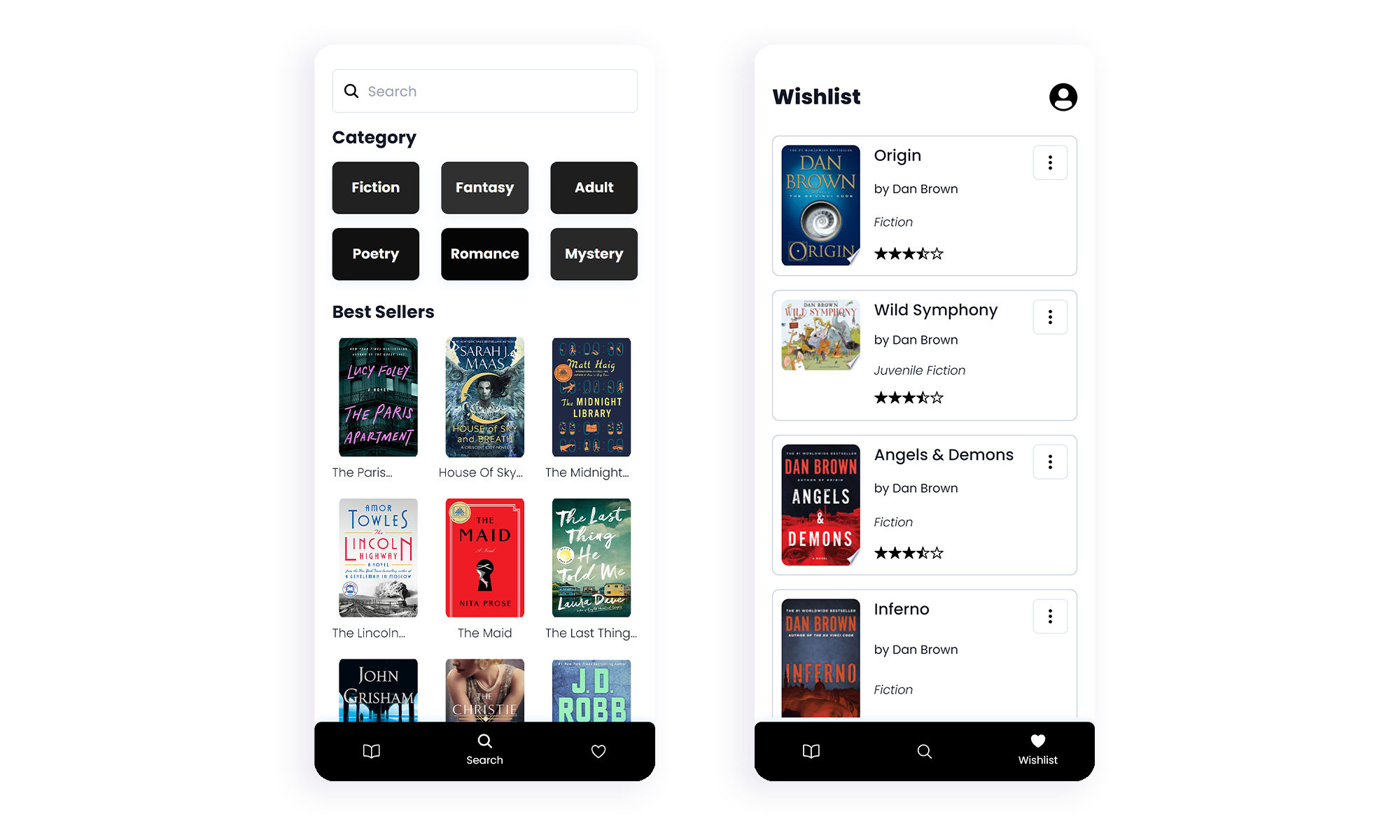
---
# PostScript Preview
URL: https://ahnafnafee.dev/portfolio/postscript-preview
Published: 2021-11-01
Summary: 💻 PostScript Preview is an extension that helps to preview EPS and PS files in Visual Studio Code
Stack: typescript, vscode, javascript, node.js, bash
## Overview
PostScript Preview is an extension that helps to preview EPS and PS files in Visual Studio Code. It supercharges
how your view PostScript files by also allowing to pan and zoom the image. You can also change the preview
background for extra customizations.
## Screenshots
---
# The Void Above
URL: https://ahnafnafee.dev/portfolio/the-void-above
Published: 2021-04-01
Summary: 🚀 The Void Above is a new action/adventure game from the developers, Void Gaming.
Stack: unity, csharp, photoshop, figma, illustrator, maya, perforce
## Overview
The Void Above is a new action/adventure game from the developers, Void Gaming.
The Void Above takes aspects from Journey and Death Stranding. Our game will have a focus on both action and adventure
where the player can explore the beautiful landscape while fighting enemies along the way.
## Responsibilities
- As the producer, I was in charge of overlooking all aspects of development and implementation within the game.
I held weekly scrum meetings with my team every week to ensure all features were being delivered on time.
My firm philosophy of iterating through implementing and playtesting from the early design phase helped
ensure all parts of the game was always up to code.
- I was also the lead UI designer for the game, so every UI was singularly crafted by me with user experience
in mind. Throughout the weekly play tests, I noted each issue and features that players were asking for from
the interface standpoint and implemented them based off that.
- As the project lead, I was familiar with every aspect of development, from the programming to the art side.
I analyzed the existing code and applied efficient tweaks and solutions, reducing draw calls by more than 60%.
From the modelling standpoint, I UV’d existing models in the game and reduced their mesh to boost performance
in-game; utilized LODs for this process.
- I developed the HUD manager within the game which utilized multiple vector calculations to draw the GUI in
the proper area of the camera view. The HUD was also made modular so that it could be applied to any
GameObject in the scene.
## Blog Links
- [Second Alpha Out](https://voidgaminginc.wixsite.com/thevoidabove/post/second-alpha-out)
- [Revamp to Sci-Fi UI](https://voidgaminginc.wixsite.com/thevoidabove/post/revamp-to-sci-fi-ui)
- [Ramping up to Release 1.0](https://voidgaminginc.wixsite.com/thevoidabove/post/ramping-up-to-release-1-0)
## Code Snippets
- [HudManager](https://gist.github.com/ahnafnafee/2a991775d6ecf1be3c9e88505c025935)
> Code for `OffScreen GUI Indicator`
```csharp
void OffScreen(int i)
{
//if transform destroy, then remove from list
if (huds[i].m_Target == null)
{
huds.Remove(huds[i]);
return;
}
if (huds[i].Arrow.ArrowIcon != null && huds[i].Arrow.ShowArrow)
{
//Check target if OnScreen
if (!HudUtility.isOnScreen(HudUtility.ScreenPosition(huds[i].m_Target), huds[i].m_Target))
{
//Get the relative position of arrow
Vector3 ArrowPosition = huds[i].m_Target.position + huds[i].Arrow.ArrowOffset;
Vector3 pointArrow = HudUtility.mCamera.WorldToScreenPoint(ArrowPosition);
pointArrow.x = pointArrow.x / HudUtility.mCamera.pixelWidth;
pointArrow.y = pointArrow.y / HudUtility.mCamera.pixelHeight;
Vector3 mForward = huds[i].m_Target.position - HudUtility.mCamera.transform.position;
Vector3 mDir = HudUtility.mCamera.transform.InverseTransformDirection(mForward);
mDir = mDir.normalized / 5;
pointArrow.x = 0.5f + mDir.x * 20f / HudUtility.mCamera.aspect;
pointArrow.y = 0.5f + mDir.y * 20f;
if (pointArrow.z < 0)
{
pointArrow *= -1f;
pointArrow *= -1f;
}
//Arrow
GUI.color = huds[i].m_Color;
float Xpos = HudUtility.mCamera.pixelWidth * pointArrow.x;
float Ypos = HudUtility.mCamera.pixelHeight * (1f - pointArrow.y);
//palpating effect
if (huds[i].isPalpitin)
{
Palpating(huds[i]);
}
//Calculate area to rotate guis
float mRot = HudUtility.GetRotation(HudUtility.mCamera.pixelWidth / (2), HudUtility.mCamera.pixelHeight / (2), Xpos, Ypos);
//Get pivot from area
Vector2 mPivot = HudUtility.GetPivot(Xpos, Ypos, huds[i].Arrow.ArrowSize);
//Arrow
Matrix4x4 matrix = GUI.matrix;
GUIUtility.RotateAroundPivot(mRot, mPivot);
GUI.DrawTexture(new Rect(mPivot.x - HudUtility.HalfSize(huds[i].Arrow.ArrowSize), mPivot.y - HudUtility.HalfSize(huds[i].Arrow.ArrowSize), huds[i].Arrow.ArrowSize, huds[i].Arrow.ArrowSize), huds[i].Arrow.ArrowIcon);
GUI.matrix = matrix;
float ClampedX = Mathf.Clamp(mPivot.x, 20, (Screen.width - offScreenIconSize) - 20);
float ClampedY = Mathf.Clamp(mPivot.y, 20, (Screen.height - offScreenIconSize) - 20);
GUI.DrawTexture(HudUtility.ScalerRect(new Rect(ClampedX, ClampedY, offScreenIconSize, offScreenIconSize)), huds[i].m_Icon);
Vector2 ClampedTextPosition = mPivot;
//Icons and Text
if (!huds[i].ShowDistance)
{
if (!string.IsNullOrEmpty(huds[i].m_Text))
{
Vector2 size = TextStyle.CalcSize(new GUIContent(huds[i].m_Text));
ClampedTextPosition.x = Mathf.Clamp(ClampedTextPosition.x, (size.x + offScreenIconSize) + 30, ((Screen.width - offScreenIconSize)- 10) - size.x);
ClampedTextPosition.y = Mathf.Clamp(ClampedTextPosition.y, (size.y + offScreenIconSize) + 35, ((Screen.height - size.y) - offScreenIconSize) - 20);
GUI.Label(HudUtility.ScalerRect(new Rect(ClampedTextPosition.x - (size.x / 2), ClampedTextPosition.y - (size.y / 2), size.x, size.y)), huds[i].m_Text, TextStyle);
}
}
else
{
float Distance = Vector3.Distance(localPlayer.position, huds[i].m_Target.position);
if (!string.IsNullOrEmpty(huds[i].m_Text))
{
string text = huds[i].m_Text + "\n [" + string.Format("{0:N0}m", Distance) + "]";
Vector2 size = TextStyle.CalcSize(new GUIContent(text));
ClampedTextPosition.x = Mathf.Clamp(ClampedTextPosition.x, (size.x + offScreenIconSize) + 30, ((Screen.width - offScreenIconSize) - 10) - size.x);
ClampedTextPosition.y = Mathf.Clamp(ClampedTextPosition.y, (size.y + offScreenIconSize) + 35, ((Screen.height - size.y) - offScreenIconSize) - 20);
GUI.Label(HudUtility.ScalerRect(new Rect(ClampedTextPosition.x - (size.x / 2), (ClampedTextPosition.y - (size.y / 2)), size.x, size.y)), text, TextStyle);
}
else
{
string text = "[" + string.Format("{0:N0}m", Distance) + "]";
Vector2 size = TextStyle.CalcSize(new GUIContent(text));
ClampedTextPosition.x = Mathf.Clamp(ClampedTextPosition.x, (size.x + offScreenIconSize) + 30, ((Screen.width - offScreenIconSize) - 10) - size.x);
ClampedTextPosition.y = Mathf.Clamp(ClampedTextPosition.y, (size.y + offScreenIconSize) + 35, ((Screen.height - size.y) - offScreenIconSize) - 20);
GUI.Label(HudUtility.ScalerRect(new Rect(ClampedTextPosition.x - (size.x / 2) , (ClampedTextPosition.y - (size.y / 2)), size.x, size.y)),text, TextStyle);
}
}
}
GUI.color = Color.white;
}
}
```
- [WeaponScript](https://gist.github.com/ahnafnafee/b3dc1844bff72ac473a1f8f91137dcca)
> Shoot function excerpt
```csharp
public void Shoot()
{
//Find the exact hit position using a raycast
Ray ray = mainCam.ViewportPointToRay(new Vector3(0.5f, 0.5f, 0));
RaycastHit hit;
//check if ray hits something
Vector3 targetPoint;
//
if (Physics.Raycast(ray, out hit, Mathf.Infinity, layerMask))
{
targetPoint = hit.point;
}
else
{
Physics.Raycast(ray, out hit, Mathf.Infinity);
targetPoint = ray.origin + ray.direction * 10000.0f;
}
//Calculate direction from attackPoint to targetPoint
var position = attackPoint.position;
Vector3 directionWithoutSpread = targetPoint - position;
// For debugging bullet path
Debug.DrawRay(position, directionWithoutSpread, Color.red, 7, false);
//Calculate spread
float x = Random.Range(-spread, spread);
float y = Random.Range(-spread, spread);
//Calculate new direction with spread
Vector3 directionWithSpread = directionWithoutSpread + new Vector3(x, y, 0);
//Instantiate bullet/projectile
var currentBullet = Instantiate(GameObject.Find("Player").GetComponent().isPowered() ? poweredBullet : bullet, position, Quaternion.identity);
GameObject.Find("Player").GetComponent().Shoot();
currentBullet.transform.forward = directionWithSpread.normalized;
currentBullet.GetComponent().AddForce(directionWithoutSpread.normalized * shootForce, ForceMode.Impulse);
currentBullet.GetComponent().AddForce(mainCam.transform.up * upwardForce, ForceMode.Impulse);
AkSoundEngine.PostEvent("shoot_event",this.gameObject);
StartCoroutine(DelayTrail(currentBullet, 0.01f));
}
```
## Screenshots


---
# Checkers Party
URL: https://ahnafnafee.dev/portfolio/checkers-party
Published: 2020-12-01
Summary: ⚪ Checkers Party is a two-player game designed to be played remotely ⚫
Stack: unity, csharp, photoshop, figma, illustrator, maya
## Overview
Checkers Party is a two-player game designed to be played remotely. When each player joins the game, they will
be placed in a lobby until both players are ready to play. Once they are prepared to play, they will be taken
to the main checkers game, with the board facing their respective side. The objective of each player will be to
take out all their opponent’s pieces.
The game will provide a medium for players to interactively play with each other in real-time from any
remote location in the world.
## Responsibilities
- I was the lead game developer for this project. Primarily, I was in charge of creating the multiplayer
functionality for the game. Despite networking being a new avenue for me, I successfully
integrated a cross-platform multiplayer solution into the game.
- Furthermore, I ensured that the user interface utilized common tropes found in multiplayer games like lobbies
and rooms so that the common experience is maintained. I was able to leverage multiple modules offered in
Photon’s documentation to achieve that while modifying the source code where I saw fit.
- I also utilized animations across multiple GameObjects, further increasing user interactivity.
- As the game needed to be ported to Android, increasing performance for low-end devices was essential.
So, I optimized the game’s resources across all front, compressing existing sprites as well tweaking
advanced quality settings in the render pipeline. I was able to reduce draw calls by more than 95% in the end.
## Code Snippets
- [Launcher](https://gist.github.com/ahnafnafee/0a0c88f69f2676c5ff7d42315e9cd897)
## Screenshots
---
# TimeKour
URL: https://ahnafnafee.dev/portfolio/timekour
Published: 2020-09-01
Summary: Synthwave-styled parkour game
Stack: unity, csharp, photoshop, figma, illustrator
## Overview
TimeKour is a retro-wave themed game with parkour mechanics. This includes Wall Run, High Jumps and also Grappling.
Your objective will be to run across the obstacles and kill all enemies in each level. Bullets in this world move
slowly so it will give you time to dodge and weave while performing some cool stunts to defeat your enemies.
## Responsibilities
- This was a solo indie project that I completed from scratch in one month. My primary motivation of the idea came
from Mirror’s Edge. I developed the first-person controller which utilized the basic parkour mechanics using
a grappler.
- I got exposure to FMOD while developing this game. I heavily utilized the options offered by the software to mix
and add tracks into my game to spice up the gameplay.
- Another game mechanic I added into the game was SuperHot’s slow bullet time. Basically, I added the ability to
freeze time to dodge enemy bullets while performing parkour.
## Screenshots

---
# Sky Pirates
URL: https://ahnafnafee.dev/portfolio/sky-pirates
Published: 2020-06-01
Summary: Sky Pirates is a single player, arcade style bullet hell
Stack: unity, csharp, photoshop, figma, illustrator
## Overview
Sky Pirates is a single player, scrolling, arcade style, bullet hell game; the player controls a customizable
sea plane, capable of submersing itself underwater. On the run from the king, the player must tackle various
missions to earn money, which is spent on upgrades for the plane; these upgrades range from new weapons, power-ups,
and increased stats for the plane. These missions pit the player against numerous enemies above and below water
for the player; ultimately, the goal is to defeat the King Frond’s massive Man O’ War ship and escape his grasp.
## Responsibilities
- For the game Sky Pirates, I was the Lead Artist of the team. I was in charge of creating and incorporating all
art assets into the game and ensured the theme was maintained through the development lifecycle.
- Beside the art, I was also in charge of adding the audio into game to make the environment as dynamic and
lively as possible.
- The pixel art I created took inspiration from Hayao Miyazaki’s film, Porco Rosso. The user interface also followed
the same theme which I also implemented into the game.
- I also created 2D frames and converted them into animations within Unity. From the development side, I set up
animation states for the main player.
## Screenshots

---
# Need for ABC
URL: https://ahnafnafee.dev/portfolio/need-for-abc
Published: 2020-05-01
Summary: 🎮🚗 An Alphabet Game for kids
Stack: unity, csharp, photoshop, figma, illustrator
## Overview
Need for ABC is a game targeted towards children where they can drive around in an open world with a car and
learn the alphabet. You will be timed on how fast you can find the alphabets.
## Credits
- [Planet Assets](https://kenney.nl/assets/nature-kit)
- [Car model](https://kenney.nl/assets/car-kit)
- Inspiration from [here](https://brackeysgames.itch.io/shrinking-planet)
- Planet gravity inspired from [here](https://www.youtube.com/watch?v=UeqfHkfPNh4)
- Polygon ParticleFX particles used
## Screenshots


---
# Icebreaker
URL: https://ahnafnafee.dev/portfolio/icebreaker
Published: 2020-03-01
Summary: 💗 Dating app for matching personality
Stack: css, node.js, html, javascript, mysql, jquery
## Overview
- Web application that will be a dating app where users can match with others based primarily on personality
- Profile can contain pictures of a person’s room, hobbies, interests, etc
- All information is organized neatly into a webpage, mainly relying on imagery
- Will display names and general information about themselves
- Can choose who they want to talk to by pressing yes or no
- Will include personal profiles with login and logout functionality
## Features
- Mobile friendly
- Scalable to provide compatibility with most mobile devices
- Working login and logout system
- Utilizes client sessions and cookies to save user data
- Working registration and profile pages
## Built With
- HTML - Provides the general framework to the application
- CSS - Used to add style to the web application
- JavaScript - Adds functionality to the website
- MySQL - Stores user data (log in, password, profile data, etc)
- Node.js - Used to host a local server to test functionality and debug. Used various modules to improve
developer experience - express - client-sessions - bcrypt - morgan
- AJAX - Client-side programming technique used to establish an active connection between the
browser and the web server
## Screenshots
---
# Roomie
URL: https://ahnafnafee.dev/portfolio/roomie
Published: 2019-06-01
Summary: 📱🏫 Tinder Style Roommate Finder App. 🔎🃏 An app that can say goodbye to all the hassles of a college student and present them with simplicity and connectivity
Stack: firebase, java, kotlin, adobe-xd, android-studio, trello
## Overview
Bookworm is an app that works similarly to the Tinder app, where instead of matching with a potential partner,
the user will be able to match with a potential roommate. It is targeted towards college students people are looking
for roommates. They are able to input their major, hobbies, and other preferences as well as their school or their
general location where they are looking for roommates. The app will then generate potential roommates with similar
interests for the user to match with, and the user can decide whether they want to reach out to their matches or not.
## Technologies Used
- Java
- Android Studio
- Kotlin
- Firebase
- Adobe Xd
- Trello
## Screenshots
---


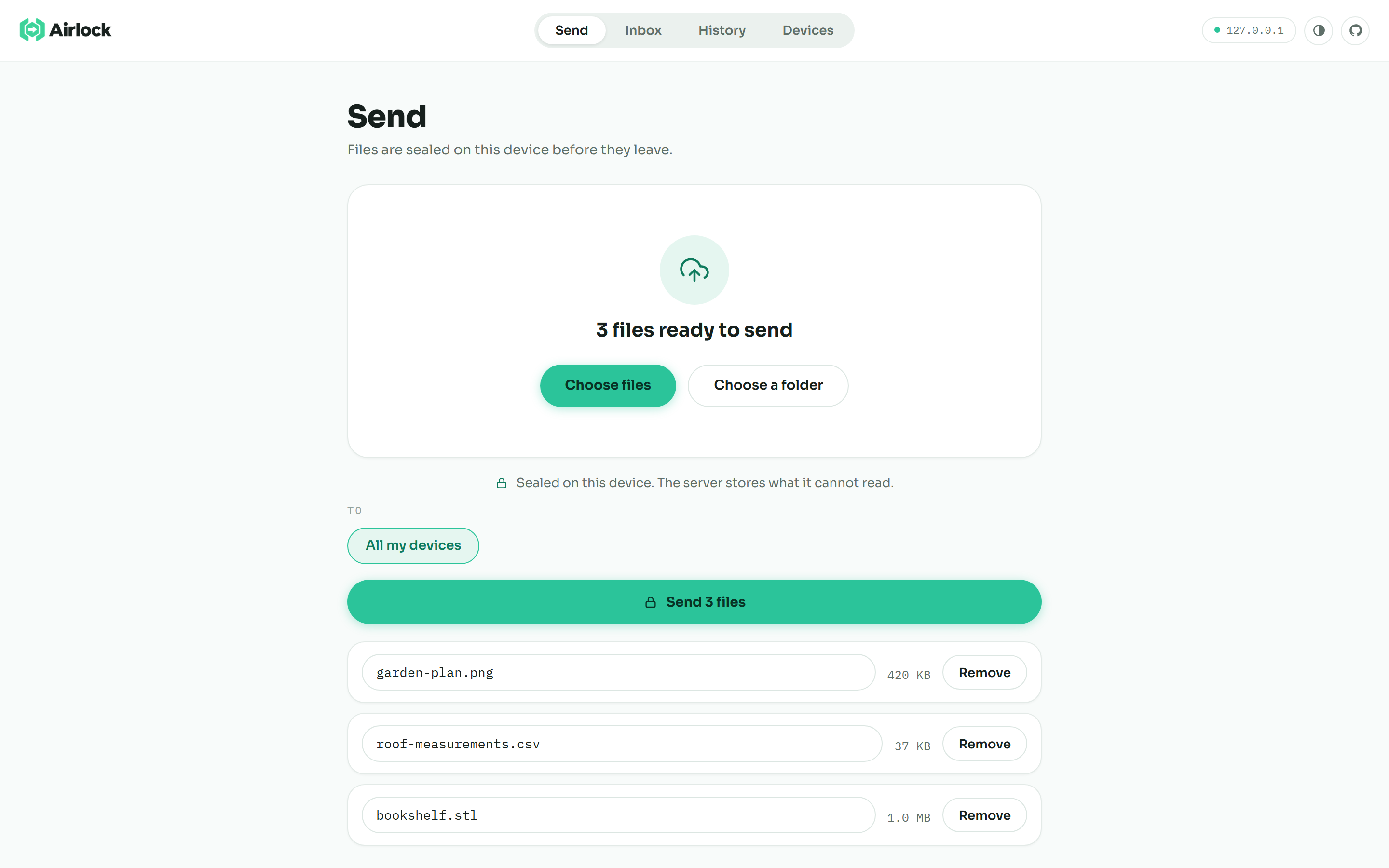
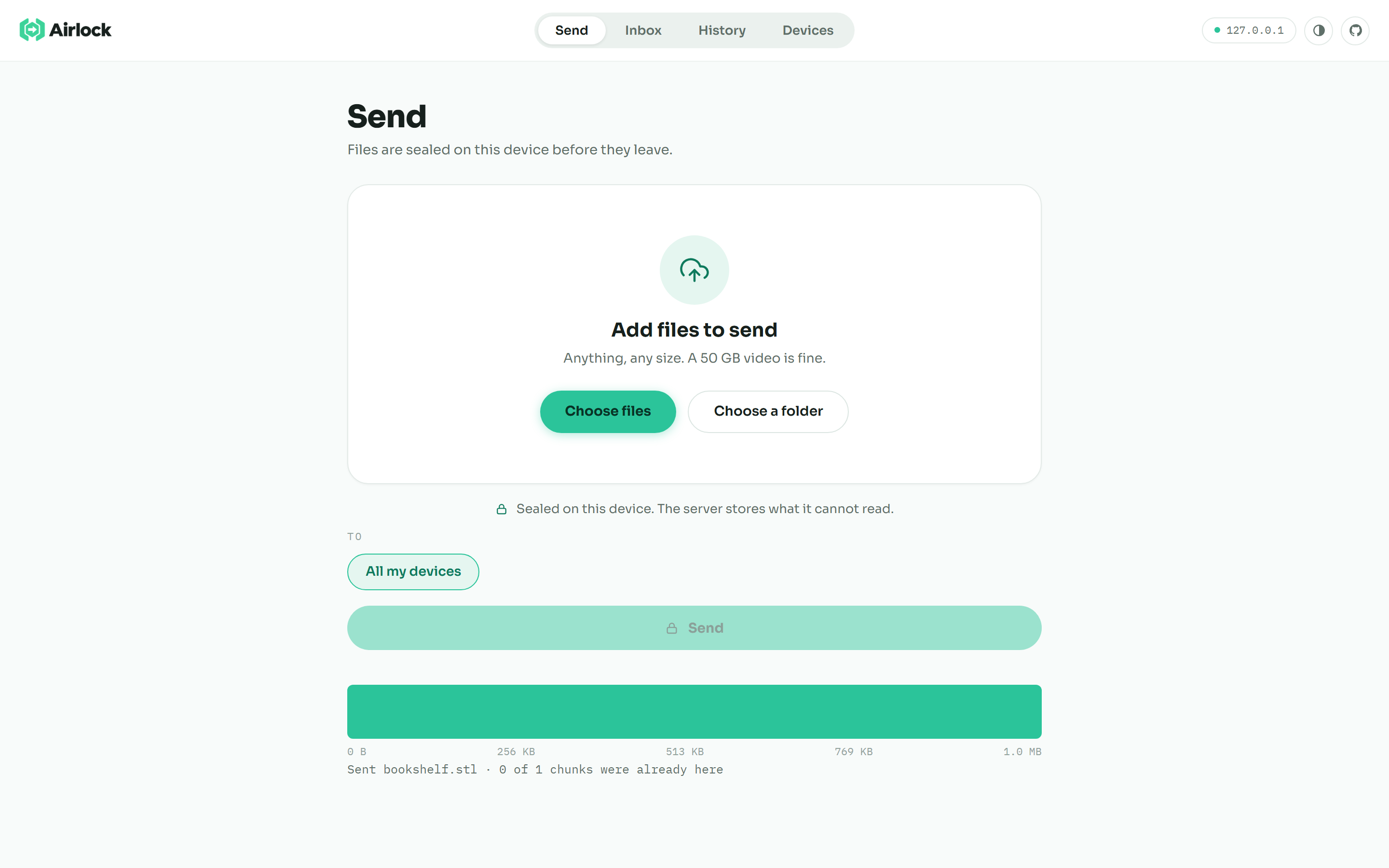
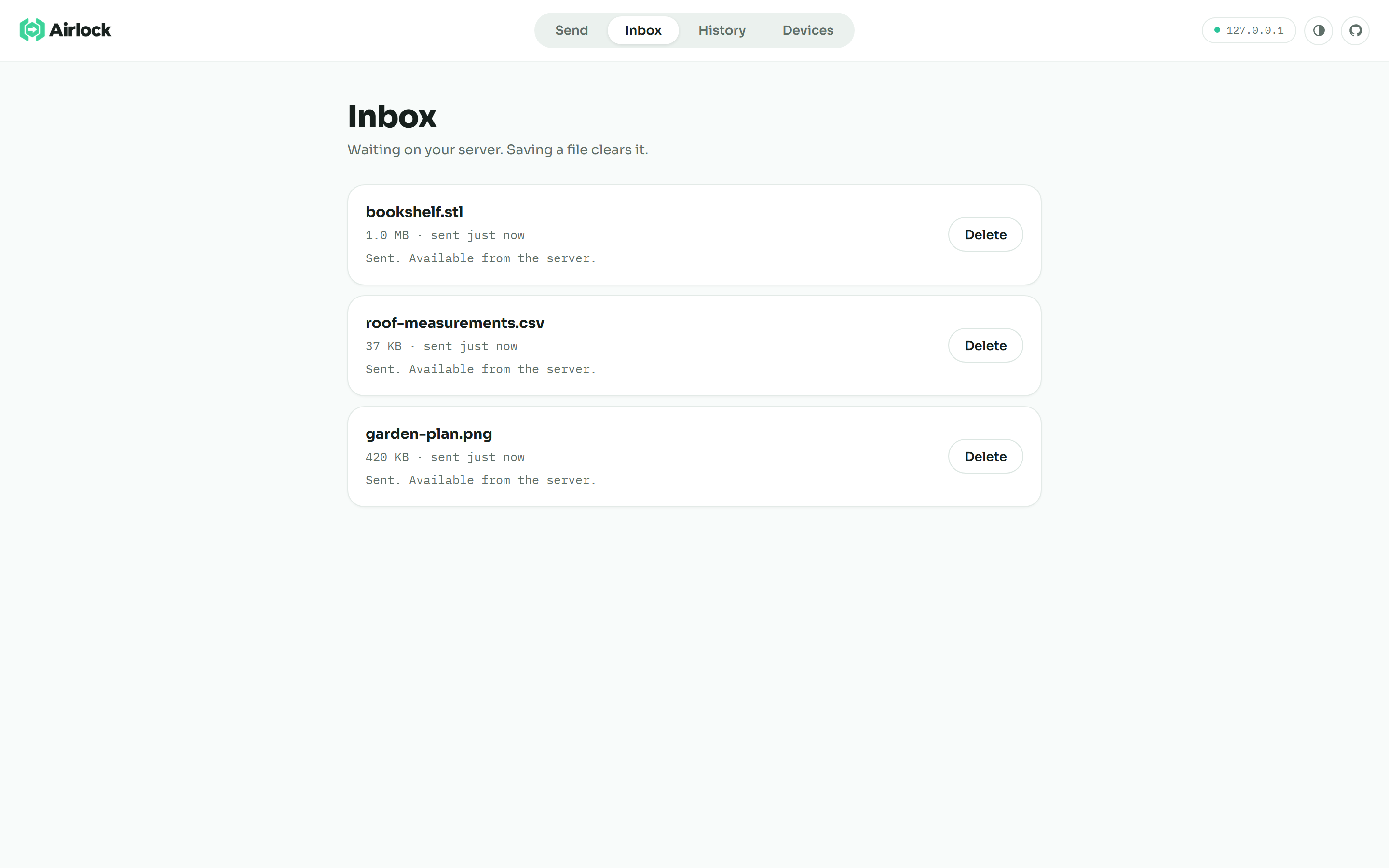
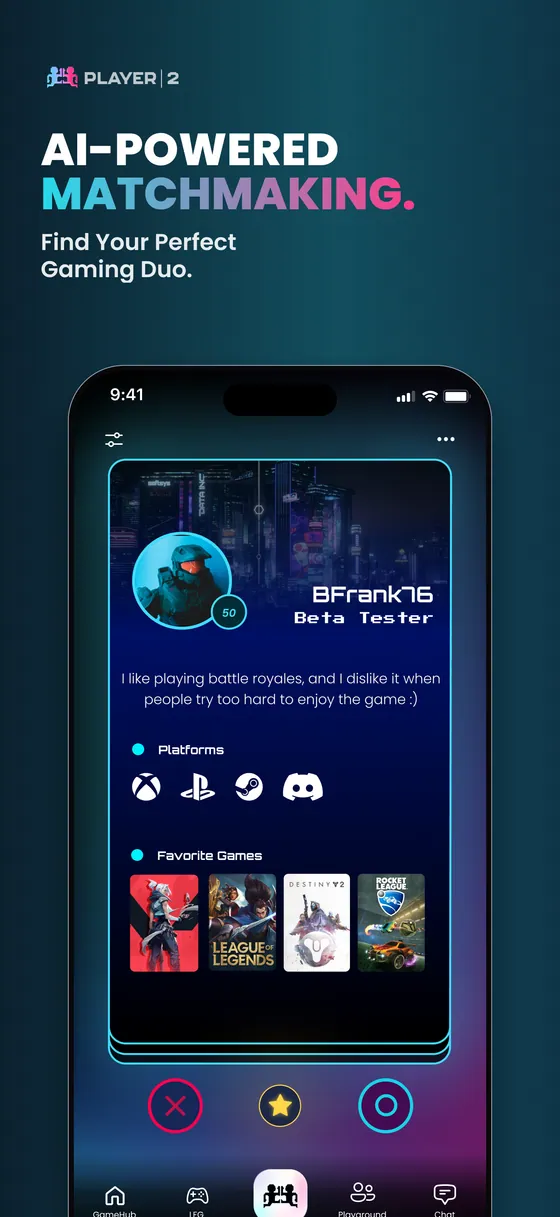
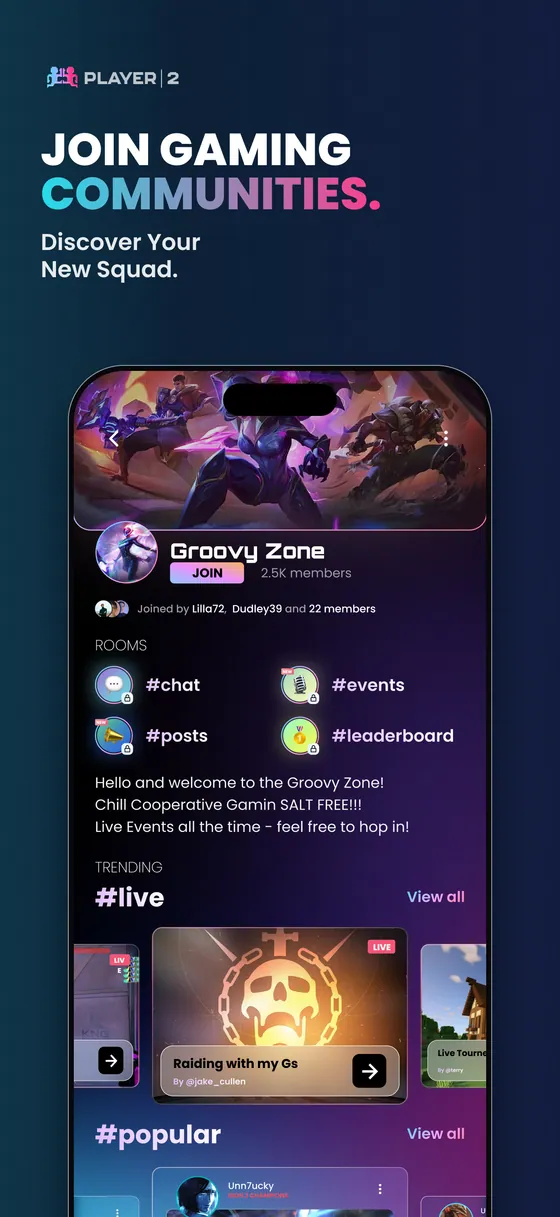
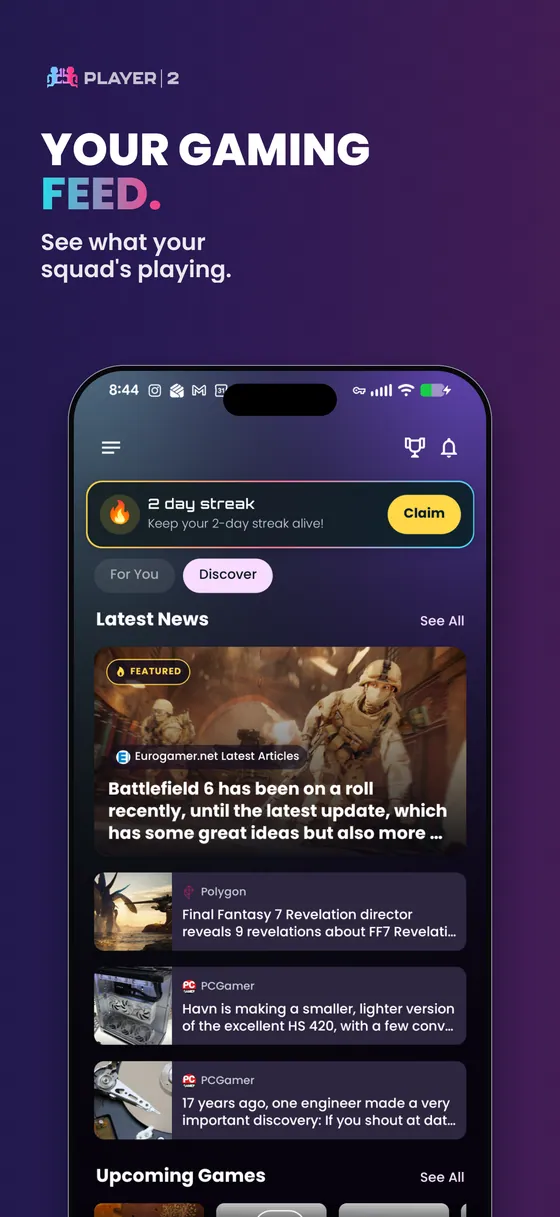
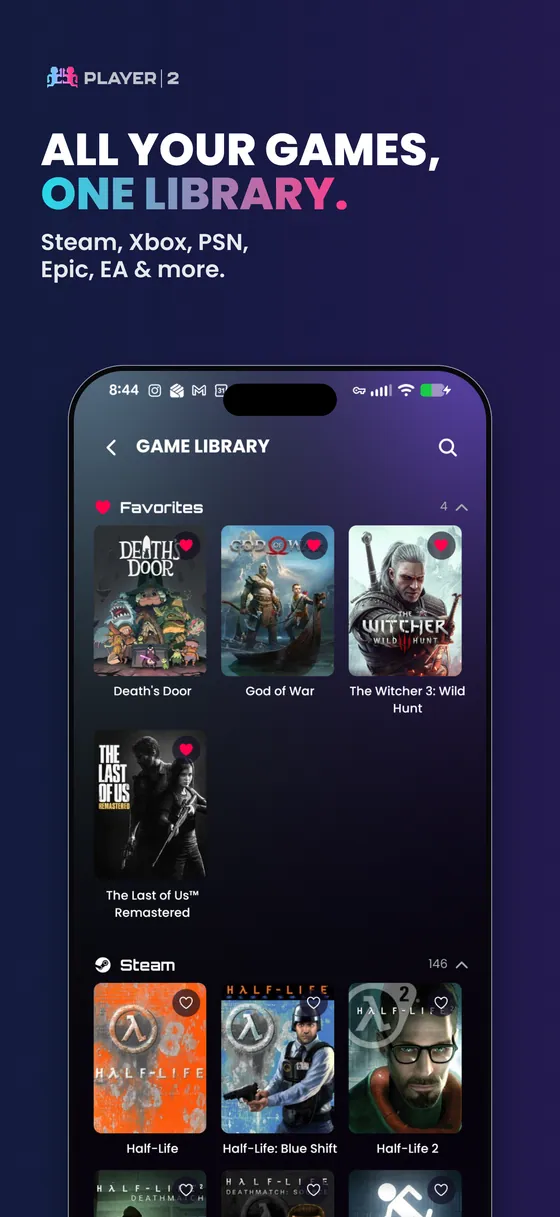
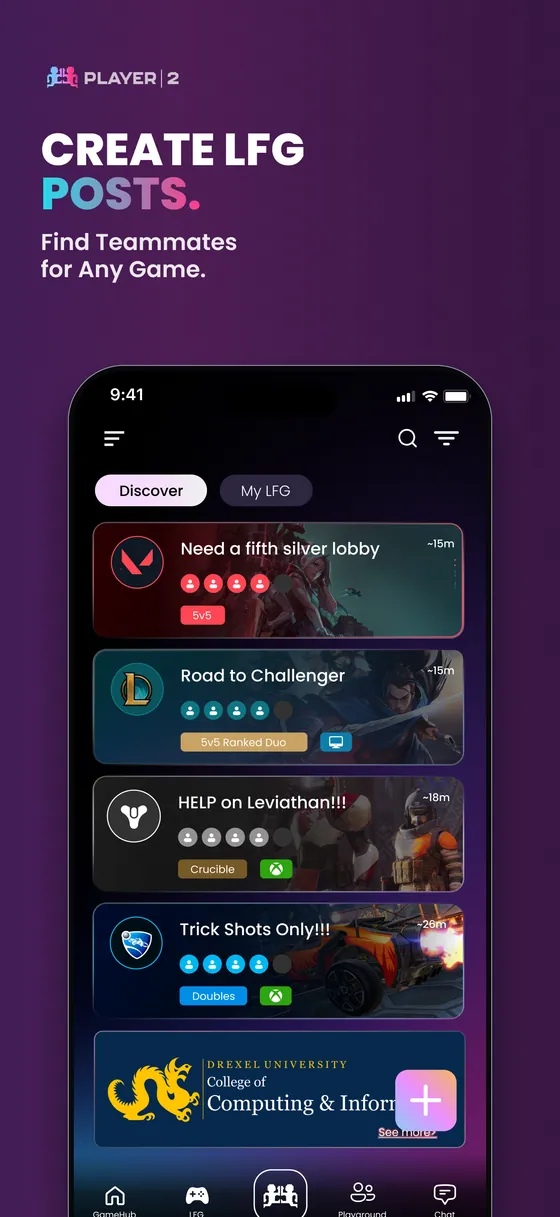
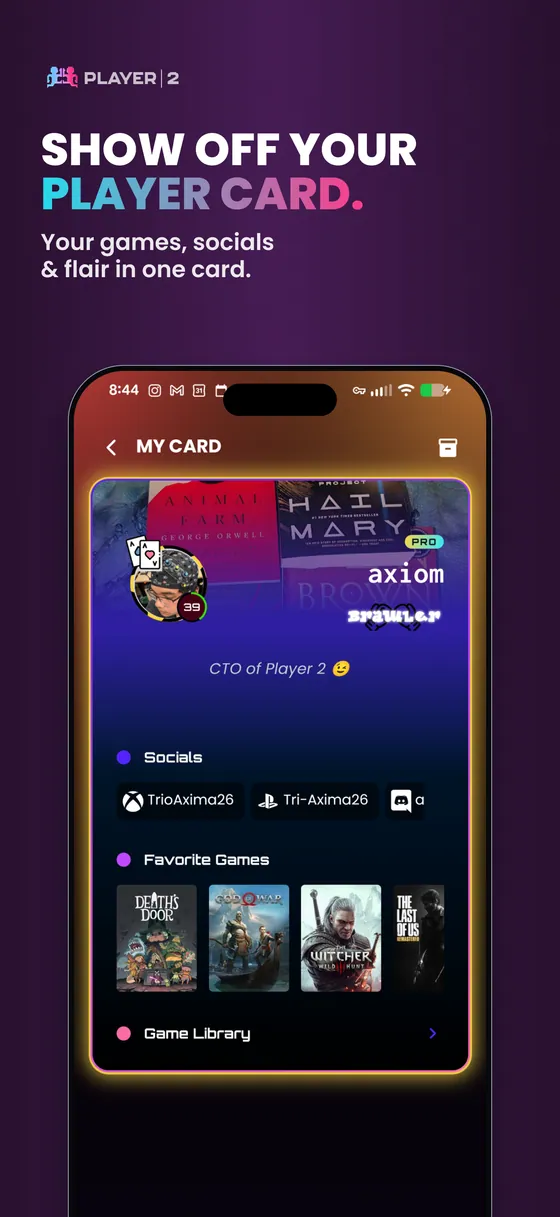
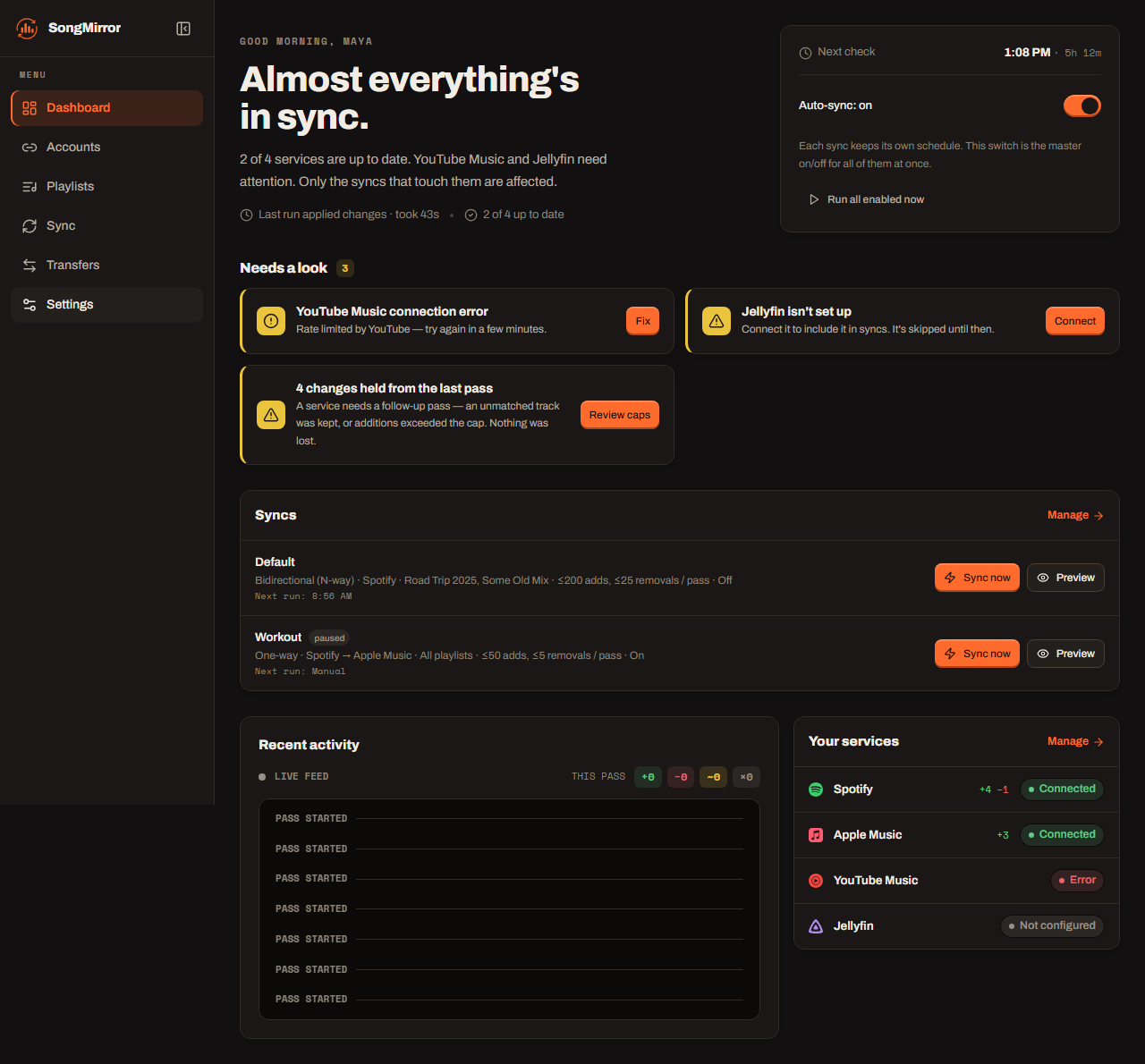
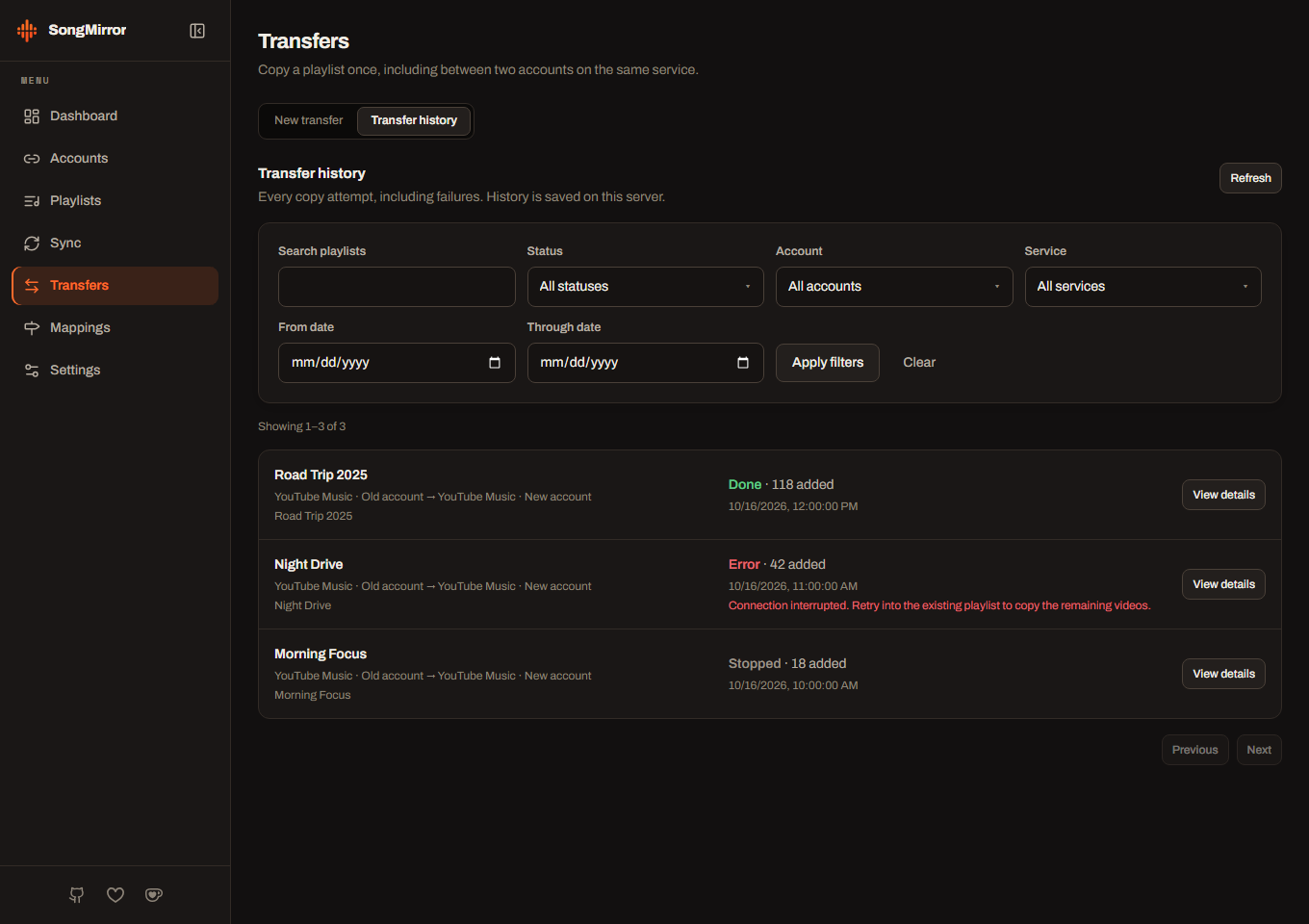
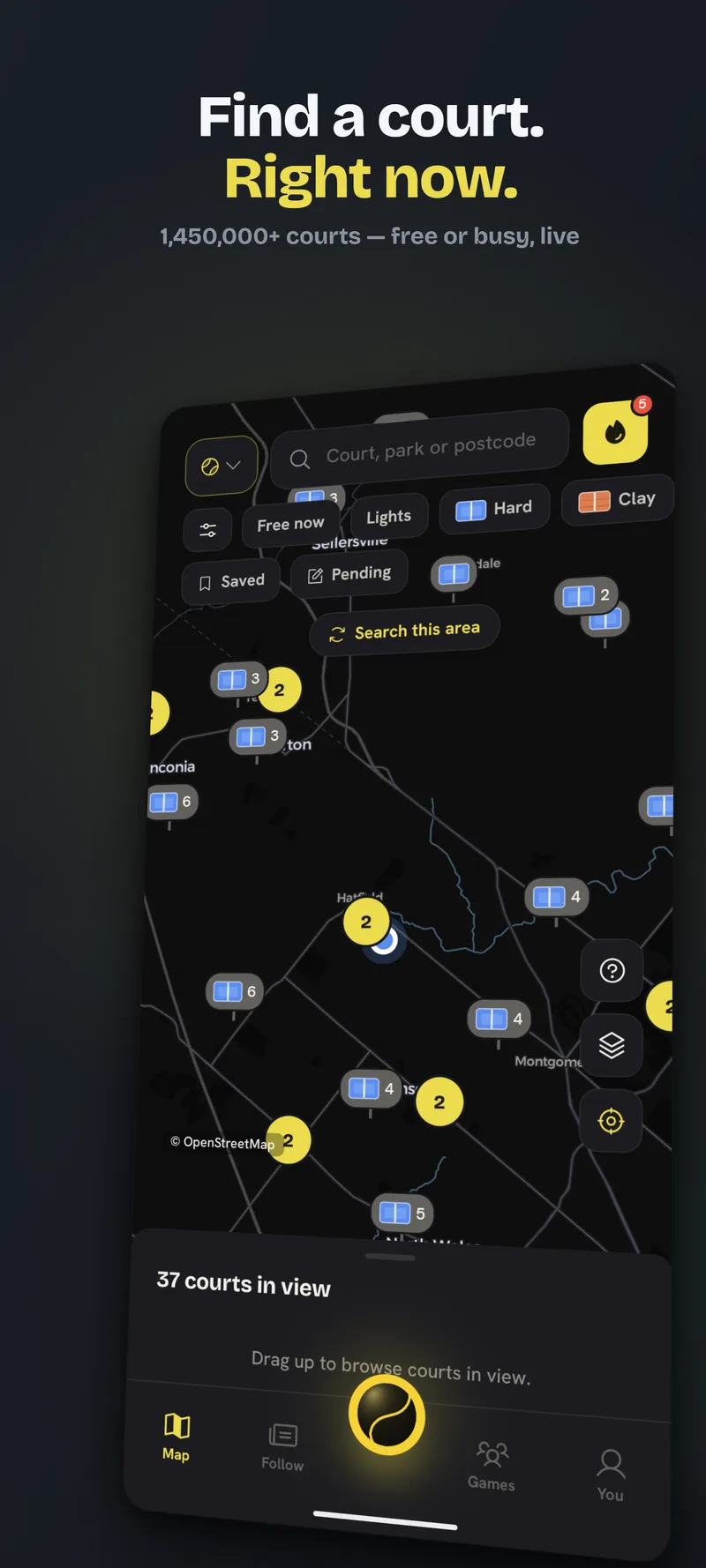
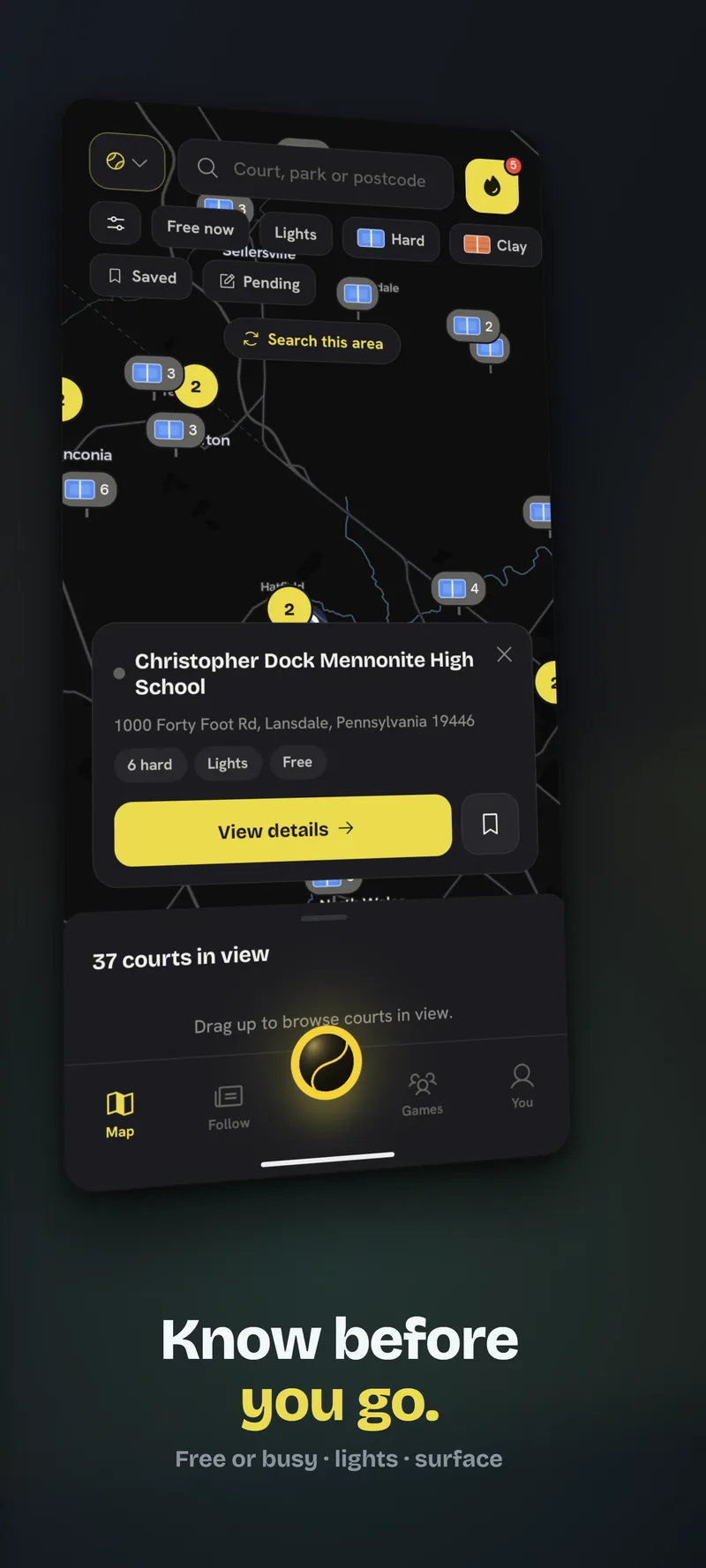
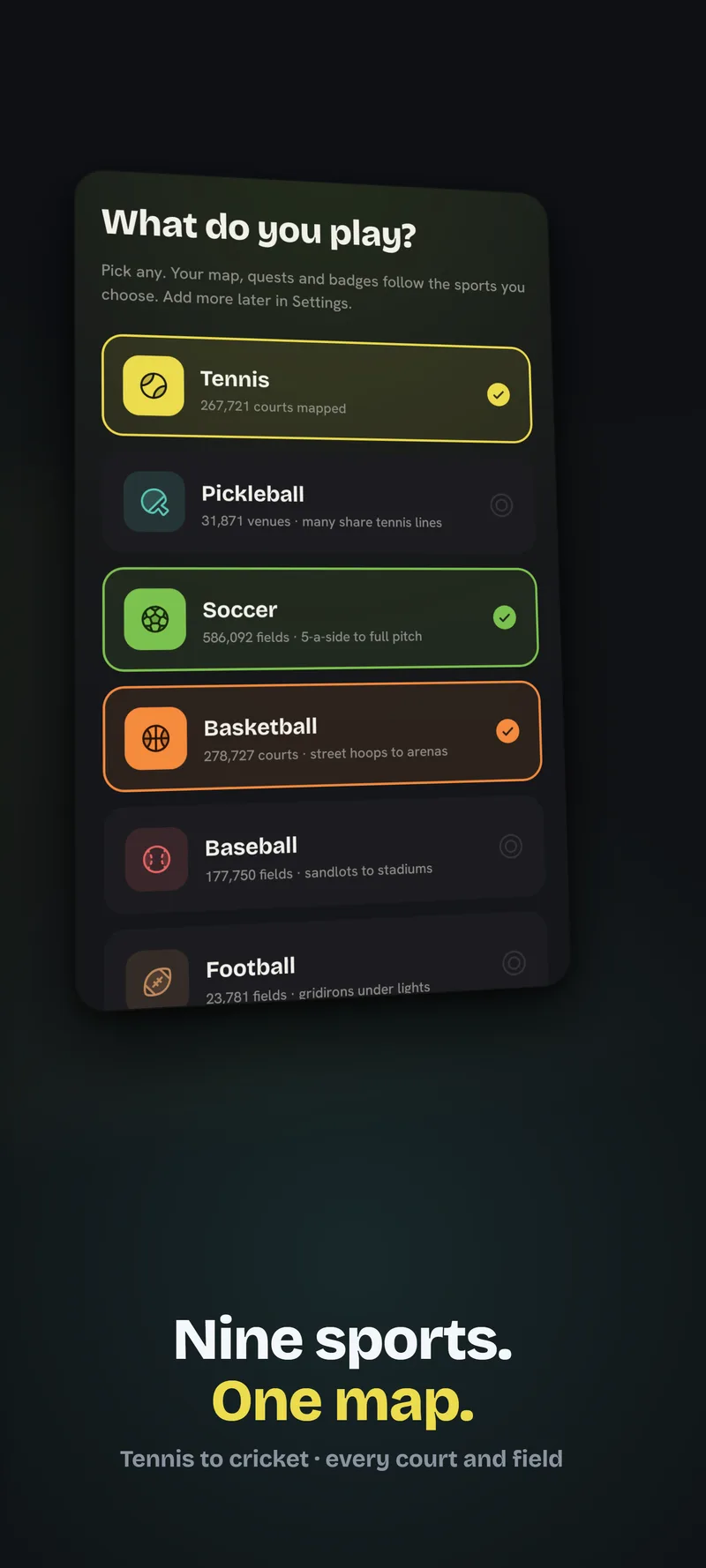
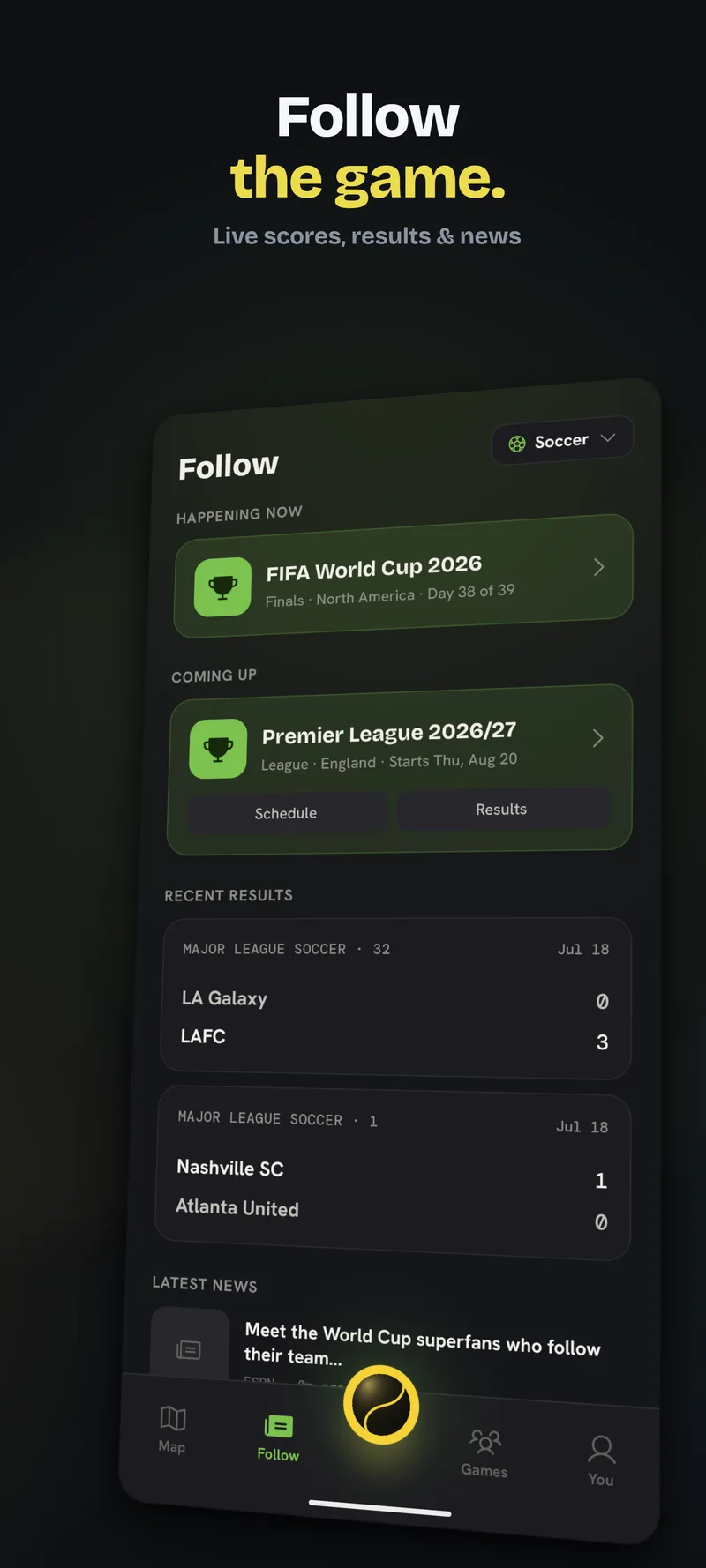
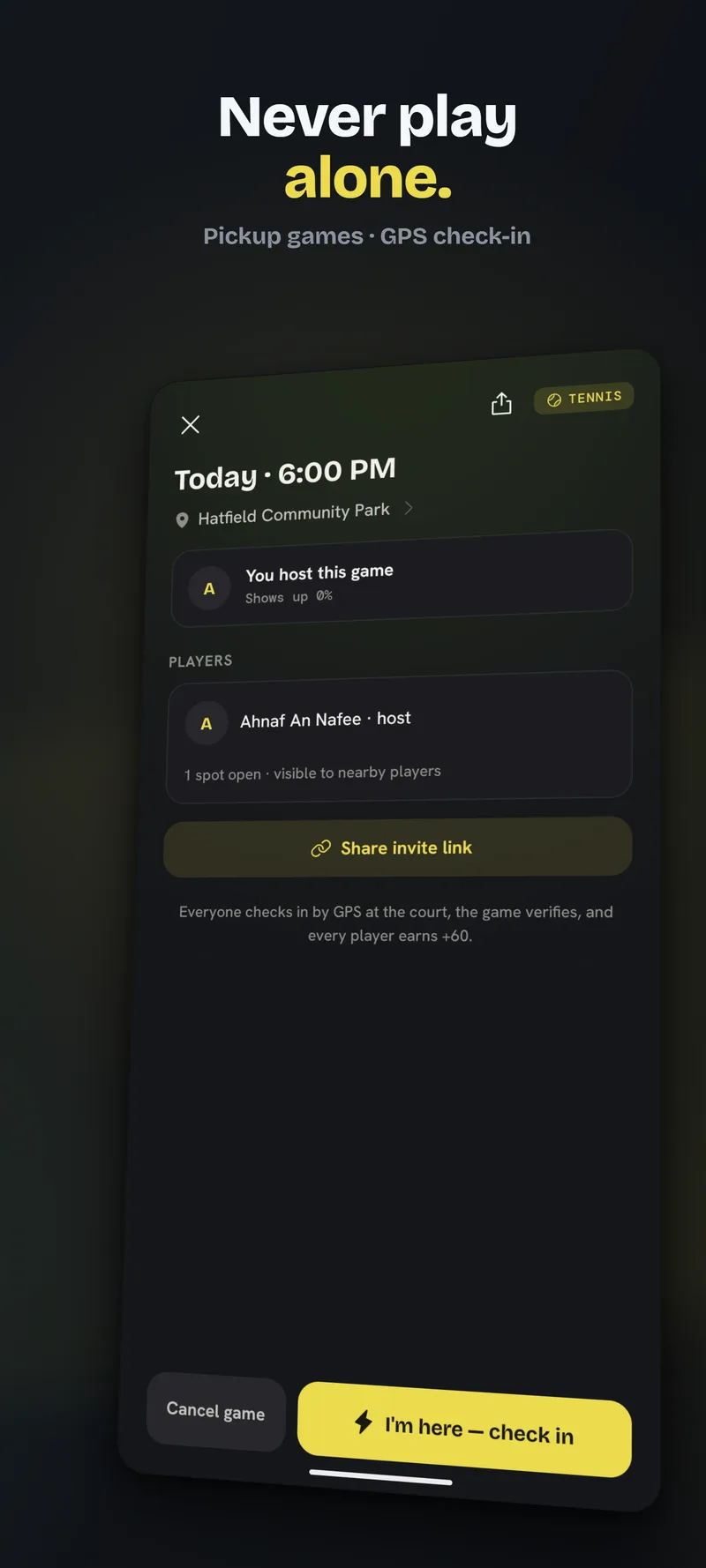
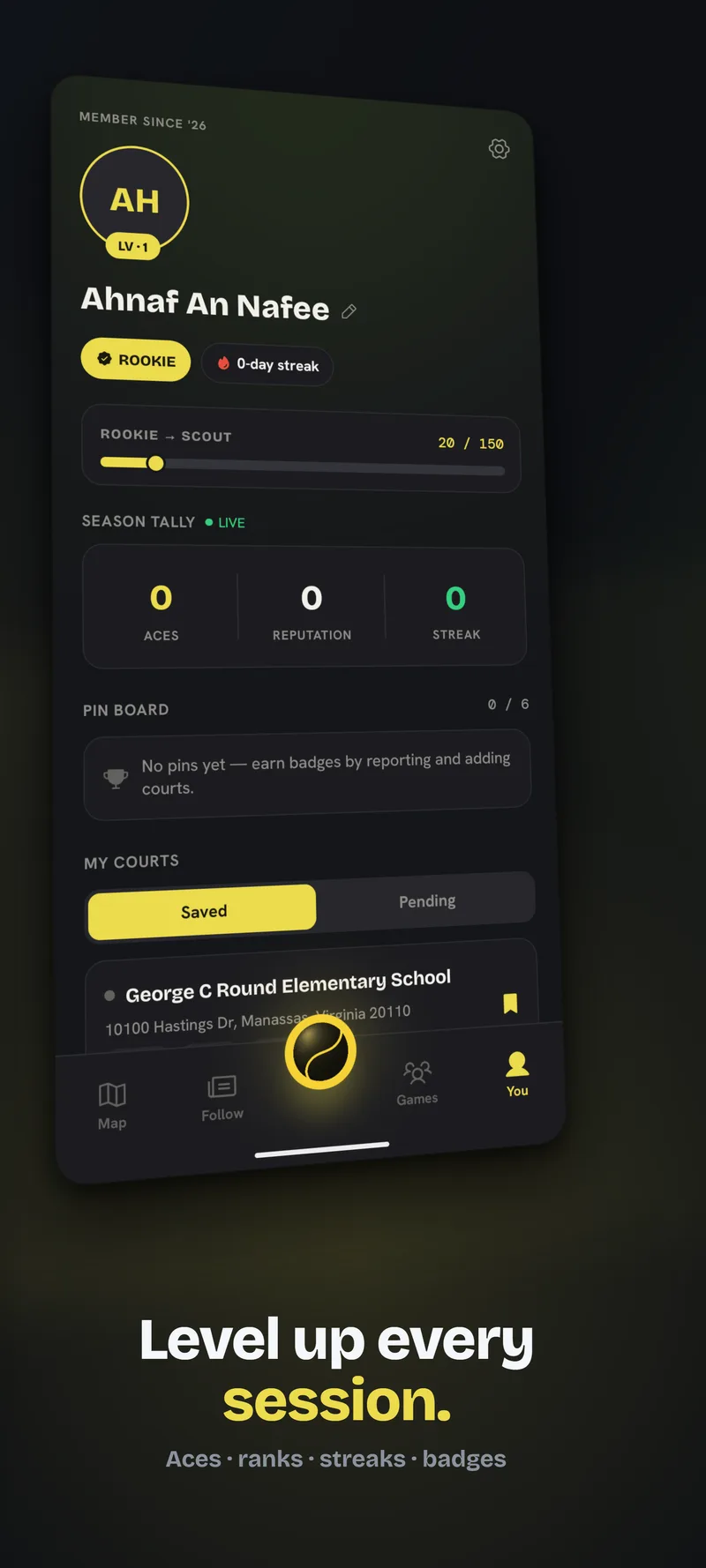

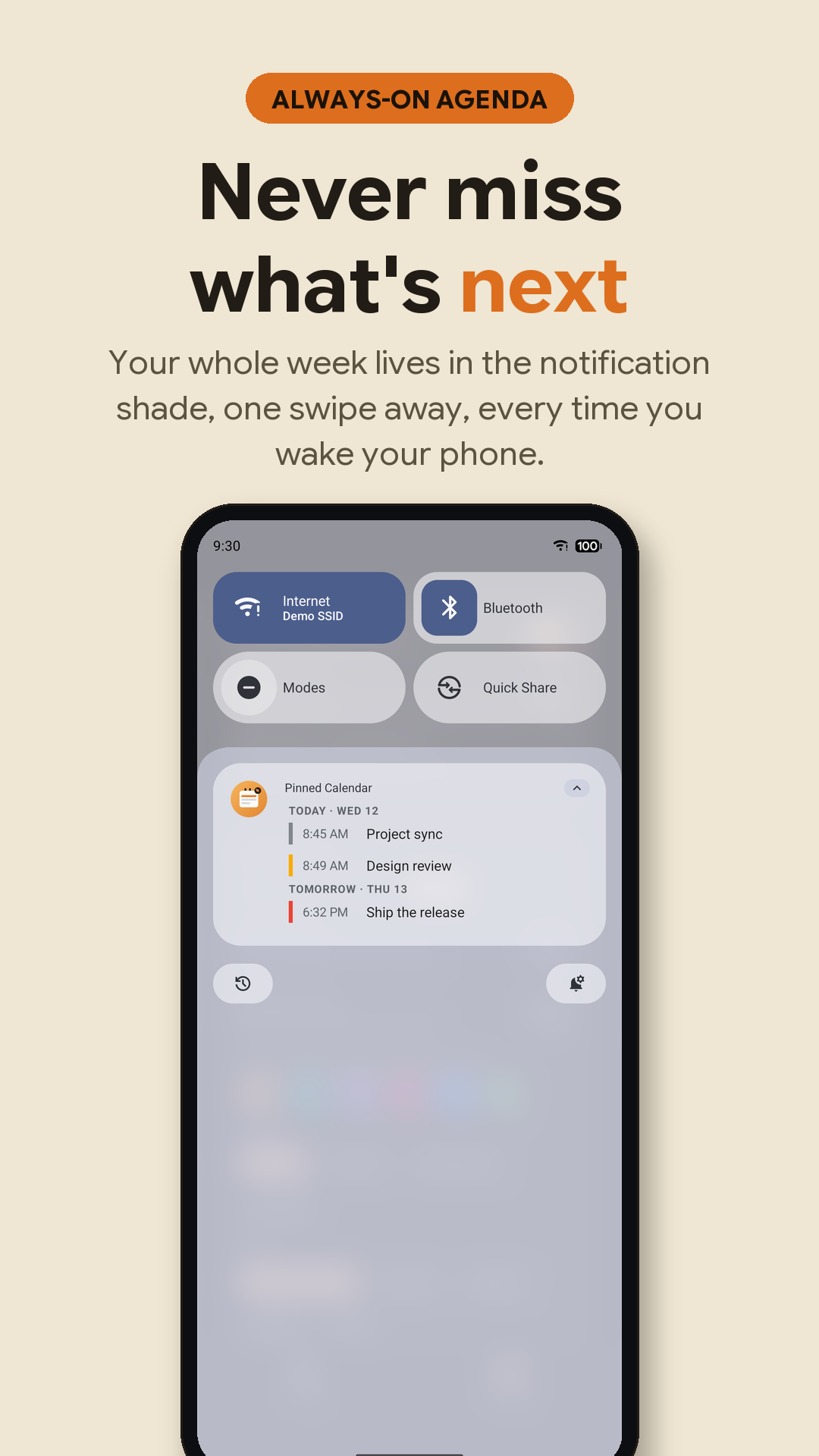
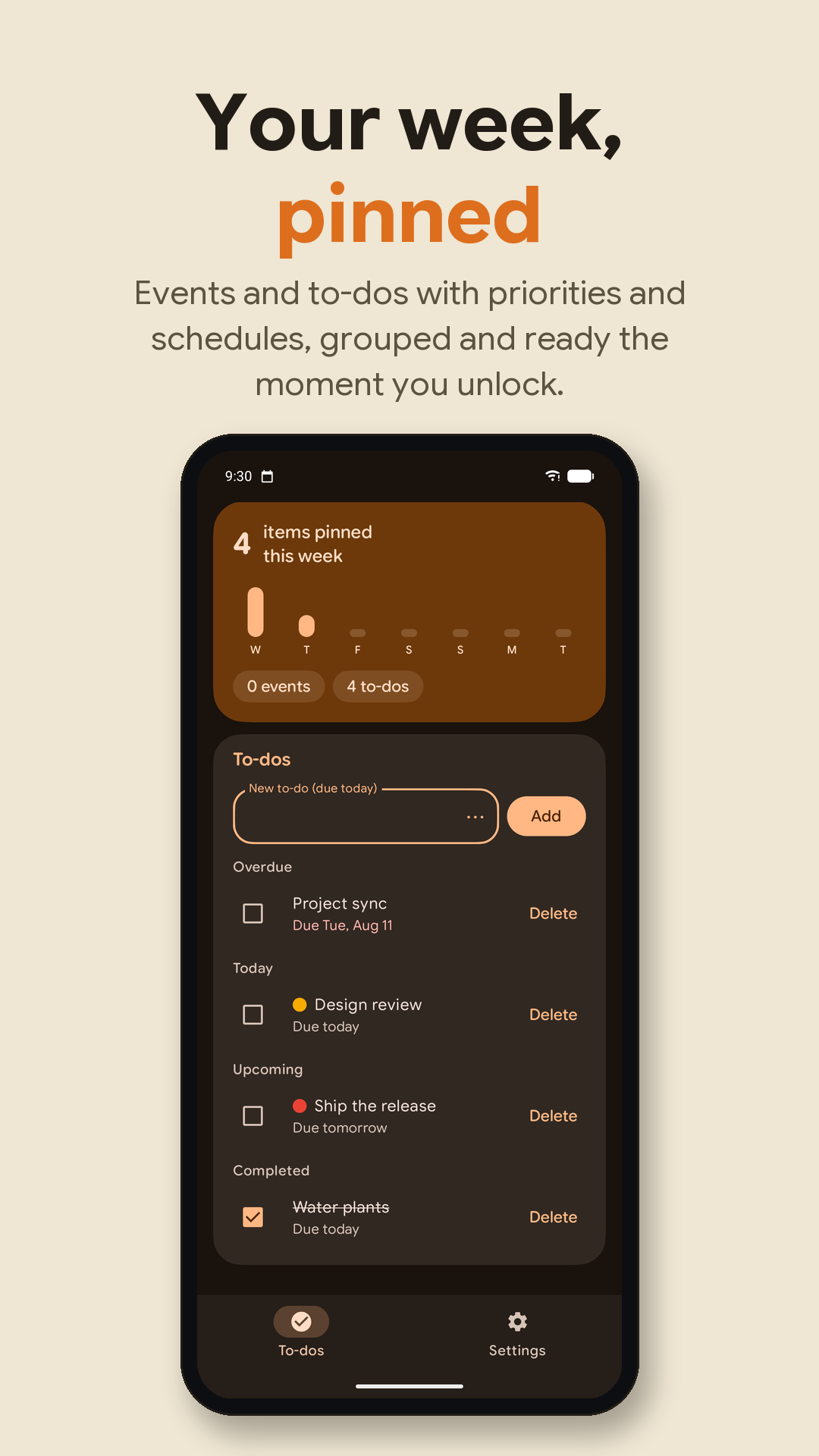
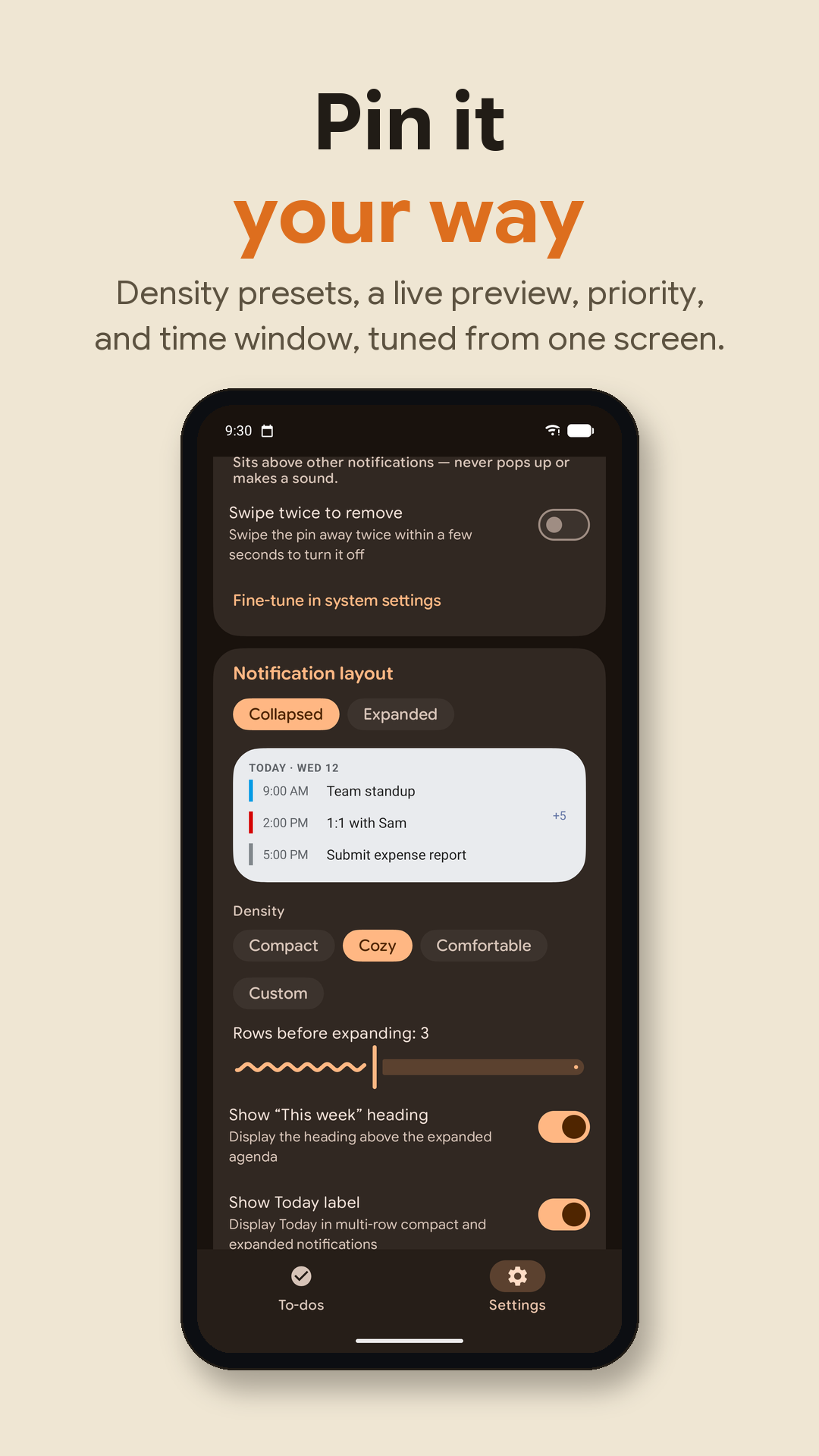
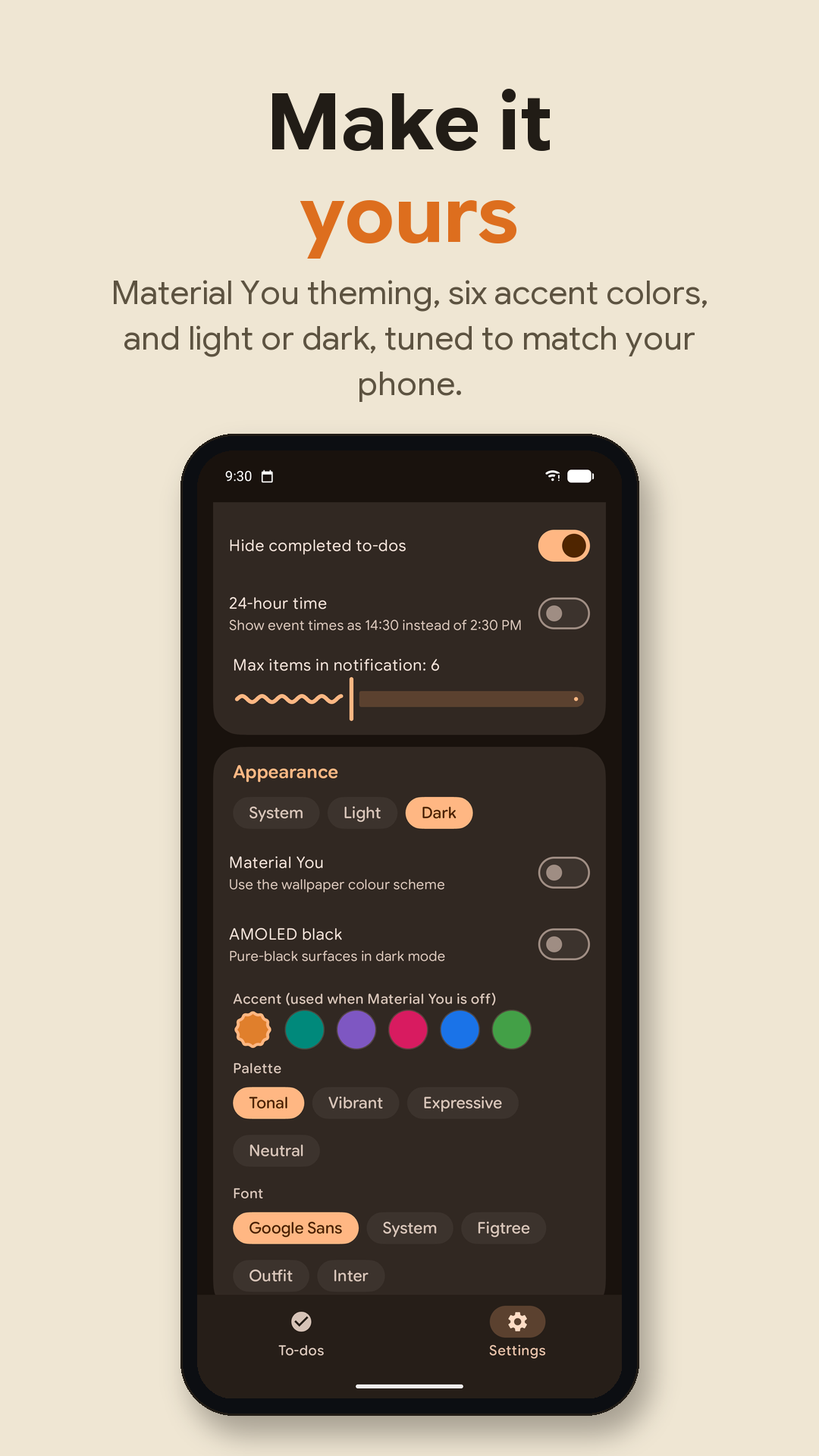
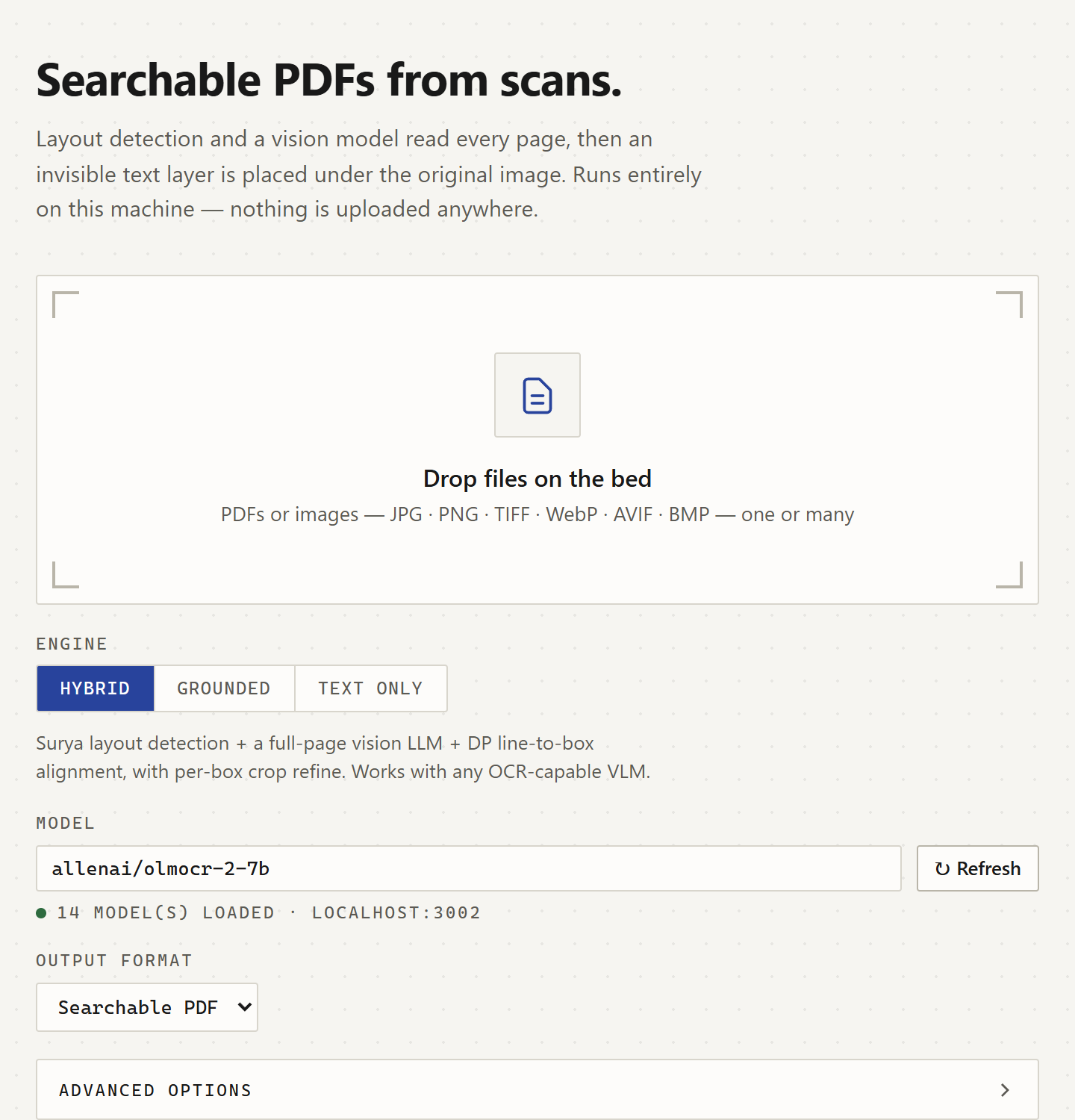
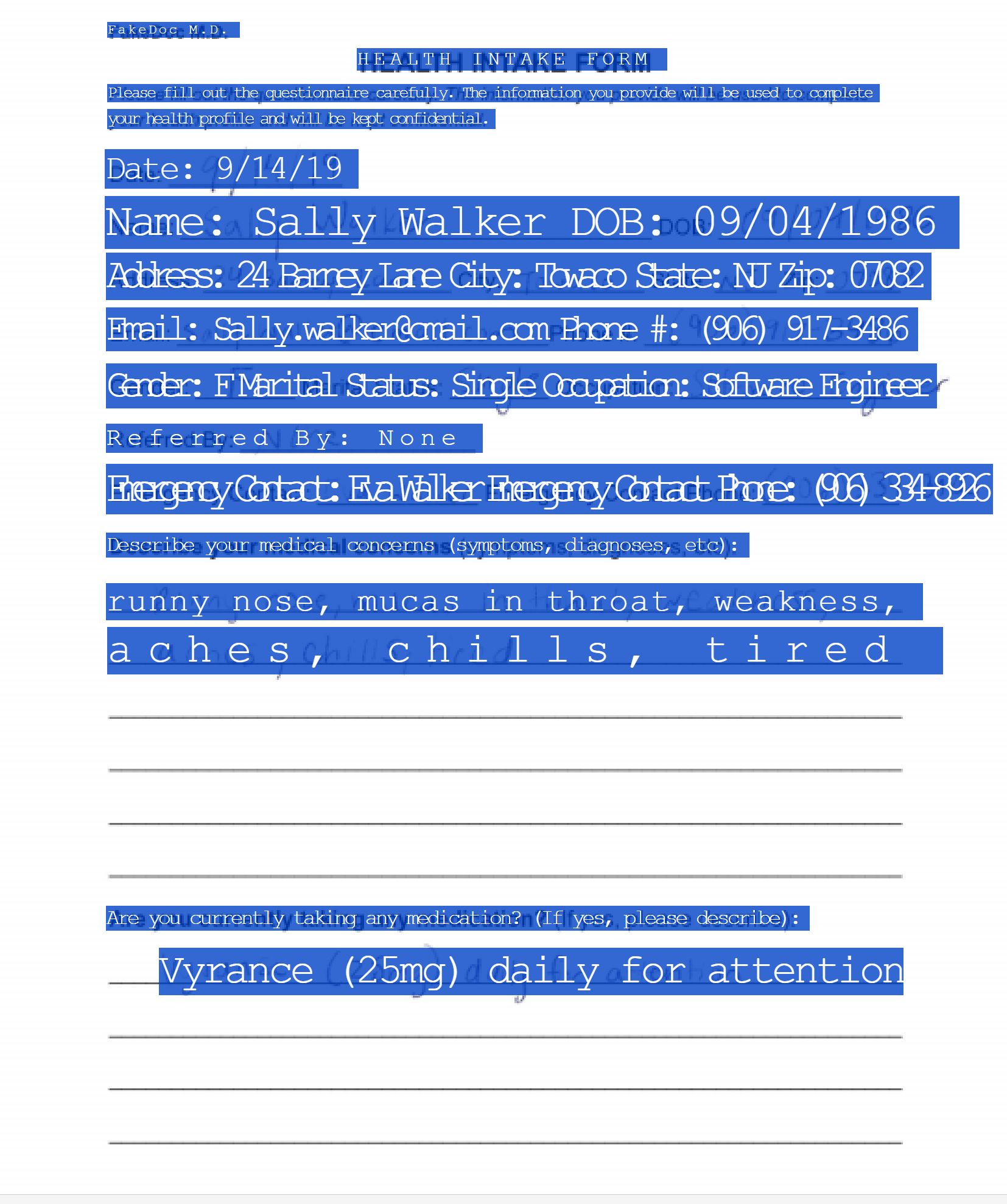
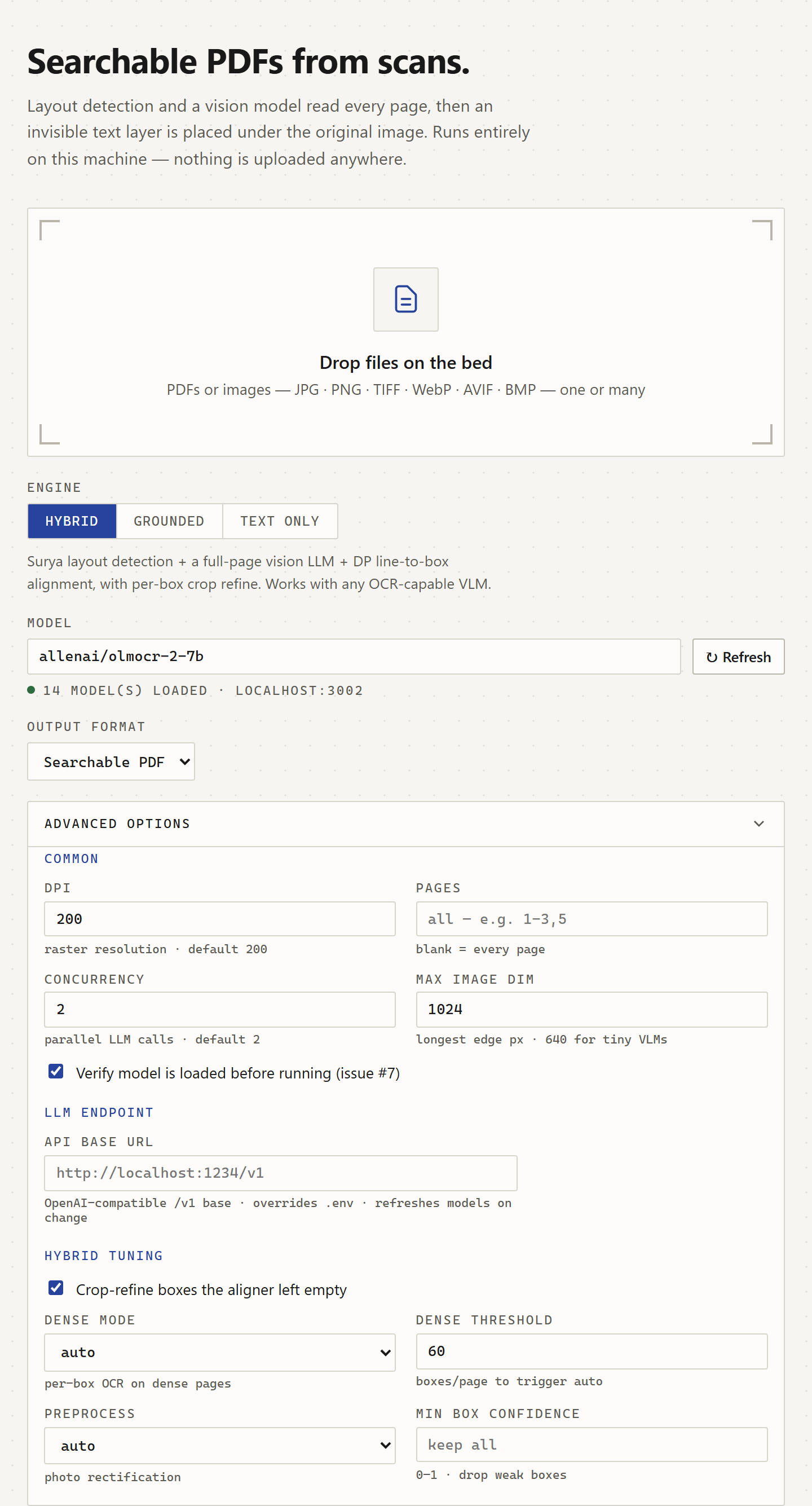
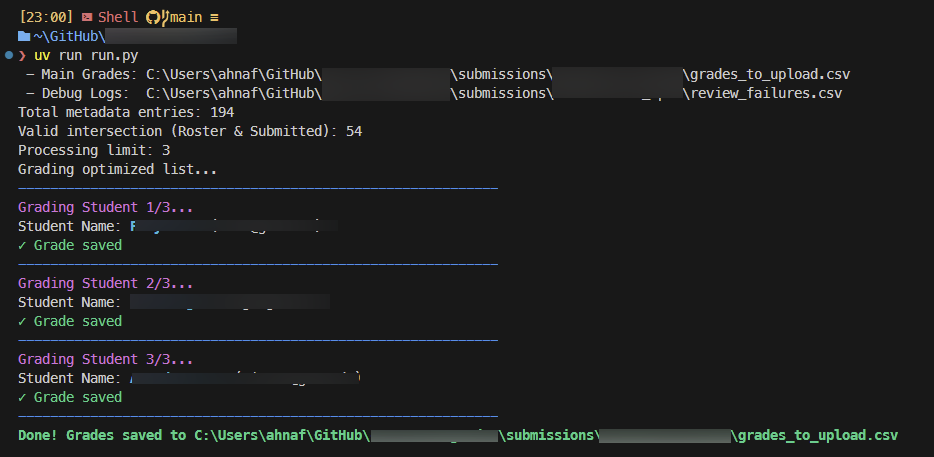 We use Python for its flexibility in file manipulation, process management, and API interactions. Java is used strictly for running the student's code against JUnit tests.
```mermaid
graph TD
A["run.py (Conductor)"] -->|Selects Strategy| B[GradingStrategy]
A -->|Iterates Submissions| C[AutoGraderEngine]
C -->|Prepares| D[Temp Sandbox]
D -->|Compiles| E[Javac]
D -->|Executes| F[JUnit Tests]
F -->|Results| G[CSV Report]
G -->|Uploads| H[Gradescope Bot]
```
### The Strategy Pattern
The biggest challenge in building a "universal" grader is that every assignment is different. Some require graph traversal, others list manipulation, and some need strict time complexity checks.
Instead of writing a massive `if-else` block, I used the **Strategy Pattern**. We define a **Parent Strategy** (`GradingStrategy`) that acts as the blueprint. It enforces a contract that all assignments must follow, while also providing shared utility methods (like code preprocessing and penalty calculations) that child strategies can inherit.
```python
# core/grading_strategy.py
from abc import ABC, abstractmethod
# The Parent Strategy
class GradingStrategy(ABC):
@property
@abstractmethod
def assignment_name(self) -> str:
"""Name of the assignment (e.g., 'GraphAssignment')"""
pass
@property
@abstractmethod
def rubric(self) -> dict:
"""
Dynamic rubric mapping.
Keys are test names, values are points.
"""
pass
# Shared logic inherited by all child strategies
def preprocess_code(self, source_code: str) -> str:
"""Optional hook to modify student code before compilation."""
return source_code
```
```python
# core/strategies/graph_strategy.py
class GraphSearchStrategy(GradingStrategy):
@property
def assignment_name(self) -> str:
return "GraphSearch"
@property
def rubric(self) -> dict:
# Maps JUnit test names to point values
return {
"testBFS": 15,
"testDFS": 15,
"testDijkstra": 20,
"testEdgeCases": 5
}
def preprocess_code(self, source_code: str) -> str:
# Specific to this assignment: Remove student's main method
# to prevent it from conflicting with our test harness
return re.sub(r"public static void main.*?}", "", source_code, flags=re.DOTALL)
```
This structure allows the main engine (`universal_grader.py`) to be completely agnostic of the assignment details. It treats every assignment as just a generic `GradingStrategy`.
## The "Frankenstein" Method
One of the most complex parts of autograding is testing private methods or ensuring students follow specific implementation details without exposing our test logic.
To solve this, I implemented what I call the **"Frankenstein" Method**. We don't just compile the student's file; we surgically alter it.
In `universal_grader.py`, we extract specific methods from the student's submission and stitch them into a "Frankenstein" class that contains our test harnesses. Crucially, we use regex to flip visibility modifiers so we can test private helper methods directly.
```python
# core/universal_grader.py
def _create_frankenstein_file(self, content_buffer, student_code):
# ... imports and class definition ...
# The "Frankenstein" Logic: Force visibility to public
# This allows JUnit to access private helper methods directly
public_code = re.sub(r"private\s", "public ", student_code)
public_code = re.sub(r"protected\s", "public ", public_code)
# Track line number offset to map compiler errors back to student's original file
self.line_offset = len(content_buffer.splitlines())
content_buffer += f"\n// --- STUDENT CODE START ---\n{public_code}\n"
return content_buffer
```
This allows us to maintain strict interface requirements for students (`private void helper()`) while having full access to test those internals during grading. We also maintain a line offset map so if the compiler fails on line 150 of the Frankenstein file, we can tell the student the error is actually on line 20 of their submission.
## Dynamic Compilation & Loading
We compile everything locally in a sandboxed temporary directory to prevent pollution. The system dynamically builds the classpath based on the assignment's needs. We use Python's `subprocess` with a timeout to catch infinite loops (a common issue in student code).
```python
# core/universal_grader.py
# Dynamic Classpath Construction
self.base_jars = ["junit-4.13.1.jar", "hamcrest-core-1.3.jar"]
extra_jars = getattr(self.strategy, "extra_jars", [])
# Constructing the javac command
# Note: We use ';' separator for Windows, ':' for Linux
classpath = ";".join([".", *self.base_jars, *extra_jars])
cmd = ["javac", "-cp", classpath, student_file, tester_file]
try:
result = subprocess.run(
cmd,
cwd=self.temp_dir,
capture_output=True,
text=True,
timeout=10 # Kill compilation if it freezes
)
if result.returncode != 0:
# Handle compilation error...
pass
except subprocess.TimeoutExpired:
self.record_error("Compilation Timed Out")
```
## AI-Assisted Grading with Local LLMs
While JUnit captures functional correctness, it fails at **semantic analysis**.
- _Did the student comment their code?_
- _Is the variable naming descriptive?_
- _Did they explain their logic in the header?_
To catch these, I integrated a **Local LLM** (Mininstral 3B) running on a local server. When a submission needs semantic checking, we send the code snippets to the LLM with a strict JSON system prompt.
```python
# utils/llm_utils.py
SYSTEM_PROMPT = """
You are a strict grader for a Computer Science course.
Analyze the source code provided.
Output strictly valid JSON with no markdown formatting.
Schema:
{
"present": boolean, // Is the required info present?
"feedback": string // Brief feedback for the student
}
"""
def check_student_info(header_text: str) -> dict:
payload = {
"model": "mininstral-3b",
"messages": [
{"role": "system", "content": SYSTEM_PROMPT},
{"role": "user", "content": f"Check for Student Name/ID in:\n{header_text}"}
],
"temperature": 0.1 # Low temp for deterministic outputs
}
response = requests.post("http://localhost:3002/v1/chat/completions", json=payload)
raw_content = response.json()['choices'][0]['message']['content']
try:
# Validation Loop: Ensure we got valid JSON back
return json.loads(raw_content)
except json.JSONDecodeError:
# Fallback or retry logic...
return {"present": False, "feedback": "Error parsing AI response"}
```
```mermaid
sequenceDiagram
participant Engine as AutoGrader Engine
participant LLM as Mininstral 3B (Local)
Engine->>Engine: Run JUnit Tests
alt Tests Pass
Engine->>LLM: Check Semantic Requirements
LLM-->>Engine: JSON { "grade": 10, "feedback": "Good job" }
else Tests Fail
Engine->>Engine: Assign Functional Score
end
```
This hybrid approach gives us the best of both worlds: the precision of unit tests and the semantic understanding of LLMs, without sending student data to external cloud providers.
## Automating the Last Mile
The final step is getting grades into the system. Manually entering thousands of grades is error-prone.
I built a **Playwright** bot that:
1. Reads the final CSV report generated by the `UniversalGrader`.
2. Logs into the grading portal.
3. Navigates to each student's submission.
4. Fills in the rubric and uploads the detailed feedback file.
```python
import os
import csv
import time
from playwright.sync_api import sync_playwright
from dotenv import load_dotenv
# Load credentials
load_dotenv()
EMAIL = os.getenv("GRADESCOPE_EMAIL")
PASSWORD = os.getenv("GRADESCOPE_PASSWORD")
def main():
with sync_playwright() as p:
browser = p.chromium.launch(headless=False) # Visible browser
context = browser.new_context()
page = context.new_page()
# 1. Login
print("Logging in...")
page.goto("https://www.gradescope.com/login")
page.fill("input[name='session[email]']", EMAIL)
page.fill("input[name='session[password]']", PASSWORD)
page.click("input[type='submit']")
page.wait_for_selector("text=Your Courses", timeout=10000)
# 2. Grading Loop
print(f"Reading CSV: {CSV_FILE}...")
# ... read csv logic ...
for row in rows:
student_email = row.get("Email")
# Resilience: Ensure we are on the right page
if page.url != review_grades_url:
page.goto(review_grades_url)
# Search and Navigate
page.get_by_placeholder("Search").fill(student_email)
page.get_by_role("link", name=student_name).first.click()
# Robust Rubric Selection
def ensure_rubric_item(name_or_index, desired_state=True):
btn = page.get_by_role("button", name=name_or_index)
if btn.get_attribute("aria-pressed") != str(desired_state).lower():
btn.click()
# Grade Question 2
page.get_by_role("link", name="2:").click()
if float(row.get("Q2 Score")) == 1.0:
ensure_rubric_item(1, True)
# Submit
# ... submission logic ...
```
## Conclusion
By treating grading as a software engineering problem, we turned a multi-day ordeal into a process that takes minutes. The combination of the **Strategy Pattern** for extensibility, **Frankenstein** code manipulation for deep testing, and **Local LLMs** for semantic checks creates a robust, scalable system that serves hundreds of students efficiently.
---
# Uploading Files to GoFile.io From a GitHub Action
URL: https://ahnafnafee.dev/blog/gofile-upload-github-action
Published: 2022-10-01 (updated 2026-05-20)
Summary: I built a GitHub Action that uploads any file from your CI/CD workflow to GoFile.io and hands you back a public URL plus QR code. Here's why GoFile, the API gotchas I hit, and the v3 rewrite when GoFile changed their API in late 2025.
Topics: GitHub Actions, CI/CD, DevOps, File Sharing, Automation, Open Source
My CI builds produce a lot of files I want to share without ceremony. A 50MB APK on every feature branch, a debug log bundle when a flaky test finally reproduces, a screenshot diff I want my designer to look at. None of these need authentication. They need a public URL someone can click in a Slack message.
So I built [`action-upload-gofile`](https://github.com/ahnafnafee/action-upload-gofile) — a GitHub Action that uploads any file from a workflow to [GoFile.io](https://gofile.io) and returns a public URL plus a QR code as outputs. This post covers why GoFile fit, the API gotchas I hit along the way, and the v3 rewrite when GoFile changed their API in late 2025.
We use Python for its flexibility in file manipulation, process management, and API interactions. Java is used strictly for running the student's code against JUnit tests.
```mermaid
graph TD
A["run.py (Conductor)"] -->|Selects Strategy| B[GradingStrategy]
A -->|Iterates Submissions| C[AutoGraderEngine]
C -->|Prepares| D[Temp Sandbox]
D -->|Compiles| E[Javac]
D -->|Executes| F[JUnit Tests]
F -->|Results| G[CSV Report]
G -->|Uploads| H[Gradescope Bot]
```
### The Strategy Pattern
The biggest challenge in building a "universal" grader is that every assignment is different. Some require graph traversal, others list manipulation, and some need strict time complexity checks.
Instead of writing a massive `if-else` block, I used the **Strategy Pattern**. We define a **Parent Strategy** (`GradingStrategy`) that acts as the blueprint. It enforces a contract that all assignments must follow, while also providing shared utility methods (like code preprocessing and penalty calculations) that child strategies can inherit.
```python
# core/grading_strategy.py
from abc import ABC, abstractmethod
# The Parent Strategy
class GradingStrategy(ABC):
@property
@abstractmethod
def assignment_name(self) -> str:
"""Name of the assignment (e.g., 'GraphAssignment')"""
pass
@property
@abstractmethod
def rubric(self) -> dict:
"""
Dynamic rubric mapping.
Keys are test names, values are points.
"""
pass
# Shared logic inherited by all child strategies
def preprocess_code(self, source_code: str) -> str:
"""Optional hook to modify student code before compilation."""
return source_code
```
```python
# core/strategies/graph_strategy.py
class GraphSearchStrategy(GradingStrategy):
@property
def assignment_name(self) -> str:
return "GraphSearch"
@property
def rubric(self) -> dict:
# Maps JUnit test names to point values
return {
"testBFS": 15,
"testDFS": 15,
"testDijkstra": 20,
"testEdgeCases": 5
}
def preprocess_code(self, source_code: str) -> str:
# Specific to this assignment: Remove student's main method
# to prevent it from conflicting with our test harness
return re.sub(r"public static void main.*?}", "", source_code, flags=re.DOTALL)
```
This structure allows the main engine (`universal_grader.py`) to be completely agnostic of the assignment details. It treats every assignment as just a generic `GradingStrategy`.
## The "Frankenstein" Method
One of the most complex parts of autograding is testing private methods or ensuring students follow specific implementation details without exposing our test logic.
To solve this, I implemented what I call the **"Frankenstein" Method**. We don't just compile the student's file; we surgically alter it.
In `universal_grader.py`, we extract specific methods from the student's submission and stitch them into a "Frankenstein" class that contains our test harnesses. Crucially, we use regex to flip visibility modifiers so we can test private helper methods directly.
```python
# core/universal_grader.py
def _create_frankenstein_file(self, content_buffer, student_code):
# ... imports and class definition ...
# The "Frankenstein" Logic: Force visibility to public
# This allows JUnit to access private helper methods directly
public_code = re.sub(r"private\s", "public ", student_code)
public_code = re.sub(r"protected\s", "public ", public_code)
# Track line number offset to map compiler errors back to student's original file
self.line_offset = len(content_buffer.splitlines())
content_buffer += f"\n// --- STUDENT CODE START ---\n{public_code}\n"
return content_buffer
```
This allows us to maintain strict interface requirements for students (`private void helper()`) while having full access to test those internals during grading. We also maintain a line offset map so if the compiler fails on line 150 of the Frankenstein file, we can tell the student the error is actually on line 20 of their submission.
## Dynamic Compilation & Loading
We compile everything locally in a sandboxed temporary directory to prevent pollution. The system dynamically builds the classpath based on the assignment's needs. We use Python's `subprocess` with a timeout to catch infinite loops (a common issue in student code).
```python
# core/universal_grader.py
# Dynamic Classpath Construction
self.base_jars = ["junit-4.13.1.jar", "hamcrest-core-1.3.jar"]
extra_jars = getattr(self.strategy, "extra_jars", [])
# Constructing the javac command
# Note: We use ';' separator for Windows, ':' for Linux
classpath = ";".join([".", *self.base_jars, *extra_jars])
cmd = ["javac", "-cp", classpath, student_file, tester_file]
try:
result = subprocess.run(
cmd,
cwd=self.temp_dir,
capture_output=True,
text=True,
timeout=10 # Kill compilation if it freezes
)
if result.returncode != 0:
# Handle compilation error...
pass
except subprocess.TimeoutExpired:
self.record_error("Compilation Timed Out")
```
## AI-Assisted Grading with Local LLMs
While JUnit captures functional correctness, it fails at **semantic analysis**.
- _Did the student comment their code?_
- _Is the variable naming descriptive?_
- _Did they explain their logic in the header?_
To catch these, I integrated a **Local LLM** (Mininstral 3B) running on a local server. When a submission needs semantic checking, we send the code snippets to the LLM with a strict JSON system prompt.
```python
# utils/llm_utils.py
SYSTEM_PROMPT = """
You are a strict grader for a Computer Science course.
Analyze the source code provided.
Output strictly valid JSON with no markdown formatting.
Schema:
{
"present": boolean, // Is the required info present?
"feedback": string // Brief feedback for the student
}
"""
def check_student_info(header_text: str) -> dict:
payload = {
"model": "mininstral-3b",
"messages": [
{"role": "system", "content": SYSTEM_PROMPT},
{"role": "user", "content": f"Check for Student Name/ID in:\n{header_text}"}
],
"temperature": 0.1 # Low temp for deterministic outputs
}
response = requests.post("http://localhost:3002/v1/chat/completions", json=payload)
raw_content = response.json()['choices'][0]['message']['content']
try:
# Validation Loop: Ensure we got valid JSON back
return json.loads(raw_content)
except json.JSONDecodeError:
# Fallback or retry logic...
return {"present": False, "feedback": "Error parsing AI response"}
```
```mermaid
sequenceDiagram
participant Engine as AutoGrader Engine
participant LLM as Mininstral 3B (Local)
Engine->>Engine: Run JUnit Tests
alt Tests Pass
Engine->>LLM: Check Semantic Requirements
LLM-->>Engine: JSON { "grade": 10, "feedback": "Good job" }
else Tests Fail
Engine->>Engine: Assign Functional Score
end
```
This hybrid approach gives us the best of both worlds: the precision of unit tests and the semantic understanding of LLMs, without sending student data to external cloud providers.
## Automating the Last Mile
The final step is getting grades into the system. Manually entering thousands of grades is error-prone.
I built a **Playwright** bot that:
1. Reads the final CSV report generated by the `UniversalGrader`.
2. Logs into the grading portal.
3. Navigates to each student's submission.
4. Fills in the rubric and uploads the detailed feedback file.
```python
import os
import csv
import time
from playwright.sync_api import sync_playwright
from dotenv import load_dotenv
# Load credentials
load_dotenv()
EMAIL = os.getenv("GRADESCOPE_EMAIL")
PASSWORD = os.getenv("GRADESCOPE_PASSWORD")
def main():
with sync_playwright() as p:
browser = p.chromium.launch(headless=False) # Visible browser
context = browser.new_context()
page = context.new_page()
# 1. Login
print("Logging in...")
page.goto("https://www.gradescope.com/login")
page.fill("input[name='session[email]']", EMAIL)
page.fill("input[name='session[password]']", PASSWORD)
page.click("input[type='submit']")
page.wait_for_selector("text=Your Courses", timeout=10000)
# 2. Grading Loop
print(f"Reading CSV: {CSV_FILE}...")
# ... read csv logic ...
for row in rows:
student_email = row.get("Email")
# Resilience: Ensure we are on the right page
if page.url != review_grades_url:
page.goto(review_grades_url)
# Search and Navigate
page.get_by_placeholder("Search").fill(student_email)
page.get_by_role("link", name=student_name).first.click()
# Robust Rubric Selection
def ensure_rubric_item(name_or_index, desired_state=True):
btn = page.get_by_role("button", name=name_or_index)
if btn.get_attribute("aria-pressed") != str(desired_state).lower():
btn.click()
# Grade Question 2
page.get_by_role("link", name="2:").click()
if float(row.get("Q2 Score")) == 1.0:
ensure_rubric_item(1, True)
# Submit
# ... submission logic ...
```
## Conclusion
By treating grading as a software engineering problem, we turned a multi-day ordeal into a process that takes minutes. The combination of the **Strategy Pattern** for extensibility, **Frankenstein** code manipulation for deep testing, and **Local LLMs** for semantic checks creates a robust, scalable system that serves hundreds of students efficiently.
---
# Uploading Files to GoFile.io From a GitHub Action
URL: https://ahnafnafee.dev/blog/gofile-upload-github-action
Published: 2022-10-01 (updated 2026-05-20)
Summary: I built a GitHub Action that uploads any file from your CI/CD workflow to GoFile.io and hands you back a public URL plus QR code. Here's why GoFile, the API gotchas I hit, and the v3 rewrite when GoFile changed their API in late 2025.
Topics: GitHub Actions, CI/CD, DevOps, File Sharing, Automation, Open Source
My CI builds produce a lot of files I want to share without ceremony. A 50MB APK on every feature branch, a debug log bundle when a flaky test finally reproduces, a screenshot diff I want my designer to look at. None of these need authentication. They need a public URL someone can click in a Slack message.
So I built [`action-upload-gofile`](https://github.com/ahnafnafee/action-upload-gofile) — a GitHub Action that uploads any file from a workflow to [GoFile.io](https://gofile.io) and returns a public URL plus a QR code as outputs. This post covers why GoFile fit, the API gotchas I hit along the way, and the v3 rewrite when GoFile changed their API in late 2025.